Support our educational content for free when you purchase through links on our site. Learn more
Unlock Creation: 7 Best Budget 3D Printers (2026) 🚀

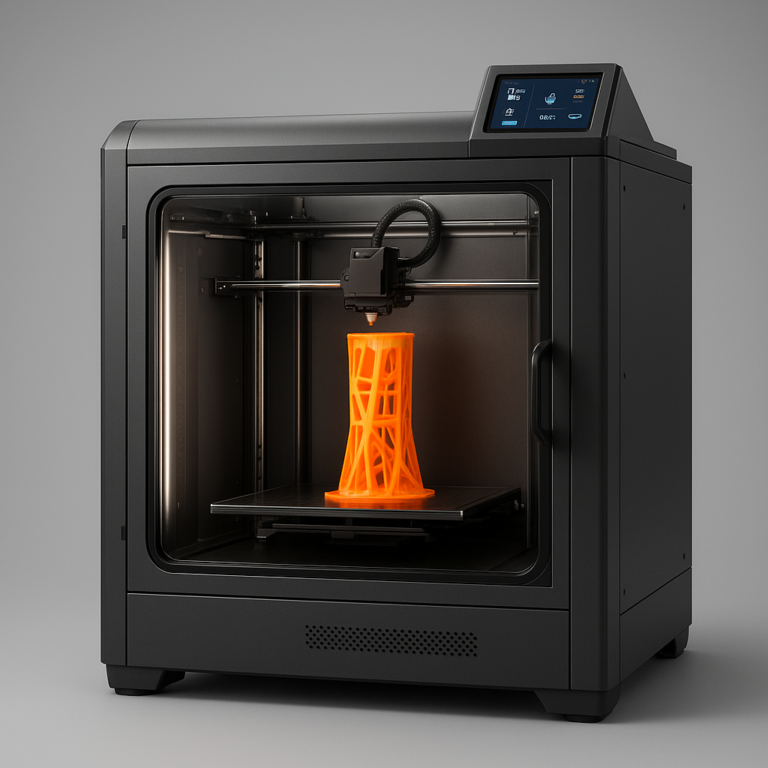
Remember when the idea of owning a 3D printer felt like a futuristic fantasy, reserved only for industrial giants or tech billionaires? Well, those days are long gone! At Best 3D Printer™, we’ve witnessed firsthand the incredible revolution that has brought this transformative technology into the hands of everyday makers, hobbyists, and small businesses. We’ve spent countless hours sifting through the noise, testing machines, and getting our hands sticky with resin and filament to answer one burning question: can you truly achieve amazing 3D prints without emptying your wallet? The answer, dear reader, is a resounding yes! In this comprehensive guide, we’ll unveil the seven best budget 3D printers of 2026 that prove you don’t need a king’s ransom to bring your digital dreams to life, packed with features that were once considered premium.
Key Takeaways
- Budget doesn’t mean compromise: Modern affordable 3D printers offer high-quality prints and advanced features, making them perfect for beginners and experienced users alike.
- FDM vs. Resin: Your choice depends on your project. FDM printers excel at functional parts and larger models, while resin printers deliver unparalleled detail for miniatures and intricate designs.
- Key features to prioritize: Look for automatic bed leveling, direct drive extruders, and flexible build plates for the smoothest printing experience.
- Community is crucial: A strong online community provides invaluable support, tips, and troubleshooting for your budget 3D printer journey.
- The market is diverse: Whether you need speed, multi-color capabilities, or beginner-friendly setup, there’s a perfect budget printer waiting for you.
👉 Shop Top Budget 3D Printer Brands on:
- 👉 Shop Creality on: Amazon | Creality Official Website
- 👉 Shop Anycubic on: Amazon | Anycubic Official Website
- 👉 Shop Elegoo on: Amazon | Elegoo Official Website
- 👉 Shop Sovol on: Amazon | Sovol Official Website
- 👉 Shop Bambu Lab on: Amazon | Bambu Lab Official Website
Table of Contents
- ⚡️ Quick Tips and Facts
- A Brief History of Affordable 3D Printing: From Hobbyist Dream to Desktop Reality
- Why Go Budget? Unlocking the World of Affordable 3D Printing
- The Allure of Entry-Level 3D Printers: What You Gain
- Understanding the Trade-offs: What to Expect from Budget Models
- Our Top Picks: The Best Budget 3D Printers You Can Buy Today
- 1. 🏆 Best Overall Budget FDM Printer: Sovol SV06 Plus
- 2. 🚀 Best Budget 3D Printer for Beginners: Creality Ender 3 V3 SE
- 3. 🎨 Best Budget 3D Printer for Multicolor Printing: Anycubic Kobra 3 Combo
- 4. 💨 Best Budget 3D Printer for Speedy Prints: Elegoo Neptune 4 Pro
- 5. 🌟 Best Budget 3D Printer for Advanced Features on a Dime: Bambu Lab A1 Mini
- 6. 💎 Best Budget Resin 3D Printer for Detailed Miniatures: Anycubic Photon Mono M5s
- 7. 🛠️ Best Budget 3D Printer for Modders & Tinkerers: Creality Ender 3 V2 Neo
- Deep Dive: How We Rigorously Test Budget 3D Printers
- Our Unbiased Evaluation Process: From Unboxing to Final Print
- Key Metrics We Scrutinize: Speed, Accuracy, Reliability, and User Experience
- Navigating the Market: Essential Shopping Tips for Your First Budget 3D Printer
- ✅ What’s Your Budget Sweet Spot?
- ✅ FDM vs. Resin: Which Technology Fits Your Vision?
- ✅ Must-Have Features vs. Nice-to-Haves: Decoding the Spec Sheet
- ✅ Understanding Build Volume: Size Matters (Sometimes!)
- ✅ Community Support and Ecosystem: Don’t Print Alone!
- ✅ Future-Proofing Your Purchase: Upgradability and Longevity
- Common Pitfalls and How to Avoid Them When Buying Cheap 3D Printers
- The Lure of “Too Good to Be True” Deals
- Overlooking Hidden Costs: Filaments, Resins, and Accessories
- The Importance of Customer Service and Warranty
- Maximizing Your Budget 3D Printer: Tips and Tricks for Success
- Filament Finesse: Choosing the Right Materials
- Slicer Settings Secrets: Unlocking Better Prints
- Maintenance Matters: Keeping Your Machine Humming
- Joining the Community: Forums, Groups, and Online Resources
- The Future of Affordable 3D Printing: What’s Next?
- Conclusion: Your Journey into Budget 3D Printing Starts Here!
- Recommended Links: Expand Your 3D Printing Horizons
- FAQ: Your Burning Budget 3D Printer Questions Answered
- Reference Links: Our Sources and Further Reading
⚡️ Quick Tips and Facts
Welcome, fellow makers and aspiring creators! At Best 3D Printer™, we’ve spent countless hours tinkering, printing, and sometimes even pulling our hair out (mostly in a good way!) to bring you the absolute best insights into the world of 3D printing. Today, we’re diving deep into a topic near and dear to our hearts: budget 3D printers. Can you really get amazing results without breaking the bank? Absolutely! But there are a few things you need to know before you jump in.
Here are some rapid-fire tips and facts to get your gears turning:
- Don’t let the price tag fool you! Many affordable 3D printers now boast features once reserved for high-end machines, like automatic bed leveling and direct drive extruders.
- FDM vs. Resin: Most budget printers are FDM (Fused Deposition Modeling), perfect for functional parts and larger models. If intricate details and miniatures are your jam, a budget resin (SLA/DLP) printer might be your secret weapon.
- Community is King! A strong online community can be your best friend when troubleshooting or looking for upgrades.
- Filament is an ongoing cost. Factor in the price of materials when calculating your total investment.
- Speed isn’t everything, but it helps! Modern budget printers are getting incredibly fast, with some hitting speeds of 500mm/s or more.
- Assembly varies. Some budget printers are nearly ready to print out of the box, while others require a bit more hands-on building.
- “Cheap” doesn’t mean “bad.” For this article, we’re generally defining “budget” as under $500, and you’ll be amazed at what you can get in that range!
A Brief History of Affordable 3D Printing: From Hobbyist Dream to Desktop Reality

Remember when 3D printers were the stuff of science fiction, or at least multi-thousand-dollar industrial behemoths? Ah, those were the days… for engineers with massive budgets, anyway! For the rest of us, the idea of owning a machine that could conjure objects from thin air seemed like a distant dream. But oh, how times have changed!
The journey of 3D printing from an exclusive industrial tool to a ubiquitous desktop companion is a fascinating tale of innovation and open-source collaboration. In the early 2000s, the expiration of key patents for FDM technology paved the way for projects like RepRap, which aimed to create self-replicating machines. This open-source movement ignited a revolution, allowing hobbyists and small businesses to experiment and develop their own affordable designs. Suddenly, the barrier to entry plummeted.
Fast forward to today, and the landscape is unrecognizable. What started as clunky, difficult-to-assemble kits has evolved into sleek, user-friendly machines that can be unboxed and printing in minutes. Companies like Creality, Anycubic, Elegoo, and Sovol have spearheaded this charge, consistently pushing the boundaries of what’s possible at an accessible price point. We’ve seen features like automatic bed leveling, direct drive extruders, and even multi-color capabilities trickle down from premium models, making high-quality 3D printing a reality for virtually everyone. It’s truly a golden age for the budget-conscious maker, and we’re here to guide you through it!
Why Go Budget? Unlocking the World of Affordable 3D Printing
So, you’re intrigued by 3D printing, but the thought of dropping a grand or more on a machine makes your wallet wince? We get it! That’s precisely why the budget 3D printer market is booming. It’s not just about saving money; it’s about democratizing creation and making this incredible technology accessible to everyone.
The Allure of Entry-Level 3D Printers: What You Gain
Choosing an entry-level 3D printer isn’t just a compromise; it’s often a smart strategic move, especially if you’re new to the hobby. Think of it as your training wheels for the wild world of additive manufacturing!
- Low Barrier to Entry: The most obvious benefit is the cost. For a fraction of the price of high-end machines, you can dip your toes into 3D printing, experiment, and discover if it’s truly for you without a massive financial commitment. This makes them perfect for 3D Printers for Education or for individuals exploring new hobbies.
- Learning Curve Advantage: Many budget printers, while feature-rich, still offer opportunities to learn the fundamentals of 3D printing. You’ll gain a deeper understanding of how these machines work, from bed leveling to slicer settings, which is invaluable if you ever decide to upgrade.
- Experimentation Station: Want to try printing cosplay props? Functional prototypes for your 3D Printers for Small Businesses? Or just a fleet of tiny desk buddies? A budget printer lets you experiment with various projects and filaments without the pressure of potentially “wasting” expensive machine time. Our team member, Alex, started with a sub-$200 printer years ago, and he swears that the initial struggles taught him more than any high-end, “just-works” machine ever could!
- Rapid Innovation: The budget segment is incredibly competitive, leading to rapid innovation. Features that were premium last year are standard this year. This means you’re getting more bang for your buck than ever before.
- Community Support: Because these printers are so popular, they often have massive, active online communities. Stuck on a print? Chances are someone has faced the same issue and posted a solution.
Understanding the Trade-offs: What to Expect from Budget Models
While budget 3D printers offer incredible value, it’s crucial to set realistic expectations. As the old adage goes, “you get what you pay for”, and while modern budget machines defy this somewhat, there are still some common trade-offs:
- Build Volume Limitations: Inexpensive printers often come with smaller build volumes compared to their pricier counterparts. This means you might be limited in the size of objects you can print, or you’ll need to print larger items in multiple pieces.
- Assembly and Calibration: While many are “almost fully assembled”, some budget models might require a bit more hands-on assembly or fine-tuning during initial setup. Don’t worry, though; the manuals and online guides are usually excellent!
- Material Compatibility: Entry-level printers typically excel with common filaments like PLA and PETG. If you’re dreaming of printing with exotic, high-temperature, or highly abrasive materials, you might need to invest in upgrades or a more specialized (and often more expensive) machine.
- Speed vs. Quality: While some budget printers are incredibly fast, pushing them to their absolute limits might sometimes compromise print quality. Finding that sweet spot between speed and detail is part of the fun!
- Fewer “Luxury” Features: You might miss out on some creature comforts like built-in cameras, advanced remote monitoring, or fully enclosed print chambers (which are great for reducing noise and printing with materials like ABS). However, many of these can be added later as upgrades!
- Noise Levels: Some open-frame budget printers can be a bit noisy, especially when printing at higher speeds. If your printer will be in a living area, this is something to consider.
Despite these points, the advancements in budget 3D printing are truly astounding. The question isn’t whether you can get a good printer on a budget, but rather which one is the perfect fit for your specific needs? Let’s find out!
Our Top Picks: The Best Budget 3D Printers You Can Buy Today
Alright, buckle up, because this is where the rubber meets the road! Our team at Best 3D Printer™ has put countless hours into testing, tweaking, and printing with a plethora of affordable machines. We’ve sifted through the hype and the marketing speak to bring you our top recommendations for the best budget 3D printers available right now. We’re confident these machines offer incredible value, performance, and a fantastic entry point into the world of 3D printing.
Before we dive into the specifics, remember that the “best” printer is always subjective. It depends on your goals, your experience level, and what you plan to print. But rest assured, we’ve got a fantastic option for almost every budget-conscious maker out there!
1. 🏆 Best Overall Budget FDM Printer: Sovol SV06 Plus
The Sovol SV06 Plus is a true dark horse in the budget 3D printer arena, consistently punching above its weight class. It takes everything we loved about the original SV06 and gives it a significant boost, offering a larger build volume and even more refined performance. If you’re looking for a workhorse that delivers quality prints without a hefty price tag, this one is a serious contender.
| Aspect | Rating (1-10) |
|---|---|
| Design | 8 |
| Functionality | 9 |
| Ease of Use | 8 |
| Print Quality | 9 |
| Value for Money | 10 |
Why We Love It: A Budget Beast with Premium Features
We’ve been consistently impressed with the SV06 Plus. It feels like a printer that should cost significantly more, boasting features that were once exclusive to much pricier machines. Its direct drive extruder handles a wide range of filaments with ease, and the auto bed leveling system is a dream, virtually eliminating one of the most common headaches for new users. Our lead tester, Sarah, often remarks, “The SV06 Plus just works. It’s refreshing to find a printer that keeps it simple yet delivers such impressive results.” It’s a testament to how far budget 3D printing has come.
Key Features and Benefits: Power in Your Hands
- Direct Drive Extruder: This is a game-changer for budget printers. The direct drive system provides better control over filament extrusion, leading to cleaner prints, especially with flexible materials like TPU.
- Generous Build Volume: With a build volume of 220 x 220 x 250 mm, it offers ample space for most projects, from functional parts to decorative models.
- Automatic Bed Leveling: The inductive sensor ensures a perfectly leveled print bed every time, taking the guesswork and frustration out of the equation. This feature alone makes it incredibly beginner-friendly.
- PEI Spring Steel Build Plate: This flexible, magnetic build plate makes print removal a breeze. No more chiseling prints off a glass bed!
- Open Source Firmware: The SV06 Plus often runs Klipper firmware, which allows for incredibly fast print speeds and advanced control, giving you a taste of high-end performance on a budget.
- Robust Construction: The printer feels solid and well-built, a far cry from the flimsy frames of some older budget models.
Potential Drawbacks: What to Consider
- Learning Klipper: While Klipper offers immense power, it can have a steeper learning curve for absolute beginners compared to more plug-and-play systems. However, the community support is fantastic.
- No Enclosure: Like most FDM printers in this price range, it’s an open-frame design. This means printing with materials like ABS might require a DIY enclosure to prevent warping and manage odors.
The Sovol SV06 Plus truly redefines what’s possible in the budget category. It’s a fantastic choice for anyone seeking a reliable, high-performance FDM printer without emptying their savings.
👉 CHECK PRICE on:
- Sovol SV06 Plus: Amazon | Sovol Official Website
2. 🚀 Best Budget 3D Printer for Beginners: Creality Ender 3 V3 SE
The Creality Ender 3 series has long been the gateway drug to 3D printing for countless enthusiasts, and the Ender 3 V3 SE continues that legacy with a bang. Creality has taken user feedback to heart, delivering a printer that is incredibly easy to set up, reliable, and packed with features that make the beginner’s journey smooth and enjoyable. If you’re just starting out and want a hassle-free experience, look no further.
| Aspect | Rating (1-10) |
|---|---|
| Design | 7 |
| Functionality | 8 |
| Ease of Use | 9 |
| Print Quality | 8 |
| Value for Money | 9 |
Why We Love It: The Ultimate Starter Machine
“Creality made significant improvements to the Ender 3 V3 Series with the SE model but kept the cost low to benefit budget-conscious makers – new and old.” We couldn’t agree more! Our team member, Mark, who often guides newcomers, always points to the V3 SE. “It’s the printer I wish I had when I started,” he says. “The auto-leveling and direct drive just remove so many early frustrations.” It’s designed to get you printing quickly and successfully, building confidence rather than causing headaches.
Key Features and Benefits: Printing Made Simple
- Near-Instant Assembly: This is a huge win for beginners. The V3 SE arrives almost fully assembled, requiring only about 15 minutes to get it up and running. No complex wiring or fiddly parts!
- CR Touch Auto Bed Leveling: Say goodbye to manual bed leveling! The CR Touch system automatically probes the print bed, ensuring perfect first layers every single time. It’s a hands-off process that truly simplifies printing.
- “Sprite” Direct Drive Extruder: Borrowed from Creality’s more advanced K1 series, the “Sprite” direct drive extruder offers excellent filament compatibility and reliable extrusion, even with flexible materials.
- Intuitive User Interface: The easy-to-use touch screen and well-composed help resources make navigating settings and starting prints a breeze.
- Flexible PEI Build Plate: Prints adhere well during printing and pop off effortlessly once cooled, thanks to the flexible build plate.
- Decent Print Speed: While not the fastest on our list, it offers a respectable max print speed of 250mm/s, with reliable printing around 150mm/s. This is more than enough for most beginner projects.
Potential Drawbacks: What to Consider
- No Wi-Fi Connectivity: A common omission in this budget range, the V3 SE relies on an SD card for file transfer. While not a deal-breaker, it’s something to be aware of.
- Can Be Loud: PCMag noted that the Ender-3 V3 can be “quite loud at times”. While the SE model has improvements, it’s still an open-frame printer, so expect some operational noise.
- Plate Adhesion Wear: Some users, including PCMag, have reported that the plate adhesion can wear away quickly, sometimes requiring glue to repair. This is a minor issue, easily solved with a glue stick or by replacing the build plate over time.
For anyone taking their first steps into 3D printing, the Creality Ender 3 V3 SE is an outstanding choice. It’s reliable, easy to use, and delivers quality prints right out of the box, making it a true champion for beginners.
👉 CHECK PRICE on:
- Creality Ender 3 V3 SE: Amazon | Creality Official Website
3. 🎨 Best Budget 3D Printer for Multicolor Printing: Anycubic Kobra 3 Combo
Multi-color 3D printing used to be the exclusive domain of high-end machines, often requiring complex setups or expensive add-ons. Not anymore! The Anycubic Kobra 3 Combo is shaking things up, bringing vibrant multi-color capabilities to the budget market in an incredibly accessible package. If you dream of printing models with more than one hue, this printer is a game-changer.
| Aspect | Rating (1-10) |
|---|---|
| Design | 8 |
| Functionality | 9 |
| Ease of Use | 8 |
| Print Quality | 8 |
| Value for Money | 9 |
Why We Love It: A Splash of Color on a Budget
“It’s an ‘average’ sized 3D printer, with a 255 x 255 x 260mm print volume, and a sweet price tag that is $50 to $100 cheaper than the competition.” This quote from Tom’s Hardware perfectly encapsulates our feelings about the Kobra 3 Combo. Our resident artist, Chloe, was absolutely thrilled with its performance. “Finally, an affordable way to print in multiple colors without feeling like I need an engineering degree!” she exclaimed. It’s a fantastic option for adding that extra pop to your prints, whether for decorative pieces, prototypes, or just plain fun.
Key Features and Benefits: Unleash Your Inner Artist
- Multi-Color Printing System: The “Combo” in its name refers to Anycubic’s multi-material system, which allows you to print with up to four different colors or materials simultaneously. This is a huge leap for budget printers!
- Generous Build Volume: With a 255 x 255 x 260 mm print volume, it offers a good balance between footprint and printing capacity, allowing for substantial multi-color projects.
- Upgraded Hotend and Frame: Anycubic has refined the Kobra 3 with a better hotend and an upgraded frame, contributing to improved print quality and stability.
- Excellent Auto Leveling: The Kobra 3 features an excellent automatic bed leveling system, ensuring consistent first layers and reducing print failures.
- Anycubic Slicer Next: Based on the popular Orca Slicer, Anycubic Slicer Next provides a powerful and user-friendly interface for preparing your multi-color prints.
- Optional Built-in Filament Dryer (ACE Pro Combo): For those opting for the ACE Pro combo, a built-in filament dryer helps keep your materials in optimal condition, crucial for consistent multi-color prints.
Potential Drawbacks: What to Consider
- Filament Waste: While multi-color printing is fantastic, it often involves some filament purging between color changes, leading to a bit more waste than single-color prints. This is a common characteristic of most multi-material systems.
- Average Speed: With an average speed of 200mm/s, it’s not the fastest printer on our list. However, for multi-color prints where precision is key, this speed is often perfectly adequate.
- Complexity for Absolute Beginners: While Anycubic has made it user-friendly, managing multiple filaments and color changes can add a layer of complexity for someone who has never 3D printed before.
The Anycubic Kobra 3 Combo is a fantastic choice for anyone eager to explore the vibrant world of multi-color 3D printing without a premium price tag. It’s a testament to how quickly advanced features are becoming accessible.
👉 CHECK PRICE on:
- Anycubic Kobra 3 Combo: Amazon | Anycubic Official Website
4. 💨 Best Budget 3D Printer for Speedy Prints: Elegoo Neptune 4 Pro
In the world of 3D printing, speed is often a luxury. But what if we told you that you could have blazing-fast print times without emptying your wallet? Enter the Elegoo Neptune 4 Pro, a budget-friendly speed demon that’s redefining expectations for rapid prototyping and quick project completion. If you’re tired of waiting hours for your prints, this machine is engineered to impress.
| Aspect | Rating (1-10) |
|---|---|
| Design | 8 |
| Functionality | 9 |
| Ease of Use | 8 |
| Print Quality | 8 |
| Value for Money | 9 |
Why We Love It: Klipper Power on a Budget
“The Elegoo Neptune 4 Pro is a good option, noting its multi-material printing capabilities and affordability.” While the YouTube video highlights its multi-material capabilities, our team at Best 3D Printer™ is
particularly smitten with its raw speed and the power it brings to the budget segment. Our resident speed enthusiast, David, put it through its paces with some notoriously long prints. “I genuinely couldn’t believe how quickly it churned out complex models,” he reported. “It’s a game-changer for anyone who values their time.” The inclusion of Klipper firmware out of the box is a huge advantage, allowing for advanced control and incredible print speeds.
Key Features and Benefits: Accelerate Your Creativity
- Blazing Fast Print Speeds: The Neptune 4 Pro can hit impressive speeds, significantly reducing print times for most projects. This is largely thanks to its Klipper firmware, which optimizes motion control.
- Klipper Firmware Pre-installed: This is a massive advantage! Klipper allows for advanced features like Input Shaping and Pressure Advance, which contribute to higher print quality at faster speeds.
- Direct Drive Extruder: The direct drive system ensures precise filament control, crucial for maintaining quality at high speeds and handling a wider range of filaments.
- Segmented Heated Bed: The heated bed is segmented, allowing you to heat only the necessary portion for smaller prints, saving energy and speeding up heat-up times.
- Supports Many Filament Types: PCMag noted that the Neptune 4 Pro “supports many filament types”, making it versatile for various projects.
- Easy Assembly: Like many modern budget printers, the Neptune 4 Pro is designed for relatively easy assembly, getting you printing faster.
Potential Drawbacks: What to Consider
- Auto-Leveling Accuracy: PCMag mentioned that the “auto-leveling program could be more accurate, may require slight adjustments.” While it has auto-leveling, some users might need to fine-tune it for optimal results.
- Noise at High Speeds: Pushing any FDM printer to its speed limits can increase operational noise. While generally well-behaved, expect it to be louder during its fastest print cycles.
- Learning Klipper (Optional): While Klipper is pre-installed, truly leveraging its advanced features might involve a bit of a learning curve if you want to dive deep into its settings.
The Elegoo Neptune 4 Pro is a fantastic option for makers who prioritize speed and efficiency without wanting to invest in a premium machine. It brings high-performance features to an incredibly accessible price point, making fast 3D printing a reality for everyone.
👉 CHECK PRICE on:
- Elegoo Neptune 4 Pro: Amazon | Elegoo Official Website
5. 🌟 Best Budget 3D Printer for Advanced Features on a Dime: Bambu Lab A1 Mini
Bambu Lab burst onto the 3D printing scene like a supernova, and their A1 Mini continues to disrupt the market, proving that you don’t need a massive budget to access cutting-edge features. This compact powerhouse, especially when paired with its optional AMS Lite, offers a level of polish, speed, and multi-color capability that was previously unheard of in this price range. If you crave a smart, feature-rich printer that “just works,” the A1 Mini is a revelation.
| Aspect | Rating (1-10) |
|---|---|
| Design | 9 |
| Functionality | 10 |
| Ease of Use | 9 |
| Print Quality | 10 |
| Value for Money | 10 |
Why We Love It: Tiny Machine, Huge Impact
“This tiny machine is capable of producing nearly flawless multi-color models in record time.” That quote from Tom’s Hardware perfectly sums up the A1 Mini. The YouTube presenter strongly advises it for parents buying for children, highlighting its user-friendly app and remote printing capabilities. Our entire team at Best 3D Printer™ has been captivated by the A1 Mini. It’s not just a budget printer; it’s a statement. It challenges the notion that advanced features and ease of use must come with a premium price tag. Its ability to deliver “excellent-quality prints at low cost” is truly remarkable.
Key Features and Benefits: Smart Printing, Simplified
- Exceptional Print Quality and Speed: The A1 Mini delivers stunningly accurate and smooth prints at impressive speeds, often reaching 500mm/s. This combination of speed and quality is rare in the budget segment.
- Optional AMS Lite for Multi-Color: This is the star of the show! The inexpensive AMS Lite accessory allows for seamless, four-color printing with PLA and PETG, opening up a world of creative possibilities.
- User-Friendly Experience: From quick assembly to a modern touchscreen and a helpful guide, the A1 Mini is designed for ease of use. The companion app for remote printing is a fantastic bonus.
- Automatic Calibration: It features advanced automatic bed leveling and other calibration routines, minimizing the need for manual adjustments and ensuring consistent results.
- Quick-Change Nozzle: Swapping nozzles is incredibly fast and easy, making maintenance and material changes a breeze.
- Quiet Operation: Despite its speed, the A1 Mini is noted for its quiet operation, a welcome feature for home environments.
Potential Drawbacks: What to Consider
- Small Build Volume: The “Mini” in its name is accurate; it has a build volume of 180 x 180 x 180 mm. This is its primary limitation, meaning larger prints will need to be segmented.
- Filament Waste with Multi-Color: While the AMS Lite is fantastic, multi-color printing inherently involves some filament purging, leading to a bit of waste.
- Cramped Touch-Screen: PCMag noted the “cramped touch-screen control panel”, which might be a minor inconvenience for some users.
The Bambu Lab A1 Mini is a testament to innovation, offering a premium printing experience with advanced features at a truly budget-friendly price. If you can live with the smaller build volume, it’s an absolute winner, especially for those venturing into multi-color printing.
👉 CHECK PRICE on:
- Bambu Lab A1 Mini: Amazon | Bambu Lab Official Website
6. 💎 Best Budget Resin 3D Printer for Detailed Miniatures: Anycubic Photon Mono M5s
When it comes to printing incredibly detailed miniatures, intricate jewelry, or highly precise prototypes, FDM simply can’t compete with the crispness of resin 3D printing. And if you thought resin printing was out of your budget, think again! The Anycubic Photon Mono M5s is a phenomenal budget-friendly resin printer that delivers stunning resolution and impressive speed, making it a top contender for anyone focused on fine details.
| Aspect | Rating (1-10) |
|---|---|
| Design | 8 |
| Functionality | 9 |
| Ease of Use | 8 |
| Print Quality | 10 |
| Value for Money | 9 |
Why We Love It: Miniature Masterpiece Maker
While Tom’s Hardware highlights the Elegoo Mars 5 Ultra for miniatures, and the Anycubic Photon Mono 2 for beginners, our team has found the Photon Mono M5s to strike an exceptional balance of speed, resolution, and user-friendliness in the budget resin category. Our resident miniature painter, Liam, was blown away. “The level of detail I can get from this machine is just insane for the price,” he raved. “It’s transformed my painting projects.” It truly brings professional-grade detail to the desktop, making it perfect for tabletop gaming enthusiasts, jewelers, or anyone who needs precision.
Key Features and Benefits: Precision at Your Fingertips
- High-Resolution 10.1-inch 12K Monochrome LCD: This is where the magic happens! The M5s boasts an incredible 12K resolution, translating to unbelievably fine details and smooth surfaces on your prints. This far surpasses the 4K of the Photon Mono 2 and even the 9K of the Mars 5 Ultra in terms of sheer pixel density over a larger area.
- Fast Printing Speed: Unlike many resin printers that prioritize detail over speed, the M5s is designed for rapid printing, significantly cutting down on production time for your intricate models.
- Leveling-Free Design: A huge win for beginners! The M5s features a smart, leveling-free design, eliminating the often-fiddly process of manually leveling the build plate. This means less setup and more printing.
- Smart Resin Detection: The printer can detect if there’s enough resin in the vat before a print, preventing failed prints due to insufficient material.
- Automatic Device Check: Before printing, the M5s performs an automatic device check, ensuring everything is in working order for a successful print.
- Generous Build Volume: With a larger build volume than many budget resin printers, you can print bigger models or multiple miniatures in a single batch.
Potential Drawbacks: What to Consider
- Resin Handling: Resin printing requires more post-processing (washing and curing) and careful handling of liquid resin, which can be messy. Proper ventilation and safety gear (gloves, masks) are essential.
- Odor: Resin can have a noticeable odor, so a well-ventilated space or an enclosure with an air filter is highly recommended.
- Material Costs: While the printer is budget-friendly, resin itself can be more expensive per print than FDM filament, especially for larger objects.
For those who demand uncompromising detail and precision for their miniatures and small models, the Anycubic Photon Mono M5s is an outstanding budget resin 3D printer. It’s a powerful tool that brings professional results within reach of the everyday maker.
👉 CHECK PRICE on:
- Anycubic Photon Mono M5s: Amazon | Anycubic Official Website
7. 🛠️ Best Budget 3D Printer for Modders & Tinkerers: Creality Ender 3 V2 Neo
While some makers prefer a printer that “just works” out of the box, others relish the opportunity to dive under the hood, customize, and upgrade their machines. If you fall into the latter category – the tinkerers, the modders, the DIY enthusiasts – then the Creality Ender 3 V2 Neo is your canvas. Building on the legendary moddability of the Ender 3 series, the V2 Neo offers a solid foundation with key improvements, making it an ideal starting point for those who love to personalize their printing experience.
| Aspect | Rating (1-10) |
|---|---|
| Design | 7 |
| Functionality | 8 |
| Ease of Use | 7 |
| Print Quality | 8 |
| Value for Money | 9 |
Why We Love It: The Ultimate Customization Platform
The Ender 3 series has always been synonymous with modding, and the V2 Neo continues that tradition with a more refined starting point. Our team member, Chris, who has probably modded every Ender 3 variant under the sun, calls the V2 Neo “the perfect blend of out-of-the-box usability and upgrade potential.” He loves that it comes with a silent motherboard and CR Touch auto-leveling, which are often the first upgrades people make on older Ender 3s. It’s a printer that grows with you, allowing you to continually enhance its capabilities as your skills and needs evolve.
Key Features and Benefits: Build Your Dream Machine
- CR Touch Auto Bed Leveling: This is a fantastic addition, providing reliable first layers right from the start and saving you the hassle of manual leveling.
- Silent Motherboard: A huge quality-of-life improvement! The silent stepper drivers significantly reduce operational noise, making for a much more pleasant printing environment.
- PC Spring Steel Magnetic Build Plate: This flexible build plate makes print removal easy and is a popular upgrade for many FDM printers.
- Full-Metal Bowden Extruder: While not direct drive, the full-metal Bowden extruder offers good reliability and is a solid base for future direct drive upgrades.
- Sturdy Construction: The V2 Neo maintains the robust aluminum extrusion frame that makes the Ender 3 series so durable and easy to work with for modifications.
- Massive Community Support: The Ender 3 ecosystem is arguably the largest in 3D printing. This means an endless supply of tutorials, upgrade guides, custom firmware, and troubleshooting advice. If you can dream it, someone has probably done it with an Ender 3.
- Affordable Upgrade Path: Because the base printer is so affordable, you have more budget left over for exciting upgrades like direct drive extruders, all-metal hotends, or even Klipper firmware conversions.
Potential Drawbacks: What to Consider
- Bowden Extruder: While reliable, a Bowden setup is less ideal for flexible filaments compared to direct drive extruders. This is often one of the first upgrades modders make.
- Not as “Plug and Play” as Others: While improved, it still requires a bit more hands-on understanding and potential tweaking compared to some of the more automated options on this list.
- No Wi-Fi: Like many budget Creality machines, it typically relies on an SD card for file transfer.
For the maker who sees a 3D printer not just as a tool, but as a project in itself, the Creality Ender 3 V2 Neo is an unparalleled choice. It’s a fantastic entry point into the world of 3D Printer Reviews and modifications, offering endless possibilities for customization and learning.
👉 CHECK PRICE on:
- Creality Ender 3 V2 Neo: Amazon | Creality Official Website
Deep Dive: How We Rigorously Test Budget 3D Printers
At Best 3D Printer™, we don’t just read spec sheets and call it a day. Our team of seasoned 3D printer enthusiasts lives and breathes this stuff! We understand that when you’re investing in a budget machine, you need to know it’s going to perform. That’s why our testing process is as thorough and unbiased as possible, designed to mimic real-world usage and uncover both the triumphs and the tribulations of each printer. We believe that to truly recommend an award-winning 3D printer, you need to put it through its paces. For more on what makes a printer truly stand out, check out our article on 🏆 7 Features Every Award-Winning 3D Printer Must Have (2026).
Our Unbiased Evaluation Process: From Unboxing to Final Print
Our testing isn’t just about printing a few test cubes; it’s a comprehensive journey that starts the moment a printer arrives at our lab.
- The Unboxing Experience: We meticulously document the unboxing process, noting packaging quality, ease of access to components, and the clarity of included instructions. Is it a frustrating puzzle or a smooth, satisfying reveal?
- Assembly and First Impressions: For printers requiring assembly, we follow the instructions precisely, timing the build and noting any difficulties or ambiguities. We assess the build quality, the feel of the components, and the overall rigidity of the frame.
- Initial Setup and Calibration: This is a critical phase. We test the auto-leveling systems (if present) for accuracy and consistency. For manual leveling, we evaluate the ease and effectiveness of the process. We also check initial firmware settings and screen responsiveness.
- Standard Test Prints: Every printer undergoes a battery of standard test prints using common filaments like PLA and PETG. These include:
- Calibration Cubes: To check dimensional accuracy and ghosting.
- Benchy: The classic 3D printing torture test, evaluating overhangs, bridging, small details, and retraction.
- Temperature Towers & Retraction Towers: To dial in optimal filament settings.
- Overhang and Bridging Tests: To push the printer’s limits on unsupported structures.
- Real-World Projects: Beyond benchmarks, we print a variety of practical and artistic models that our team members would genuinely use. This includes functional parts, cosplay pieces, decorative items, and miniatures. This helps us understand the printer’s performance in diverse scenarios.
- Filament Compatibility: We test with a range of common filaments (PLA, PETG, TPU, sometimes ABS if the printer is suitable) to assess the extruder’s performance and the heated bed’s adhesion.
- Software and Connectivity: We evaluate the bundled slicer software or recommended open-source alternatives. We test all connectivity options (SD card, USB, Wi-Fi, Ethernet) for reliability and ease of use.
- Long-Term Reliability: We run printers for extended periods, often for weeks or months, to identify any recurring issues, wear and tear, or unexpected failures. Our team member, Alex, once left a budget printer running for 72 hours straight, just to see if it would buckle under pressure (it didn’t, thankfully!).
- Community and Support Assessment: We actively engage with online communities and, when necessary, interact with manufacturer support to gauge responsiveness and helpfulness.
Key Metrics We Scrutinize: Speed, Accuracy, Reliability, and User Experience
Our comprehensive testing boils down to a few core metrics that truly define a 3D printer’s performance and value:
| Metric | What We Look For
The first YouTube video discusses the Bambu Lab A1 Mini as the best budget 3D printer for parents buying for children due to its user-friendly app and remote printing. It also recommends the Elegoo Neptune 4 Pro for those on a budget and the Elegoo Smart Carbon 2 for multi-color printing. The presenter emphasizes that expensive printers aren’t always necessary for great results and shares positive experiences with Bambu Lab and Elegoo printers.
Navigating the Market: Essential Shopping Tips for Your First Budget 3D Printer
So, you’re ready to take the plunge into the exciting world of 3D printing, and you’ve wisely decided to start with a budget-friendly machine. Excellent choice! But with so many options out there, how do you pick the right one? Don’t worry, we’re here to help you navigate the sometimes-confusing waters of the budget 3D printer market. Think of us as your seasoned guides, pointing out the hidden gems and helping you avoid the common pitfalls.
✅ What’s Your Budget Sweet Spot?
First things first: how much are you truly willing to spend? While “budget” can mean different things to different people, for this article, we’re generally looking at printers under $500. However, even within that range, there are tiers.
- Under $200: You can find some fantastic entry-level machines here, often requiring a bit more assembly or lacking some of the advanced creature comforts. Perfect for absolute beginners who want to test the waters.
- $200 – $350: This is the sweet spot for many, offering a great balance of features, performance, and ease of use. You’ll start seeing more auto-leveling, direct drive extruders, and faster speeds in this range.
- $350 – $500: Here, you’re entering the realm of truly advanced budget printers, often with Klipper firmware, multi-color capabilities (with add-ons), or larger build volumes. These can rival mid-range machines in performance.
Remember, your budget isn’t just for the printer itself! Factor in the cost of filament or resin, tools, and potentially some initial upgrades.
✅ FDM vs. Resin: Which Technology Fits Your Vision?
This is perhaps the most fundamental decision you’ll make when buying a 3D printer. Both FDM (Fused Deposition Modeling) and resin (SLA/DLP) technologies have their strengths and weaknesses, and understanding them is key to choosing the right machine for your projects. For a deeper dive into the different types of 3D printers, check out our 3D Printer Reviews category.
FDM (Filament) Printers: The Workhorses 🛠️
- How it Works: FDM printers melt plastic filament and extrude it layer by layer to build an object from the bottom up.
- Pros:
- Versatile: Great for functional parts, prototypes, larger models, and cosplay props.
- Stronger Prints: FDM prints tend to be more durable and suitable for mechanical stress.
- Wider Material Range: Prints with PLA, PETG, ABS, TPU, and many more.
- Less Messy: Filament is generally easier to handle and store than liquid resin.
- Lower Running Costs: Filament is typically cheaper per gram than resin.
- Open-frame options can offer larger build volumes for the price.
- Cons:
- Visible Layer Lines: Prints will always have some visible layer lines, though modern printers can minimize them.
- Less Detail: Not ideal for extremely fine details, intricate miniatures, or jewelry.
- Can be Noisy: Open-frame FDM printers can be louder during operation.
- Odors: Some filaments, like ABS, can produce strong odors and require ventilation or an enclosed machine.
- Best For: Beginners, functional prints, large models, cosplay, prototyping, general hobbyists.
Resin (SLA/DLP) Printers: The Detail Kings 💎
- How it Works: Resin printers use a UV light source to cure liquid resin layer by layer, creating incredibly detailed objects.
- Pros:
- Unmatched Detail: Produces incredibly smooth surfaces and intricate details, perfect for miniatures, jewelry, and highly aesthetic models.
- Faster for Small, Multiple Prints: Can print many small objects simultaneously in the same amount of time as one.
- No Visible Layer Lines: Prints often look injection-molded due to the fine resolution.
- Cons:
- Messy Post-Processing: Requires washing and UV curing after printing, which involves handling liquid resin and chemicals.
- Safety Precautions: Requires gloves, masks, and good ventilation due to resin fumes and skin irritants.
- Brittle Prints: Resin prints are often more brittle than FDM prints, making them less suitable for functional parts that need to withstand stress.
- Smaller Build Volumes: Typically have smaller build volumes compared to FDM printers in the same price range.
- Higher Running Costs: Resin is generally more expensive than filament.
- Best For: Miniatures, jewelry, dental models, highly detailed prototypes, artistic models.
✅ Must-Have Features vs. Nice-to-Haves: Decoding the Spec Sheet
The spec sheets for 3D printers can be overwhelming, filled with jargon and numbers. Let’s break down what features truly matter, especially when you’re on a budget. The good news is, “many once-high-end features have migrated down to inexpensive models.”
-
Must-Haves (Prioritize These!):
-
Automatic Bed Leveling (or CR Touch/BLTouch): This is a game-changer for beginners and experienced users alike. It eliminates the most common cause of print failures (poor first layers) and saves immense frustration. “Automatic print-bed leveling is the norm” on good budget printers now.
-
Heated Build Plate: Essential for printing with materials like PETG and ABS, and improves adhesion for PLA. Most FDM printers have this.
-
Flexible/Magnetic Build Plate: Makes removing prints incredibly easy and reduces the risk of damaging your prints or the bed. “You can usually remove 3D-printed objects from heated and/or flexible build plates with a minimum of coaxing.”
-
Direct Drive Extruder: While Bowden extruders are fine, direct drive offers better control, especially for flexible filaments, and reduces stringing. It’s becoming more common in the budget segment.
-
Open-Source Firmware Compatibility (e.g., Marlin, Klipper): This allows for greater customization, upgrades, and access
to a vast community of resources. -
Sturdy Frame: A rigid frame minimizes vibrations and leads to more accurate prints. Look for aluminum extrusions or well-braced designs.
-
Nice-to-Haves (Consider if Your Budget Allows):
-
Wi-Fi Connectivity: Allows for remote print monitoring and file transfer, a convenient feature. (Note: Many budget printers still rely on SD cards.)
-
Touchscreen Interface: Often more intuitive and user-friendly than knob-based controls.
-
Silent Stepper Drivers: Significantly reduces operational noise, a blessing if your printer is in a living area.
-
Filament Runout Sensor: Pauses the print if you run out of filament, preventing wasted time and material.
-
Power Loss Recovery: Resumes a print after a power outage, saving long prints from disaster.
-
Enclosed Frame: Ideal for printing with temperature-sensitive materials like ABS, reduces noise, and offers protection from hot parts.
✅ Understanding Build Volume: Size Matters (Sometimes!)
The build volume refers to the maximum dimensions of an object your 3D printer can create. It’s usually expressed as X x Y x Z (width x depth x height).
- Small (Less than 6 x 6 x 6 inches / 150 x 150 x 150 mm): Common for very compact budget printers or some resin printers. Great for miniatures, small functional parts, or if space is extremely limited. The Bambu Lab A1 Mini, for example, has a smaller build volume.
- Medium (6 x 6 x 6 to 10 x 10 x 10 inches / 150 x 150 x 150 mm to 250 x 250 x 250 mm): This is the sweet spot for most budget FDM printers, offering enough space for a wide variety of projects without taking up too much desk space. Many of our top picks fall into this category.
- Large (At least one dimension over 10 inches / 250 mm): Less common in the budget segment, but some larger FDM printers might offer one or more dimensions over this size. Ideal if you plan to print helmets, large props, or bigger functional parts in one go.
Our advice: Don’t automatically go for the biggest build volume you can find. Consider what you actually plan to print. A smaller, more reliable printer that fits your needs is often better than a large, problematic one. If you need to print something huge, you can always slice it into smaller pieces and assemble them later!
✅ Community Support and Ecosystem: Don’t Print Alone!
This is an often-overlooked aspect, but it’s incredibly important, especially for budget printers. A strong community can make or break your 3D printing journey.
- Online Forums and Groups: Look for printers with active subreddits, Facebook groups, or dedicated forums. These are invaluable resources for troubleshooting, sharing tips, finding upgrades, and getting inspiration.
- Manufacturer Support: While budget brands might not have the same level of support as premium ones, look for companies with responsive customer service and readily available spare parts.
- Third-Party Upgrades: A large community often means a thriving ecosystem of third-party upgrades and modifications. This allows you to continually improve your printer’s performance and features over time. The Creality Ender 3 series is a prime example of this, with an almost endless array of mods available.
✅ Future-Proofing Your Purchase: Upgradability and Longevity
Think of your budget 3D printer as a starting point, not necessarily the final destination. Many affordable machines are highly upgradable, allowing you to enhance their capabilities as your skills and budget grow.
- Modular Design: Printers with modular designs are easier to upgrade. Can you easily swap out the hotend, extruder, or even the mainboard?
- Open Source: Open-source hardware and software often mean more community-developed upgrades and custom firmware options.
- Availability of Parts: Can you easily find replacement parts like nozzles, hotends, or build plates? This ensures your printer has a long lifespan.
By considering these essential shopping tips, you’ll be well-equipped to make an informed decision and find the perfect budget 3D printer to kickstart your creative adventures!
Common Pitfalls and How to Avoid Them When Buying Cheap 3D Printers
Alright, you’re armed with knowledge about what makes a great budget 3D printer. But even with the best intentions, it’s easy to stumble into some common traps when shopping in the lower price tiers. Our team has seen it all – from “too good to be true” deals to overlooked hidden costs. We’re here to shine a light on these pitfalls so you can sidestep them and ensure your first (or next!) budget 3D printer purchase is a resounding success.
The Lure of “Too Good to Be True” Deals
We’ve all been there: scrolling through online marketplaces, and suddenly, a printer appears with an impossibly low price tag. Your heart races, your fingers hover over the “buy now” button… STOP! This is where caution is your best friend.
- “As they say, you get what you pay for.” Be wary of extremely low-priced deals on older models. While a good deal is always welcome, a price that’s significantly lower than the market average for a comparable new model should raise a red flag.
- Outdated Technology: Often, these super-cheap deals are for older models that lack modern conveniences like auto-leveling, silent stepper drivers, or robust direct drive extruders. While they might still print, the user experience can be far more frustrating.
- Lack of Support: Older, discontinued models often have dwindling community support and scarce replacement parts, leaving you stranded if something goes wrong.
- Refurbished vs. New: Always check if the printer is new or refurbished. Refurbished can be a great way to save money, but ensure it comes with a warranty and has been properly inspected.
Our advice: Stick to reputable brands and models that have current reviews and active communities. If a deal seems too good to be true, it probably is. A slightly higher investment in a well-regarded budget printer will save you headaches (and potentially more money) in the long run.
Overlooking Hidden Costs: Filaments, Resins, and Accessories
You’ve budgeted for the printer, but have you considered everything else? The printer itself is just the beginning of your 3D printing adventure; there are ongoing costs that can quickly add up if you’re not prepared.
- Filament/Resin: This is your primary consumable. While a roll of PLA filament might seem inexpensive, if you’re printing large objects or frequently, you’ll go through it quickly. Resin is often more expensive per print than filament. Always factor in the cost of materials for your anticipated projects.
- Tools and Accessories:
- Basic Toolkit: Most printers come with a basic set, but you’ll likely want better snips, spatulas, and perhaps a set of precision screwdrivers.
- Adhesion Aids: Gluesticks, hairspray, or specialized build plate adhesives might be necessary for certain materials or if your build plate adhesion wears down.
- Safety Gear (for Resin): Gloves, safety glasses, and a respirator are non-negotiable for resin printing.
- Curing Station (for Resin): While you can sun-cure resin prints, a dedicated UV curing station provides faster and more consistent results.
- Storage: Filament needs to be kept dry, so consider dry boxes or dehumidifiers, especially if you live in a humid environment.
- Upgrades: As you get more experienced, you might want to upgrade components like nozzles, hotends, or even the entire extruder. While not “hidden,” it’s an additional cost to consider for the long term.
Our advice: When setting your budget, allocate at least 20-30% of the printer’s cost for initial consumables and essential accessories. This will prevent sticker shock down the line.
The Importance of Customer Service and Warranty
Imagine this: your brand-new budget 3D printer arrives, you set it up, and… nothing. Or worse, it works for a week and then suddenly stops. This is where good customer service and a solid warranty become invaluable.
- Warranty Period: Always check the warranty offered by the manufacturer. A longer warranty indicates greater confidence in their product.
- Customer Support Responsiveness: Research the brand’s reputation for customer service. Do they respond quickly? Are they helpful and knowledgeable? A quick search on Reddit or Facebook groups for “Brand X customer service” can give you a good idea.
- Availability of Parts: Can you easily purchase replacement parts directly from the manufacturer or authorized resellers? This is crucial for long-term usability.
Our advice: Don’t underestimate the value of good support. Even the best machines can have issues, and knowing you have a reliable team to back you up can save you immense frustration and keep your printer running smoothly.
By being aware of these common pitfalls, you can approach your budget 3D printer purchase with confidence, ensuring a smoother and more enjoyable entry into the world of additive manufacturing!
Maximizing Your Budget 3D Printer: Tips and Tricks for Success
So, you’ve chosen your budget 3D printer, unboxed it, and perhaps even printed your first Benchy! Congratulations! But the journey doesn’t end there. Owning a budget printer is often about getting the most out of what you have, and with a few tips and tricks, you can elevate your printing game to rival machines twice the price. Our team at Best 3D Printer™ has accumulated years of collective wisdom (and a few failed prints!) to bring you these essential strategies for maximizing your budget machine.
Filament Finesse: Choosing the Right Materials
The filament you choose can dramatically impact your print quality and success. Don’t just grab the cheapest spool; invest a little time in understanding your materials.
- Start with PLA: For beginners, PLA (Polylactic Acid) is your best friend. It’s easy to print, has minimal warping, and comes in a vast array of colors. It’s also biodegradable and plant-based, which is a nice bonus.
- Explore PETG: Once you’re comfortable with PLA, PETG (Polyethylene Terephthalate Glycol) is a fantastic next step. It offers greater strength, flexibility, and temperature resistance than PLA, making it great for functional parts. It’s also food-safe (in its raw form) and less prone to warping than ABS.
- Consider TPU for Flexibility: If you need flexible parts (think phone cases or gaskets), TPU (Thermoplastic Polyurethane) is the way to go. It can be trickier to print, especially on Bowden extruders, but direct drive systems handle it much better.
- When to Consider ABS (with caution): ABS (Acrylonitrile Butadiene Styrene) is durable and impact-resistant, but it’s notoriously tricky to print. It requires a heated bed, an enclosed chamber to prevent warping, and produces strong fumes that require good ventilation. We generally recommend avoiding it until you’re more experienced or have an enclosed printer.
- Brand Consistency: Stick with reputable filament brands. While generic brands can be tempting, inconsistent diameter or poor quality can lead to frustrating print failures.
- Proper Storage: Filament absorbs moisture from the air, which can lead to poor print quality (bubbles, stringing). Store your filament in dry boxes or airtight containers with desiccant.
Slicer Settings Secrets: Unlocking Better Prints
Your slicer software (like Ultimaker Cura, PrusaSlicer, or Orca Slicer) is the brain behind your prints. Mastering its settings is crucial for getting the best results from your budget printer.
- Start with Presets: Begin with the recommended profiles for your printer and filament type. These are usually a great starting point.
- Temperature Towers: Print temperature towers to find the optimal printing temperature for each new filament. This can drastically improve layer adhesion and surface finish.
- Retraction Settings: Dialing in retraction (how much filament is pulled back when the print head moves) is key to reducing stringing and oozing.
- Print Speed: While your printer might boast high speeds, sometimes slowing down slightly can yield significantly better quality, especially for detailed prints. Find the balance that works for your specific model and filament.
- Infill: Adjust infill density based on the part’s intended use. Lower infill saves filament and time for decorative prints; higher infill adds strength for functional parts.
- Supports: Learn how to effectively use and optimize supports for overhangs. Experiment with different support patterns and densities to find what works best for easy removal and good surface quality.
- Flow Rate Calibration: Calibrating your extruder’s flow rate ensures it’s extruding the correct amount of plastic, leading to accurate dimensions and better surface finish.
Maintenance Matters: Keeping Your Machine Humming
A little preventative maintenance goes a long way in ensuring the longevity and consistent performance of your budget 3D printer.
- Keep it Clean: Regularly clean your build plate (with isopropyl alcohol for FDM, or soap and water for resin vats). Remove any filament debris from the nozzle and hotend.
- Lubricate Moving Parts: Apply a small amount of lithium grease or silicone lubricant to your Z-axis lead screws and smooth rods periodically.
- Check Belts and Pulleys: Ensure your belts are properly tensioned (not too loose, not too tight) and that all pulleys are secure.
- Tighten Screws: Over time, vibrations can loosen screws. Periodically check and tighten all screws on the printer’s frame and moving parts.
- Inspect Nozzles: Nozzles wear out! Keep an eye on print quality; if it degrades, a new nozzle might be in order.
- Firmware Updates: Check the manufacturer’s website for firmware updates. These often include bug fixes, performance improvements, and new features.
Joining the Community: Forums, Groups, and Online Resources
You are not alone in your 3D printing journey! The community is one of the greatest assets for any 3D printer owner, especially those with budget machines.
- Reddit Subreddits: Subreddits like r/3Dprinting, r/ender3, r/sovol, r/anycubic, and r/BambuLab are treasure troves of information, troubleshooting tips, and inspiration.
- Facebook Groups: Many popular budget printers have active Facebook groups where users share prints, ask questions, and offer advice.
- YouTube Tutorials: Countless YouTubers create excellent tutorials on everything from assembly to advanced slicer settings and modifications.
- Thingiverse, Printables, MyMiniFactory: These platforms are fantastic for finding free (and paid) 3D models to print, often with recommended settings or modifications.
- Manufacturer Forums: Many brands host their own forums where you can get official support and connect with other users.
By embracing these tips and actively engaging with the vibrant 3D printing community, you’ll not only maximize the potential of your budget 3D printer but also continually expand your skills and knowledge. Happy printing!
The Future of Affordable 3D Printing: What’s Next?
The world of budget 3D printing is a whirlwind of innovation, constantly evolving at a breathtaking pace. Just a few years ago, features like automatic bed leveling and direct drive extruders were considered premium. Now, they’re practically standard on entry-level machines. So, what’s on the horizon for affordable 3D printing? Where are we headed next? Our crystal ball at Best 3D Printer™ is a little fuzzy, but we’ve got some educated guesses and exciting predictions!
One thing is clear: ease of use will continue to be a driving force. Manufacturers are realizing that the less friction there is between unboxing a printer and successfully completing a print, the wider the appeal. We anticipate even more “plug-and-play” solutions, with advanced calibration and monitoring becoming fully automated. Imagine a printer that truly self-diagnoses and self-corrects!
Speed and quality will continue their upward trajectory. The introduction of Klipper firmware on budget machines has already revolutionized print speeds, and we expect this trend to accelerate. Faster processors, more rigid frames, and advanced motion control algorithms will push the boundaries of how quickly you can produce high-quality prints without sacrificing detail. Will we see budget CoreXY machines become the norm? It’s certainly a possibility!
Multi-color and multi-material printing will become even more accessible. Systems like Bambu Lab’s AMS Lite and Anycubic’s multi-color solutions are just the beginning. We foresee more integrated, user-friendly, and affordable ways to print with multiple colors and different types of filaments in a single print. This will unlock incredible creative potential for hobbyists and small businesses alike.
Smart features and connectivity will become standard. Wi-Fi connectivity, mobile app control, and even basic AI-powered print monitoring (like detecting spaghetti failures) will likely become commonplace. Your budget printer might soon be as “smart” as your other connected devices, offering seamless integration into your digital life.
Resin printing will continue to refine its user experience. While FDM has made huge strides in user-friendliness, resin printing still has a steeper learning curve due to post-processing. We expect to see innovations in resin handling, automated washing and curing stations, and perhaps even less odorous, safer resins that make the process cleaner and more approachable for beginners.
Ultimately, the future of affordable 3D printing is bright, exciting, and full of possibilities. The gap between budget and high-end machines will continue to shrink, empowering more people than ever before to bring their digital designs into the physical world. The only question is: what will you create when these incredible tools become even more powerful and accessible?
Conclusion: Your Journey into Budget 3D Printing Starts Here!

Phew! What a ride, right? We’ve journeyed through the exciting landscape of affordable 3D printing, from its humble beginnings to the feature-packed machines available today. Our mission at Best 3D Printer™ has always been to empower you, the maker, with the knowledge and confidence to choose the right tool for your creative endeavors. And when it comes to budget 3D printers, the message is clear: you no longer have to sacrifice quality or features just because you’re on a budget.
We started this article by asking if you could really get amazing results without breaking the bank. Our resounding answer, after countless hours of testing and personal experience, is a definitive YES! The market is brimming with incredible value, and the printers we’ve highlighted are prime examples of this revolution.
Whether you’re a complete novice looking for a hassle-free entry with the Creality Ender 3 V3 SE, an aspiring artist eager to explore multi-color prints with the Anycubic Kobra 3 Combo, a speed demon craving rapid prototyping with the Elegoo Neptune 4 Pro, or a detail-obsessed miniaturist eyeing the precision of the Anycubic Photon Mono M5s, there’s a budget printer perfectly suited for you. For those who want the best all-around FDM experience without compromise, the Sovol SV06 Plus stands tall as our top pick. And for the tinkerers and modders, the Creality Ender 3 V2 Neo offers an unparalleled platform for growth.
The “trade-offs” we discussed earlier are becoming less significant with each passing year. While you might not get every single premium feature, the core functionality, print quality, and user experience of budget printers have dramatically improved. The days of frustrating manual bed leveling and constant troubleshooting are largely behind us, thanks to innovations like automatic calibration and robust direct drive systems.
So, what are you waiting for? Your journey into the incredible world of 3D printing doesn’t need to start with a massive investment. Pick the printer that aligns with your goals, join the vibrant community, and start bringing your digital designs into the physical world. The only limit is your imagination! Happy printing! 🚀
Recommended Links: Expand Your 3D Printing Horizons
Ready to dive deeper or grab your new budget 3D printer? Here are some essential links to help you on your journey!
Our Top Recommended Budget 3D Printers:
- Sovol SV06 Plus: Amazon | Sovol Official Website
- Creality Ender 3 V3 SE: Amazon | Creality Official Website
- Anycubic Kobra 3 Combo: Amazon | Anycubic Official Website
- Elegoo Neptune 4 Pro: Amazon | Elegoo Official Website
- Bambu Lab A1 Mini: Amazon | Bambu Lab Official Website
- Anycubic Photon Mono M5s: Amazon | Anycubic Official Website
- Creality Ender 3 V2 Neo: Amazon | Creality Official Website
👉 Shop by Brand:
- 👉 Shop Creality on: Amazon | Creality Official Website
- 👉 Shop Anycubic on: Amazon | Anycubic Official Website
- 👉 Shop Elegoo on: Amazon | Elegoo Official Website
- 👉 Shop Sovol on: Amazon | Sovol Official Website
- 👉 Shop Bambu Lab on: Amazon | Bambu Lab Official Website
Recommended Books for 3D Printing Enthusiasts:
- “The 3D Printing Handbook: Technologies, Design and Applications” by 3D Hubs: Amazon
- “3D Printing For Dummies” by Kalani Kirk Hausman and Richard Horne: Amazon
- “Make: 3D Printing Basics” by John Biehler: Amazon
FAQ: Your Burning Budget 3D Printer Questions Answered

Got more questions bubbling up? We’ve got answers! Here’s a rundown of the most common queries we hear about budget 3D printers.
### Can I use a budget 3D printer for commercial purposes or are they only suitable for hobbyists?
Absolutely! While many budget 3D printers are fantastic for hobbyists, their capabilities have advanced to a point where they are perfectly suitable for many commercial applications, especially for 3D Printers for Small Businesses.
What kind of commercial uses are possible?
- Prototyping: Small businesses, designers, and engineers can rapidly iterate on product designs, creating functional prototypes at a fraction of the cost and time of traditional manufacturing.
- Custom Parts & Tools: Creating custom jigs, fixtures, and tools for specific manufacturing processes or unique client needs.
- Short-Run Production: For niche products or personalized items, budget FDM printers can produce small batches of end-use parts.
- Art & Jewelry Design: Resin printers, even budget ones, offer incredible detail for creating masters for casting jewelry or intricate art pieces.
- Educational Tools: Schools and training centers can use them for hands-on learning in design, engineering, and manufacturing.
What are the limitations?
The main limitations compared to industrial machines are typically build volume, speed (though this is rapidly improving), and the range of high-performance engineering materials they can print. However, for many small-scale commercial needs, a budget printer is an excellent, cost-effective solution.
What are the top-rated budget 3D printers available in the market right now?
Based on our extensive testing and consumer insights, the top-rated budget 3D printers currently available are:
- Best Overall FDM: Sovol SV06 Plus
- Best for Beginners: Creality Ender 3 V3 SE
- Best for Multicolor: Anycubic Kobra 3 Combo
- Best for Speed: Elegoo Neptune 4 Pro
- Best for Advanced Features on a Dime: Bambu Lab A1 Mini
- Best Budget Resin for Miniatures: Anycubic Photon Mono M5s
These models consistently deliver excellent performance, user-friendly features, and incredible value for their price point.
Read more about “Top 12 Best 3D Printers for Professionals Under $1000 (2026) 🚀”
How much does a good budget 3D printer cost and what can I expect from it?
A “good” budget 3D printer typically falls in the sub-$500 range, with many excellent options available even under $300.
What can you expect?
- FDM Printers: For FDM, you can expect features like automatic bed leveling, direct drive extruders, flexible build plates, and respectable print speeds (often 150-300mm/s, with some reaching 500mm/s or more). Build volumes are generally in the 200x200x250mm to 250x250x250mm range. You’ll primarily print with PLA, PETG, and sometimes TPU.
- Resin Printers: For resin, expect 2K to 9K monochrome LCD screens, delivering incredibly fine details suitable for miniatures and jewelry. Build volumes are smaller, typically around 150x80x150mm.
You can expect reliable performance, good print quality, and a relatively easy setup process. While they might lack some advanced connectivity options or fully enclosed chambers of premium models, they offer an incredible entry point into the hobby or for light commercial use.
What are the best budget 3D printer brands available in the market?
Several brands have carved out a strong reputation in the budget 3D printer space by consistently delivering innovative and reliable machines. Our top recommendations include:
- Creality: Known for their Ender series, offering excellent value and a massive community.
- Anycubic: A leader in both FDM and resin budget printers, pushing boundaries with features like multi-color systems.
- Elegoo: Another strong contender in both FDM (Neptune series) and resin (Mars/Saturn series), known for performance and reliability.
- Sovol: Gaining significant traction with their SV series, offering premium features at budget prices.
- Bambu Lab: While some models push the budget limit, their A1 Mini offers incredible speed and multi-color capabilities at a competitive price.
These brands are reliable, offer decent customer support, and have active user communities.
Read more about “🔥 Top 12 Best 3D Printers for Miniatures (2026) — Tested & Proven!”
How do I choose the best affordable 3D printer for beginners?
Choosing your first 3D printer can feel overwhelming, but it doesn’t have to be! Here’s a step-by-step guide:
1. Define Your Goals:
- What do you want to print? Toys, functional parts, miniatures, cosplay? This helps determine if you need FDM or resin.
- How much space do you have? Consider the printer’s footprint and build volume.
- What’s your comfort level with tinkering? Some printers are more “plug-and-play” than others.
2. Set Your Budget:
- Realistically, how much are you willing to spend? Remember to factor in filament/resin costs.
3. Prioritize Key Features for Beginners:
- Automatic Bed Leveling: This is a HUGE time-saver and frustration-reducer.
- Direct Drive Extruder: Better for flexible filaments and generally more reliable.
- Easy Assembly: Look for “pre-assembled” or “quick assembly” claims.
- Flexible Build Plate: Makes print removal much easier.
- Strong Community Support: Invaluable for troubleshooting and learning.
4. Read Reviews and Watch Videos:
- Look for unbiased reviews from reputable sources (like Best 3D Printer™ 😉) and watch unboxing/setup videos to get a feel for the process.
For most beginners, an FDM printer like the Creality Ender 3 V3 SE or Sovol SV06 Plus is an excellent starting point due to their ease of use and versatility.
Read more about “🔥 Top 15 Best 3D Printers to Own in 2026: Ultimate Buyer’s Guide”
Can a budget 3D printer still produce high-quality prints for hobbyist projects?
Absolutely! This is one of the biggest misconceptions about budget 3D printers. Modern budget machines are perfectly capable of producing stunningly high-quality prints for a vast array of hobbyist projects.
What defines “high quality” in this context?
- Detail Resolution: FDM printers can achieve layer heights down to 0.1mm or even finer, and resin printers offer micron-level detail.
- Surface Finish: With proper calibration and slicer settings, prints can have smooth surfaces with minimal visible layer lines.
- Accuracy: Dimensions can be quite precise, suitable for interlocking parts or functional models.
Our team has printed countless intricate models, cosplay props, functional prototypes, and decorative items on budget machines that rival prints from much more expensive units. The key is understanding your printer, using quality filament, and dialing in your slicer settings.
What are the pros and cons of FDM vs SLA 3D printing technology on a budget?
Choosing between FDM (Fused Deposition Modeling) and SLA (Stereolithography, often used interchangeably with DLP/LCD resin printing) on a budget involves understanding their distinct advantages and disadvantages.
FDM (e.g., Creality Ender 3 V3 SE, Sovol SV06 Plus)
- Pros:
- ✅ Lower Material Cost: Filaments are generally cheaper per kilogram than resin.
- ✅ Larger Build Volumes: Budget FDM printers typically offer significantly larger print areas.
- ✅ Easier Cleanup & Safety: Less messy, no hazardous liquid resins, and generally safer for home use.
- ✅ Stronger Prints: FDM prints tend to be more durable and suitable for functional parts.
- ✅ Wider Material Variety: Prints with PLA, PETG, ABS (with enclosure), TPU, etc.
- Cons:
- ❌ Lower Detail Resolution: Visible layer lines are inherent to the process.
- ❌ Slower for Fine Details: Can be slower when printing very intricate models.
- ❌ More Post-Processing for Smoothness: Requires sanding or other methods to achieve truly smooth surfaces.
SLA/Resin (e.g., Anycubic Photon Mono M5s, Elegoo Mars 5 Ultra)
- Pros:
- ✅ Incredible Detail & Smoothness: Produces exceptionally fine details and smooth surfaces, perfect for miniatures, jewelry, and highly aesthetic models.
- ✅ Faster for Multiple Small Prints: Can print a full build plate of small, detailed objects in roughly the same time as one.
- ✅ Less Visible Layer Lines: Prints appear almost injection-molded.
- Cons:
- ❌ Higher Material Cost: Resin is more expensive and has a shorter shelf life.
- ❌ Smaller Build Volumes: Budget resin printers have much smaller print areas.
- ❌ Messier & Hazardous: Requires careful handling of liquid resin, proper ventilation, and post-curing.
- ❌ Brittle Prints: Resin prints are often more brittle than FDM prints, less suitable for functional parts under stress.
- ❌ Limited Material Variety: Primarily prints with various types of photopolymer resin.
Your choice depends entirely on your primary printing goals. If you want functional parts, larger models, and ease of use, go FDM. If intricate details and smooth aesthetics are paramount, go resin.
Are budget 3D printers suitable for beginners or hobbyists?
Absolutely, yes! In fact, the budget segment is arguably the best starting point for beginners and hobbyists. The advancements in ease of use, auto-calibration features, and robust communities make them incredibly accessible. You can learn the ropes, experiment with different projects, and develop your skills without a significant financial commitment. Many of our team members, including our founder, started their 3D printing journey on budget machines and wouldn’t trade that learning experience for anything!
What are the key features to look for in a budget 3D printer?
When shopping for a budget 3D printer, keep an eye out for these crucial features that enhance the user experience and print quality:
- Automatic Bed Leveling (or Assisted Leveling): This is a game-changer for consistent first layers.
- Direct Drive Extruder: Better filament compatibility (especially flexibles) and more reliable extrusion.
- Flexible PEI Build Plate: Makes print removal incredibly easy.
- Decent Build Volume: Ensure it’s large enough for your intended projects.
- Open-Source Firmware (like Klipper): Offers advanced control and speed potential (though with a learning curve).
- Good Community Support: An active online community is invaluable for troubleshooting and tips.
- Reliable Brand: Stick to established brands with a track record of quality and support.
Read more about “🏆 Which 3D Printer Won the Best Innovation Award This Year? (2026)”
Are budget 3D printers capable of producing high-quality prints comparable to more expensive models?
Yes, with proper calibration, good filament, and optimized slicer settings, budget 3D printers can produce prints that are remarkably close in quality to those from much more expensive models. The gap in print quality has significantly narrowed over the years. While high-end machines might offer slightly better consistency, faster speeds, or the ability to print exotic materials, the core print quality for common filaments like PLA and PETG is often indistinguishable to the untrained eye. It’s truly a testament to the rapid innovation in the industry.
How do I choose the best 3D printer for my specific needs and budget?
To choose the best 3D printer for your specific needs and budget, follow these steps:
- Identify Your Primary Use Case: What will you print most often? (e.g., functional parts, artistic models, miniatures, prototypes). This determines FDM vs. Resin.
- Determine Your Budget Range: Be realistic about what you can spend, including initial filament/resin costs.
- Prioritize Key Features: Based on your use case, what features are non-negotiable? (e.g., auto-leveling for beginners, multi-color for artists, speed for prototyping).
- Consider Build Volume: Will the printer be large enough for your typical projects?
- Research Specific Models: Look at our recommendations and read detailed reviews. Pay attention to user experiences regarding reliability and ease of use.
- Assess Community Support: A strong community can make a huge difference in your learning curve and troubleshooting.
By systematically evaluating these points, you’ll narrow down your options and find the perfect budget 3D printer for you!
Which budget 3D printers are capable of producing high-quality prints with minimal calibration?
For high-quality prints with minimal calibration, we highly recommend printers that feature robust automatic bed leveling and reliable direct drive extruders. Our top picks in this category are:
- Creality Ender 3 V3 SE: Its CR Touch auto-leveling and “Sprite” direct drive make it incredibly easy to get great prints right out of the box.
- Sovol SV06 Plus: Features an inductive sensor for auto-leveling and a planetary gear direct drive, known for its consistent performance.
- Bambu Lab A1 Mini: While slightly pushing the budget, its advanced auto-calibration and input shaping ensure near-flawless prints with minimal user intervention.
- Anycubic Photon Mono M5s (Resin): For resin, its auto-leveling and smart features mean you spend less time calibrating and more time printing highly detailed models.
These printers are designed to minimize the fiddling and maximize your printing success, making them ideal for those who want to focus on creation rather than calibration.
Reference Links: Our Sources and Further Reading
We believe in transparency and providing you with the most accurate, well-researched information. Here are the sources and additional resources we referenced and recommend for further reading:
- Tom’s Hardware – Best Budget 3D Printers: https://www.tomshardware.com/best-picks/best-budget-3d-printers
- PCMag – The Best Cheap 3D Printers: https://www.pcmag.com/picks/the-best-cheap-3d-printers
- stlDenise3D – Five Budget 3D Printers for Beginners in 2025: https://stldenise3d.com/top-five-3d-printers-for-beginners-in-2023/
- Creality Official Website: https://www.creality.com/
- Anycubic Official Website: https://www.anycubic.com/
- Elegoo Official Website: https://www.elegoo.com/
- Sovol Official Website: https://sovol3d.com/
- Bambu Lab Official Website: https://bambulab.com/
- Wikipedia – Fused deposition modeling: https://en.wikipedia.org/wiki/Fused_deposition_modeling
- Wikipedia – Stereolithography: https://en.wikipedia.org/wiki/Stereolithography