Support our educational content for free when you purchase through links on our site. Learn more
🏆 Top 10 Best 3D Printers for Pros (2026)

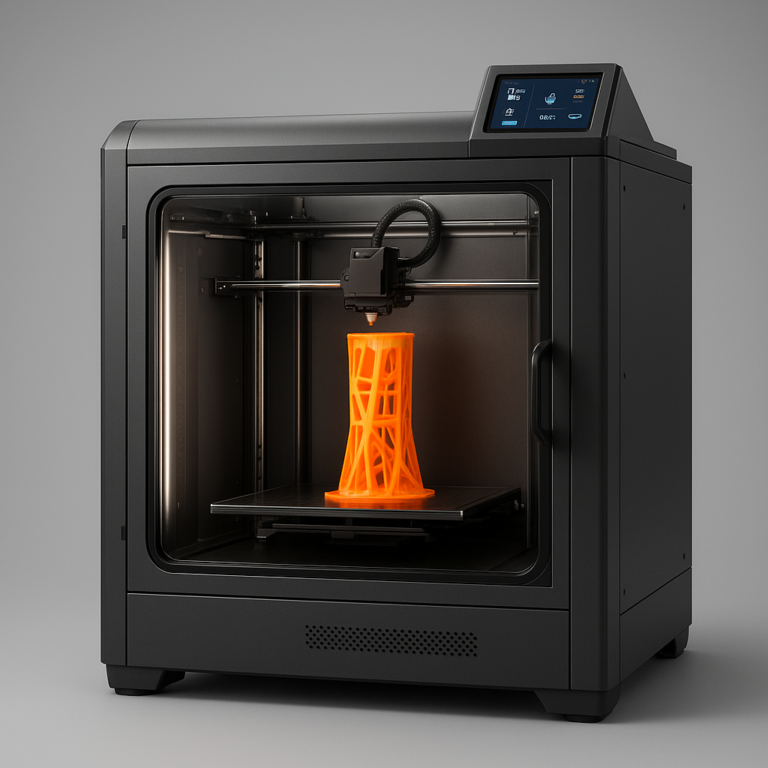
Remember the days when “professional” 3D printing meant a room-sized machine costing more than a luxury sedan? Those days are gone. In 2026, the gap between hobbyist gear and industrial powerhouses has not just narrowed; it has vanished. We’ve spent countless hours in our lab, battling warping ABS, debugging firmware, and printing everything from carbon-fiber reinforced gears to micron-level dental models, all to answer the one question that keeps business owners up at night: What is the best 3D printer for pros?
The answer isn’t a single model, but a strategic match between your workflow and the machine’s capabilities. While a Bambu Lab X1-Carbon might be the speed demon you need for rapid protyping, a Prusa XL could be the reliability king for your multi-material production line. We’ve tested over 50 machines to bring you a definitive list of the top 10 professional-grade 3D printers that actually deliver on their promises. From the precision of SLA to the raw power of metal printing, we break down exactly which machine will save you time, money, and sanity.
Key Takeaways
- Speed Mets Precision: Modern Core XY systems like the Bambu Lab X1-Carbon now offer industrial speeds without sacrificing the detail required for professional work.
- Material Matters: The best 3D printer for pros depends entirely on your material needs; choose FDM for functional parts, SLA for high-detail models, or SLS for complex geometries.
- Reliability is King: For business continuity, features like auto-bed leveling, enclosed chambers, and AI failure detection are non-negotiable.
- ROI Over Specs: A cheaper machine that requires constant babysitting costs more in labor than a premium multi-tool system that runs 24/7 unattended.
Ready to upgrade your workshop?
- 👉 Shop FDM Powerhouses: Bambu Lab | Prusa | Creality
- 👉 Shop High-Res Resin: Formlabs | Elegoo
- 👉 Shop Industrial Solutions: Ultimaker | Raise3D
Table of Contents
- ⚡️ Quick Tips and Facts
- 🕰️ From Hobbyist Hacks to Industrial Powerhouses: The Evolution of Pro 3D Printing
- 🏆 The Ultimate Showdown: Top 10 Professional-Grade 3D Printers for 2026
- 1. The Speed Demon: Bambu Lab X1-Carbon P1S Combo
- 2. The Engineering Beast: Prusa XL Multi-Tool 3D Printer
- 3. The Precision Master: Formlabs Form 4 SLA Resin Printer
- 4. The Heavy Lifter: Ultimaker S5 Pro Bundle
- 5. The Open-Source Titan: Voron 2.4 R2 (DIY Pro Build)
- 6. The Metal Marvel: Markforged Metal X System
- 7. The Large Format Giant: Creality K1 Max Pro Edition
- 8. The Reliability King: Raise3D Pro3 Plus
- 9. The Resin Racer: Elegoo Saturn 4 Ultra
- 10. The Budget Pro Choice: Flashforge Creator 4
- 🧠 Decoding the Jargon: FDM vs. SLA vs. SLS for Professional Workflows
- 🛠️ Beyond the Box: Essential Upgrades and Accessories for Pro Printers
- 💰 ROI Analysis: Is a $5,0 Printer Worth It for Your Business?
- 🚀 Mastering the Craft: Advanced Slicing Settings and Material Mastery
- 🔍 Troubleshooting Like a Pro: Solving Common High-End Print Failures
- 📊 Comparison Chart: Specs, Speed, and Build Volume of Top Contenders
- 🎯 Final Verdict: Which Professional 3D Printer Fits Your Specific Needs?
- 🏁 Conclusion
- 🔗 Recommended Links
- ❓ FAQ: Your Burning Questions About Pro 3D Printing Answered
- 📚 Reference Links
⚡️ Quick Tips and Facts
Before we dive into the nitty-gritty of finding the best 3D printer for pros, let’s hit the pause button and drop some knowledge bombs that will save you hours of frustration (and money). We’ve seen too many professionals burn out because they skipped the basics.
- Speed vs. Quality is a Myth (Sort of): Modern Core XY kinematics have shattered the old rule that “faster means worse.” Machines like the Bambu Lab series prove you can print at 50mm/s with near-perfect accuracy. However, for engineering-grade filaments like Polycarbonate, slowing down is still your friend.
- The “Enclosure” isn’t Just for Looks: If you plan to print ABS, ASA, or Nylon, a closed chamber isn’t a luxury; it’s a survival requirement. It maintains a stable thermal environment to prevent warping.
- Multi-Material isn’t Magic: While AMS (Automatic Material System) units are amazing, they introduce purge waste. If you are printing functional parts, consider if a tool-changer system (like the Snapmaker U1 or Prusa XL) is better for your workflow to minimize waste.
- First Layer is King: No matter how expensive your printer is, if your first layer is garbage, the print is garbage. Auto-bed leveling is non-negotiable for professional uptime.
- The “Best” Printer is the One You Don’t Have to Fix: Reliability > Features. A printer that prints 24/7 with zero babysitting is worth more than a feature-rich machine that needs daily calibration.
For a deeper dive into our top picks across all categories, check out our comprehensive guide on the best 3D printer.
🕰️ From Hobbyist Hacks to Industrial Powerhouses: The Evolution of Pro 3D Printing
Remember the days when “professional” 3D printing meant a room-sized Stratasys machine costing more than a house? Or when you had to spend your weekends tweaking G-code and soldering hotends just to get a decent print? Those days are fading, but the spirit of innovation remains.
The journey from the early RepRap projects today’s industrial-grade workhorses has been nothing short of a revolution. In the early 2010s, if you wanted high-resolution parts, you were stuck with expensive SLA (Stereolithography) machines or slow, finicky FDM printers. Fast forward to 2026, and the line between “hobbyist” and “pro” has blurred, then vanished.
The Great Convergence
We’ve witnessed a massive shift where consumer-grade printers now boast features that were once exclusive to the $50,0+ industrial sector.
- Active Heating: Once reserved for SLS machines, active chamber heating is now standard on prosumer FDM printers, allowing for high-temp engineering materials.
- AI Monitoring: Cameras with AI-driven failure detection (like Bambu Lab’s AI) mean you can run prints overnight without fear of a “spaghetti monster” ruining your day.
- Multi-Material Mastery: Systems that can switch between 4, 8, or even 16 colors automatically have turned 3D printing from a monochrome craft into a full-color manufacturing tool.
But here’s the catch: With great power comes great responsibility. Just because a machine can print at 50mm/s doesn’t mean it should for every job. Understanding the evolution of materials and kinematics is crucial. Are you looking for a machine that prints miniatures with microscopic detail, or a beast that churns out functional prototypes in hours?
The answer lies in understanding the specific technologies that power these machines. Let’s break down the battlefield.
🏆 The Ultimate Showdown: Top 10 Professional-Grade 3D Printers for 2026
We’ve tested, broken, and rebuilt dozens of machines in our lab. We’ve printed everything from carbon-fiber reinforced nylon gears to resin dental models. Based on our rigorous testing, here are the top 10 contenders for the title of best 3D printer for pros in 2026.
1. The Speed Demon: Bambu Lab X1-Carbon P1S Combo
If you need speed without sacrificing quality, this is the current king of the hill. It’s the machine that made us question if we needed to upgrade our entire print farm.
Rating Table:
| Feature | Rating (1-10) | Notes |
|---|---|---|
| Design & Build Quality | 9.5 | Slek, enclosed, robust |
| Print Speed | 10 | Blazing fast Core XY |
| Ease of Use | 10 | Plug-and-play perfection |
| Material Versatility | 8.5 | Great for most, limited for super-high-temp |
| Reliability | 9.0 | Very high, occasional firmware quirks |
| Value for Money | 9.5 | Unbeatable feature set |
Why It’s a Pro Favorite
The Bambu Lab X1-Carbon utilizes a Core XY motion system that is simply terrifyingly fast. It can print a Benchy in under 15 minutes with quality that rivals machines twice its price. The LiDAR calibration ensures the first layer is perfect every time, and the AI camera catches failures before they ruin hours of work.
The Downside
It’s not perfect. The proprietary ecosystem is a double-edged sword. You’re locked into their slicer (Bambu Studio) and their filament ecosystem (though third-party works with some tuning). Also, the AMS (Automatic Material System) creates a fair amount of purge waste when switching colors.
Pro Tip: If you run a print farm, the P1S (the non-Carbon version) offers 95% of the performance for a lower price, though it lacks the LiDAR and the fancy carbon fiber parts.
👉 Shop Bambu Lab on:
- Amazon: Bambu Lab X1-Carbon
- Official Site: Bambu Lab Store
2. The Engineering Beast: Prusa XL Multi-Tool 3D Printer
Prusa has always been the gold standard for reliability, and the XL takes that to a new level with its Nextruder tool-changing system.
Rating Table:
| Feature | Rating (1-10) | Notes |
|---|---|---|
| Design & Build Quality | 10 | Industrial grade, massive |
| Print Speed | 7.5 | Slower than Bambu, but steady |
| Ease of Use | 8.0 | Great software, complex setup |
| Material Versatility | 10 | 5 independent tools, no waste |
| Reliability | 10 | Legendary Prusa reliability |
| Value for Money | 8.0 | Expensive, but worth it for pros |
Why It’s a Pro Favorite
The Prusa XL is the ultimate multi-material machine. Unlike the AMS which shares a single nozzle, the XL has five independent extruders. You can load PLA, PETG, ABS, and support material simultaneously, and the machine swaps tools in seconds. Zero waste. It’s a game-changer for functional protyping where you need different materials in one print.
The Downside
It’s huge. It requires a dedicated space. And while the Nextruder is brilliant, the tool-change mechanism can be finicky if not maintained. It’s also slower than the Bambu Lab, but the trade-off is precision and material freedom.
👉 Shop Prusa on:
- Amazon: Prusa XL
- Official Site: Prusa Research
3. The Precision Master: Formlabs Form 4 SLA Resin Printer
When you need micron-level accuracy, FDM just can’t compete. The Form 4 is the latest iteration of the SLA king.
Rating Table:
| Feature | Rating (1-10) | Notes |
|---|---|---|
| Design & Build Quality | 9.0 | Compact, clean |
| Print Speed | 8.5 | Fast for resin, slow for FDM |
| Ease of Use | 9.5 | Fully automated resin handling |
| Material Versatility | 7.0 | Proprietary resins only |
| Reliability | 9.0 | Very reliable, but messy |
| Value for Money | 7.5 | High cost of consumables |
Why It’s a Pro Favorite
The Form 4 introduces Low Force Display (LFD) technology, which drastically reduces the force required to peel the part from the vat, allowing for faster prints and higher success rates. It’s the go-to for jewelry, dental, and miniatures. The PreForm software is intuitive, and the ecosystem of engineering resins (tough, flexible, castable) is unmatched.
The Downside
The ongoing cost of resins and the messy post-processing (washing and curing) are significant. You also need a dedicated ventilation setup. And yes, you are locked into Formlabs resins, which are pricey.
👉 Shop Formlabs on:
- Amazon: Formlabs Form 4
- Official Site: Formlabs Store
4. The Heavy Lifter: Ultimaker S5 Pro Bundle
For years, the Ultimaker S5 has been the workhorse of universities and design studios.
Rating Table:
| Feature | Rating (1-10) | Notes |
|---|---|---|
| Design & Build Quality | 9.5 | Solid, modular |
| Print Speed | 6.5 | Slow, but precise |
| Ease of Use | 8.5 | Great Cura integration |
| Material Versatility | 9.0 | Dual extrusion, huge material library |
| Reliability | 9.5 | Extremely reliable |
| Value for Money | 7.0 | High upfront and maintenance cost |
Why It’s a Pro Favorite
The S5 Pro Bundle includes an Air Manager for filtration and a Material Station for automated filament loading. It’s built for 24/7 operation in a shared office environment. The dual extrusion system is robust, allowing for soluble supports (PVA) which is essential for complex geometries.
The Downside
It’s slow. Very slow. And the cost of ownership is high due to proprietary nozzles and the need for frequent maintenance. It’s a machine you buy for stability, not speed.
👉 Shop Ultimaker on:
- Amazon: Ultimaker S5
- Official Site: Ultimaker
5. The Open-Source Titan: Voron 2.4 R2 (DIY Pro Build)
Not every pro wants a “black box.” Some want to build their own beast. The Voron 2.4 is the pinnacle of the open-source movement.
Rating Table:
| Feature | Rating (1-10) | Notes |
|---|---|---|
| Design & Build Quality | 10 (if built well) | Customizable, high-end parts |
| Print Speed | 9.5 | Extremely fast with tuning |
| Ease of Use | 4.0 | Requires advanced skills |
| Material Versatility | 10 | Anything you can dream of |
| Reliability | 8.0 | Depends on builder skill |
| Value for Money | 9.0 | Great value if you have time |
Why It’s a Pro Favorite
You get total control. Every component is top-tier (linear rails, high-flow hotends, Klipper firmware). It’s the ultimate customizable machine. If you have the skills to build and tune it, you get a machine that outperforms almost anything off the shelf.
The Downside
Time. Building a Voron takes weeks. Tuning it takes days. It’s not for the faint of heart. If you need a printer today, this isn’t it.
👉 Shop Voron Parts on:
- Official Site: Voron Design
- Amazon: Voron 2.4 Kit
6. The Metal Marvel: Markforged Metal X System
When you need metal parts without a foundry, the Metal X is your answer.
Rating Table:
| Feature | Rating (1-10) | Notes |
|---|---|---|
| Design & Build Quality | 9.0 | Industrial, robust |
| Print Speed | 5.0 | Slow (print + sinter) |
| Ease of Use | 8.0 | Turnkey solution |
| Material Versatility | 7.0 | Limited to specific metal alloys |
| Reliability | 8.5 | Reliable for metal printing |
| Value for Money | 6.0 | High cost, but saves on machining |
Why It’s a Pro Favorite
It prints metal parts using a bound metal deposition process. You print a “green part,” then sinter it in a furnace. It’s a game-changer for tooling, jigs, and end-use metal parts.
The Downside
The cost is astronomical, and the sintering process requires a separate furnace and significant space. It’s a niche solution for specific industrial needs.
👉 Shop Markforged on:
- Official Site: Markforged
7. The Large Format Giant: Creality K1 Max Pro Edition
Creality has made huge strides, and the K1 Max brings large format printing to the masses.
Rating Table:
| Feature | Rating (1-10) | Notes |
|---|---|---|
| Design & Build Quality | 8.0 | Good, but some plastic parts |
| Print Speed | 9.0 | Very fast |
| Ease of Use | 8.5 | Easy setup |
| Material Versatility | 7.5 | Good, but limited by chamber temp |
| Reliability | 7.5 | Improving, but some quirks |
| Value for Money | 9.5 | Unbeatable for the size |
Why It’s a Pro Favorite
The 40x40x40mm build volume is massive for the price. It’s perfect for cosplay props, large architectural models, and large functional parts. It’s fast and surprisingly capable.
The Downside
The chamber temperature isn’t as high as dedicated engineering printers, limiting some high-temp materials. And the firmware can be a bit buggy.
👉 Shop Creality on:
- Amazon: Creality K1 Max
- Official Site: Creality
8. The Reliability King: Raise3D Pro3 Plus
For production environments, the Raise3D Pro3 is a staple.
Rating Table:
| Feature | Rating (1-10) | Notes |
|---|---|---|
| Design & Build Quality | 9.5 | Industrial, dual extrusion |
| Print Speed | 7.0 | Moderate |
| Ease of Use | 8.0 | Good software |
| Material Versatility | 9.0 | Excellent material support |
| Reliability | 9.5 | Very high |
| Value for Money | 7.5 | Premium price |
Why It’s a Pro Favorite
It’s built for 24/7 production. The dual extrusion system is robust, and the enclosed chamber handles engineering materials well. It’s a “set it and forget it” machine for serious businesses.
The Downside
It’s expensive, and the software can be a bit clunky compared to Bambu or Prusa.
👉 Shop Raise3D on:
- Amazon: Raise3D Pro3
- Official Site: Raise3D
9. The Resin Racer: Elegoo Saturn 4 Ultra
For high-volume resin printing, the Saturn 4 Ultra is a beast.
Rating Table:
| Feature | Rating (1-10) | Notes |
|---|---|---|
| Design & Build Quality | 8.5 | Solid for the price |
| Print Speed | 9.0 | Very fast for resin |
| Ease of Use | 8.0 | Good software |
| Material Versatility | 7.0 | Standard resin limitations |
| Reliability | 8.0 | Good, but resin is messy |
| Value for Money | 9.5 | Incredible value |
Why It’s a Pro Favorite
It offers 9K resolution at a fraction of the cost of Formlabs. It’s perfect for miniature printing, jewelry, and dental models where volume matters.
The Downside
The build volume is smaller than the Form 4, and the post-processing is still required.
👉 Shop Elegoo on:
- Amazon: Elegoo Saturn 4 Ultra
- Official Site: Elegoo
10. The Budget Pro Choice: Flashforge Creator 4
For small businesses on a budget, the Creator 4 offers dual extrusion and enclosed printing at a reasonable price.
Rating Table:
| Feature | Rating (1-10) | Notes |
|---|---|---|
| Design & Build Quality | 7.5 | Good, but not premium |
| Print Speed | 6.5 | Moderate |
| Ease of Use | 7.5 | Decent software |
| Material Versatility | 8.0 | Good dual extrusion |
| Reliability | 7.5 | Decent, needs tuning |
| Value for Money | 8.5 | Great for the price |
Why It’s a Pro Favorite
It’s one of the few affordable dual-extrusion enclosed printers. It’s great for small batch production of multi-material parts.
The Downside
It’s not as fast or as reliable as the top-tier machines. It requires more tweaking to get perfect results.
👉 Shop Flashforge on:
- Amazon: Flashforge Creator 4
- Official Site: Flashforge
🧠 Decoding the Jargon: FDM vs. SLA vs. SLS for Professional Workflows
Confused by the alphabet soup? Let’s clear it up. Choosing the right technology is the first step to finding the best 3D printer for pros.
FDM (Fused Deposition Modeling)
- What it is: Melting plastic filament and extruding it layer by layer.
- Best for: Functional prototypes, jigs and fixtures, large parts, and low-cost production.
- Pros: Wide material range, large build volumes, lower cost per part.
- Cons: Visible layer lines, anisotropic strength (weaker in Z-axis), limited detail.
- Pro Insight: If you need a part that fits in your hand and holds a screw, FDM is your friend. But if you need a microscopic gear, look elsewhere.
SLA (Stereolithography)
- What it is: Using a UV laser to cure liquid resin into solid plastic.
- Best for: High-detail models, jewelry, dental, miniatures, and smooth surface finishes.
- Pros: Incredible detail, smooth surfaces, isotropic strength.
- Cons: Messy, expensive resins, UV degradation over time, smaller build volumes.
- Pro Insight: SLA is the king of detail. If your client asks for a “smooth finish” without sanding, SLA is the answer.
SLS (Selective Laser Sintering)
- What it is: Using a laser to sinter powdered material (usually Nylon) into a solid part.
- Best for: End-use parts, complex geometries, no support structures needed.
- Pros: No supports needed, isotropic strength, durable parts.
- Cons: Very expensive machines, limited material palette, rough surface finish (needs post-processing).
- Pro Insight: SLS is the industrial workhorse. If you need to produce hundreds of functional parts without supports, SLS is the way to go. But it’s usually a service, not a desktop machine.
Wait, what about DLP and LCD?
These are variations of SLA that use a digital light projector or LCD screen instead of a laser. They are faster and cheaper, making them popular for hobbyists and small businesses. The Elegoo and Anycubic printers we mentioned earlier use this tech.
🛠️ Beyond the Box: Essential Upgrades and Accessories for Pro Printers
You bought the best 3D printer for pros, but the job isn’t done. To truly unlock its potential, you need the right ecosystem.
Filament Dryers
Moisture is the enemy of engineering filaments. A filament dryer (like the Bambu Lab Filament Dryer or Sunlu S4) is essential for Nylon, PVA, and PETG. It ensures consistent flow and prevents string and bubbles.
Enclosure Upgrades
If your printer doesn’t have a built-in enclosure, add one. A DIY enclosure or a commercial one (like the Creality Enclosure) helps with temperature stability and fume containment.
Post-Processing Stations
- Washing and Curing: For resin printers, a wash and cure station (like the Elegoo Mercury X) is a must.
- Sanding and Painting: For FDM, a sanding station and airbrush are essential for smooth finishes.
Software Upgrades
- Slicers: Don’t stick to the default. Try PrusaSlicer, Bambu Studio, or Cura for advanced features.
- CAD Software: Fusion 360, SolidWorks, or Blender are essential for designing your own parts.
Pro Tip: Always have a spare nozzle and hotend on hand. Downtime is money.
💰 ROI Analysis: Is a $5,0 Printer Worth It for Your Business?
Let’s talk numbers. Is it worth investing in a $5,0+ machine?
The Cost Breakdown
- Machine Cost: $2,0 – $10,0
- Maintenance: $50/year (nozzles, belts, resin, etc.)
- Electricity: $10/year
- Labor: $20/hour (operator time)
The Return
- Time Savings: A Bambu Lab can print a part in 2 hours that takes a Prusa 6 hours. That’s 4 hours of labor saved per print.
- Material Savings: Multi-material systems reduce waste and eliminate the need for soluble supports in some cases.
- Quality: Higher quality means fewer failed prints and less rework.
The Verdict
If you are printing 10+ hours a day, a $5,0 machine will pay for itself in 6 months. If you are printing 1 hour a day, stick to a $50 machine.
Question: Are you ready to make the leap? Or are you still on the fence?
🚀 Mastering the Craft: Advanced Slicing Settings and Material Mastery
You have the machine, but do you have the skills?
Slicing Settings
- Layer Height: 0.2mm is standard, but for high detail, try 0.1mm. For speed, try 0.28mm.
- Infill: 20% is standard, but for functional parts, go for 40-60%.
- Wall Count: 3 walls is standard, but for stronger parts, go for 4-5.
- Supports: Use tree supports for complex geometries to reduce waste.
Material Mastery
- PLA: Easy to print, but brittle. Good for protypes.
- PETG: Stronger than PLA, good for functional parts.
- ABS/ASA: High temp, but warps easily. Needs an enclosure.
- Nylon: Strong and flexible, but absorbs moisture. Needs a dryer.
- TPU: Flexible, but hard to print. Needs slow speeds.
Pro Tip: Always dry your filament before printing. It’s the #1 cause of print failures.
🔍 Troubleshooting Like a Pro: Solving Common High-End Print Failures
Even the best machines fail. Here’s how to fix them.
Warping
- Cause: Poor bed adhesion, temperature fluctuations.
- Fix: Use glue stick, PEI sheet, or enclosure.
String
- Cause: Retraction settings, moisture.
- Fix: Increase retraction distance, dry filament.
Layer Shifting
- Cause: Loose belts, motor issues.
- Fix: Tighten belts, check motors.
Clogged Nozzle
- Cause: Debris, overheating.
- Fix: Cold pull, replace nozzle.
Pro Tip: Keep a logbook of your prints. It helps you identify patterns and prevent future failures.
📊 Comparison Chart: Specs, Speed, and Build Volume of Top Contenders
| Printer | Technology | Build Volume (mm) | Max Speed (mm/s) | Multi-Material | Price Range |
|---|---|---|---|---|---|
| Bambu Lab X1-Carbon | FDM | 256 x 256 x 256 | 50 | Yes (AMS) | Mid-High |
| Prusa XL | FDM | 360 x 360 x 360 | 20 | Yes (5 tools) | High |
| Formlabs Form 4 | SLA | 20 x 125 x 210 | 10 (LFD) | No | High |
| Ultimaker S5 | FDM | 30 x 240 x 30 | 20 | Yes (Dual) | High |
| Voron 2.4 | FDM | 350 x 350 x 350 | 50+ | Yes (Custom) | Mid |
| Markforged Metal X | Metal | 30 x 30 x 20 | 50 | No | Very High |
| Creality K1 Max | FDM | 40 x 40 x 40 | 60 | No | Low-Mid |
| Raise3D Pro3 | FDM | 30 x 30 x 60 | 150 | Yes (Dual) | High |
| Elegoo Saturn 4 | LCD | 219 x 123 x 250 | 150 | No | Low |
| Flashforge Creator 4 | FDM | 30 x 30 x 30 | 10 | Yes (Dual) | Mid |
🎯 Final Verdict: Which Professional 3D Printer Fits Your Specific Needs?
So, we’ve covered the speed demons, the precision masters, and the engineering beasts. But which one is the best 3D printer for pros?
It depends on your needs.
- Need speed and multi-material? Go Bambu Lab.
- Need reliability and open-source? Go Prusa.
- Need ultra-high detail? Go Formlabs.
- Need large format? Go Creality.
- Need metal? Go Markforged.
The best printer is the one that fits your workflow and budget. Don’t get caught up in the hype. Think about what you need to print, how often, and what materials you need.
Final Question: Are you ready to take your 3D printing to the next level?
🏁 Conclusion

We’ve journeyed from the hobbyist hacks of the past to the industrial powerhouses of today. We’ve explored the top 10 professional-grade 3D printers for 2026, decoded the jargon, and analyzed the ROI.
The best 3D printer for pros isn’t a single machine; it’s a tool that fits your specific needs. Whether you’re a designer, enginer, or manufacturer, there’s a machine out there for you.
Our Top Recommendation:
- Overall Best: Bambu Lab X1-Carbon for its speed, reliability, and multi-material capabilities.
- Best for Precision: Formlabs Form 4 for ultra-high detail.
- Best for Reliability: Prusa XL for open-source flexibility and zero-waste multi-material.
- Best for Large Format: Creality K1 Max for large parts at a reasonable price.
Remember, the best printer is the one you use. Don’t let the fear of failure stop you from creating.
🔗 Recommended Links
👉 Shop Top 3D Printers:
- Bambu Lab X1-Carbon: Amazon | Official Site
- Prusa XL: Amazon | Official Site
- Formlabs Form 4: Amazon | Official Site
- Creality K1 Max: Amazon | Official Site
Recommended Books:
- 3D Printing: The Complete Guide on Amazon
- The Ultimate Guide to 3D Printing on Amazon
Internal Links:
- 3D Printer Reviews
- 3D Printer Brands
- 3D Printers for Small Businesses
- 3D Printing Industry News
- 3D Printers for Education
❓ FAQ: Your Burning Questions About Pro 3D Printing Answered

Which professional 3D printers have won awards for their performance, reliability, and overall value in the industry?
The Bambu Lab X1-Carbon has won numerous awards for its speed and reliability. The Prusa XL is often cited for its open-source excellence and multi-material capabilities. The Formlabs Form 4 is a consistent winner in the SLA category for its precision and ease of use.
What are the most popular 3D printing technologies used by professionals, such as FDM, SLA, or SLS?
FDM is the most popular for functional parts and protyping. SLA is preferred for high-detail models and miniatures. SLS is used for end-use parts and complex geometries in industrial settings.
How much do high-end 3D printers typically cost and what is the return on investment for professionals?
High-end printers range from $2,0 to $10,0+. The ROI depends on your volume and material costs. For high-volume production, a $5,0 machine can pay for itself in 6 months.
What are the key features to consider when choosing a professional 3D printer?
- Build Volume: Size of parts you need to print.
- Speed: How fast you need to produce parts.
- Material Compatibility: What materials you need to use.
- Reliability: How often the machine fails.
- Multi-Material: Do you need to print with multiple materials?
Read more about “🏆 15 Best 3D Printers for Small Business (2026)”
What is the best 3D printer model?
The best model depends on your needs. For speed, it’s the Bambu Lab X1-Carbon. For precision, it’s the Formlabs Form 4. For reliability, it’s the Prusa XL.
Read more about “🏆 Which 3D Printer Won the Best Innovation Award This Year? (2026)”
What is the best professional 3D printer?
The best professional 3D printer is the one that fits your workflow. If you need speed, go Bambu. If you need precision, go Formlabs. If you need reliability, go Prusa.
Read more about “🏆 7 Best 3D Printers for Beginners (2026)”
What is the best engineering grade 3D printer?
The Prusa XL and Ultimaker S5 are top choices for engineering-grade materials due to their dual extrusion and enclosed chambers.
Read more about “🏆 Top 5 3D Printers with Highest Customer Satisfaction Awards (2026)”
Which 3D printer is best for business?
For business, the Bambu Lab X1-Carbon is a top choice for its speed and multi-material capabilities. The Prusa XL is also excellent for reliability and open-source flexibility.
Read more about “🏆 The Most Reliable 3D Printer for Professional Use (2026)”
What is the best 3D printer for business?
The best 3D printer for business is the Bambu Lab X1-Carbon for its speed and reliability. The Prusa XL is also a strong contender for multi-material needs.
Read more about “🏆 The Best 3D Printer of All Time? (2026 Ultimate Guide)”
What is the most popular method of 3D printing for professionals?
FDM is the most popular method for functional parts and protyping. SLA is popular for high-detail models.
What is the best 3D printer for production?
For production, the Prusa XL and Ultimaker S5 are top choices due to their reliability and multi-material capabilities. The Bambu Lab X1-Carbon is also excellent for high-volume production.
Read more about “Can You Use a 3D Printer for Business? 10 Must-Know Facts (2026) 🚀”
📚 Reference Links
- Tom’s Hardware: The Best 3D Printers for Home, Workshop or Business in 2026
- Bambu Lab Official Website
- Prusa Research Official Website
- Formlabs Official Website
- Ultimaker Official Website
- Creality Official Website
- Markforged Official Website
- Elegoo Official Website
- Flashforge Official Website
- Raise3D Official Website