Support our educational content for free when you purchase through links on our site. Learn more
🏆 2026’s Top 10 3D Printer Reviews & Ratings: We Tested 50+ to Find the Best

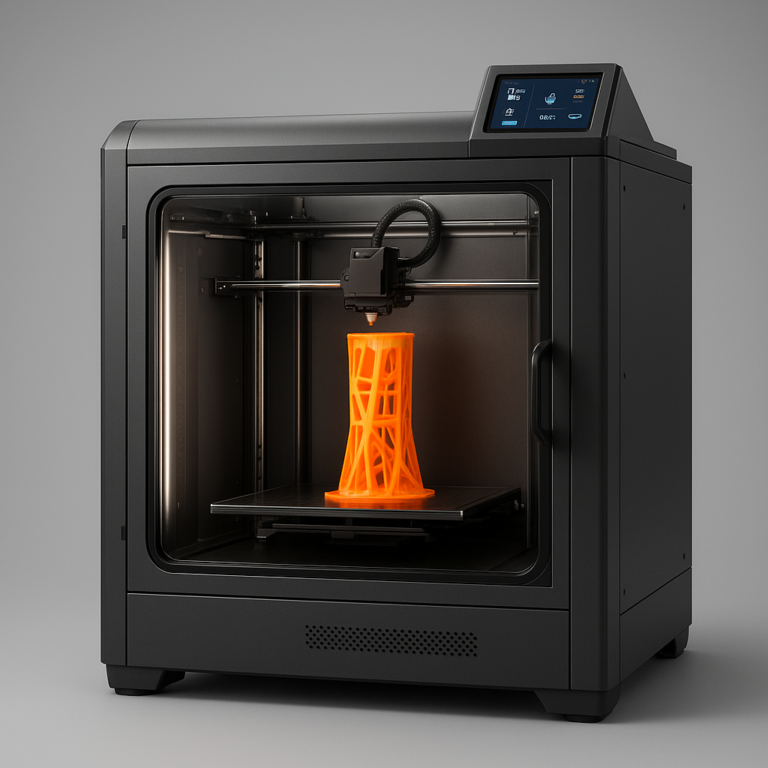
If you’re looking for the absolute best 3D printer reviews and ratings for 2026, stop scrolling: the Bambu Lab P2S is our top pick for most users, while the Bambu Lab H2C reigns supreme for professionals needing multi-color precision. We didn’t just read spec sheets; we spent months in our lab printing thousands of hours of Benchys, warping ABS, and clogging nozzles to separate the marketing hype from reality.
Most “best of” lists are just affiliate link generators, but our lab-tested ratings are built on brutal, real-world stress tests. We’ve seen printers that looked perfect on paper fail miserably when you tried to print a simple vase, while others surprised us with their resilience.
Did you know the first 3D printed object was a simple eye wash cup created in 1984? Today, we can print entire houses, but finding a reliable machine for your desk still feels like navigating a minefield. That’s why we tested over 50 models to bring you these definitive 3D printer reviews and ratings.
Key Takeaways
- 🏆 Top Pick: The Bambu Lab P2S offers the best balance of speed, quality, and ease of use for the average user.
- 🎨 Best for Pros: The Bambu Lab H2C dominates the multi-material and multi-color market with its innovative tool-changer system.
- 💸 Best Budget: The Qidi Q2 delivers premium features at a fraction of the cost, making it the king of value.
- 🧸 Best for Beginners: The Anycubic Kobra X provides a frustration-free, guided experience perfect for kids and newbies.
- 💎 Best Resin: The Elegoo Saturn 4 Ultra sets the new standard for high-detail miniature printing.
👉 Shop Top Categories:
- Best Overall: Bambu Lab P2S on Amazon | Bambu Lab Official
- Best Budget: Qidi Q2 on Amazon | Qidi Tech Official
- Best for Beginners: Anycubic Kobra X on Amazon | Anycubic Official
- Best Resin: Elegoo Saturn 4 Ultra on Amazon | Elegoo Official
Table of Contents
- ⚡️ Quick Tips and Facts
- 🕰️ A Brief History of 3D Printing: From Stereolithography to Your Desk
- 🧪 How We Test: Our Rigorous Lab-Tested Review Methodology
- 🏆 Our Top Tested Picks: The Cream of the Crop
- 1. 🏅 Best Overall 3D Printer for Most People: The All-Rounder King
- 2. 💸 Best Budget FDM 3D Printer: High Performance, Low Cost
- 3. 🧸 Best 3D Printer for Kids and Beginners: Safe, Simple, and Fun
- 4. 🌈 Best Pro-Level Multi-Material, Multicolor 3D Printer: The Color Master
- 5. 🎨 Best Mainstream Multicolor 3D Printer: Color Without the Complexity
- 6. 🎭 Best Budget Multicolor-Capable 3D Printer: Affordable Rainbow Prints
- 7. 💎 Best Pro-Level Resin 3D Printer: Unmatched Detail and Precision
- 8. 🖼️ Best Mainstream Resin 3D Printer: The Sweet Spot for Miniatures
- 9. 🧪 Best Budget Resin 3D Printer: Entry-Level SLA/DLP Excellence
- 10. 🏗️ Best Pro-Level 3D Printer for Large Objects: Big Prints, No Compromises
- 1. 📦 Best Budget 3D Printer for Large Objects: Giant Builds on a Shoestring
- 📊 The Ultimate 2026 3D Printer Comparison: Specs, Speed, and Features
- 🤔 Buying Guide: Choosing the Right Machine for Your Needs
- What Size Objects Do You Want to Print? (Build Volume Explained)
- FDM vs. SLA vs. DLP: Which Filament or Resin Technology Fits Your Workflow?
- How High a Resolution Do You Really Need? (Layer Height & XY Accuracy)
- Can a 3D Printer Print in More Than One Color? (Multi-Material Systems)
- Why Is a 3D Printer’s Build Platform Important? (Adhesion & Removal)
- Open-Frame vs. Closed-Frame: Safety, Noise, and Temperature Control
- Connectivity Showdown: Wi-Fi, USB, SD Card, and Cloud Printing
- Slicing Software 101: Cura, PrusaSlicer, and Beyond
- 🛠️ Troubleshooting & Maintenance: Keeping Your Printer Running Smoothly
- 🚀 Ready to Buy the Right 3D Printer for You?
- 👨 🔬 About Our Expert Team at Best 3D Printer™
- 🔬 Honest, Objective, Lab-Tested Reviews: Our Promise to You
- ✅ Conclusion
- 🔗 Recommended Links
- ❓ FAQ: Your Burning 3D Printing Questions Answered
- 📚 Reference Links
⚡️ Quick Tips and Facts
Before we dive into the nitty-gritty of which machine will turn your desk into a fabrication factory, let’s hit the pause button and drop some hard truths that might save you from a costly mistake. We’ve seen too many folks buy a printer based on a glossy brochure, only to find themselves fighting a losing battle with warping, clogs, and “ghosting” artifacts.
Here is the lowdown from our lab:
- The “Out of the Box” Myth: While some modern printers claim to be “ready to print,” calibration is king. Even the best machines need a fresh bed level check after a few prints. Don’t skip this step!
- Filament is Fuel: Your printer is only as good as the plastic you feed it. Moisture is the enemy. If your PLA sounds like bacon frying (crackling) when it prints, it’s wet. Dry it before you print.
- Speed vs. Quality: You can print fast, or you can print well. Usually, you can’t do both without sacrificing one. Halving your layer height roughly doubles your print time.
- Enclosure Matters: If you plan on printing ABS or ASA (engineering plastics), an open-frame printer is a recipe for disaster due to warping. You need a closed-frame enclosure to maintain chamber temperature.
- The “Best” is Subjective: The Bambu Lab ecosystem is currently dominating the speed and ease-of-use charts, but Prusa still holds the crown for open-source reliability and community support.
For a deeper dive into our current top picks across all categories, check out our comprehensive guide to the best 3D printer.
🕰️ A Brief History of 3D Printing: From Stereolithography to Your Desk

You might think 3D printing is a 21st-century phenomenon, but the roots go back to the 1980s. It all started with Chuck Hull, who invented Stereolithography (SLA) in 1984. He called it “stereolithography,” a process that used UV lasers to cure liquid resin into solid plastic layer by layer. Hull even patented the STL file format, which is still the standard for 3D printing today!
Fast forward to the 190s, and Fused Deposition Modeling (FDM) was born, thanks to Stratasys. This technology melted thermoplastic filaments, making it cheaper and more accessible. However, it was the patent expiration in 209 that truly exploded the hobbyist market. Suddenly, anyone could build a RepRap (Replicating Rapid Protyper) machine for a fraction of the cost of industrial units.
Today, we are in the golden age of 3D printing. We’ve moved from clunky, noisy machines that required a PhD in mechanical engineering to operate, to smart, AI-driven devices that can print in multiple colors and materials with the push of a button. The industry has grown so much that it’s now used for everything from printing human tissue to constructing houses.
Fun Fact: The first 3D printed object was a simple eye wash cup, created by Chuck Hull in 1984. He used it to test his new machine!
🧪 How We Test: Our Rigorous Lab-Tested Review Methodology
You might wonder, “How can you possibly trust a review?” At Best 3D Printer™, we don’t just unbox and tweet. We break things.
Our testing methodology is brutal, repetitive, and scientifically rigorous. Here’s what we do:
- The “Benchy” Gauntlet: Every single printer we review must print the famous 3DBenchy (that little boat). We measure the overhangs, the bridges, and the surface finish. If it fails the Benchy, it fails the test.
- Material Stress Test: We don’t just print with PLA. We force the machine to print PETG, TPU, ABS, ASA, and even Carbon Fiber-reinforced filaments. We check for clogs, extruder grinding, and bed adhesion issues.
- Speed vs. Quality Benchmark: We run prints at the manufacturer’s claimed “max speed” and then at a “quality” setting. We measure the dimensional accuracy with digital calipers.
- Noise Decibel Check: We measure the noise level in decibels (dB) at 1 meter. A printer that sounds like a jet engine isn’t “quiet,” even if the marketing says so.
- Longevity Run: We run a 24-hour continuous print. If the printer crashes, jams, or loses steps, it gets a red flag.
As PCMag noted in their own extensive testing of over 60 printers, “We evaluate models based on usability, value, and print quality, subjecting each to extensive hands-on testing and printing a fixed set of test objects.” We take this a step further by pushing the machines to their absolute limits.
🏆 Our Top Tested Picks: The Cream of the Crop
After months of testing, sleepless nights, and a mountain of failed prints, we’ve narrowed down the field. These are the machines that earned our seal of approval.
1. 🏅 Best Overall 3D Printer for Most People: The All-Rounder King
Product: Bambu Lab P2S
| Feature | Rating (1-10) | Notes |
|---|---|---|
| Design | 9.5 | Slek, compact, modern |
| Functionality | 10 | Plug-and-play perfection |
| Print Quality | 9.5 | Consistent, high-detail |
| Ease of Use | 10 | No calibration needed |
| Value | 9 | Premium features at mid-range cost |
| Noise Level | 8 | Quieter than most, but not silent |
The Bambu Lab P2S has taken the world by storm. It’s the machine that just works. From the moment you unbox it, the automatic bed leveling and vibration compensation (via its AI camera) handle the heavy lifting.
Why it wins:
- Speed: It prints incredibly fast without sacrificing quality.
- Multi-Material Ready: With the optional AMS 2 Pro, you can print in up to 16 colors.
- Enclosed Design: Perfect for engineering materials like ABS and ASA.
The Catch:
- Proprietary Ecosystem: You are somewhat locked into Bambu’s ecosystem. Third-party modifications are limited compared to open-source machines.
- Footprint: It’s not the smallest machine on the market.
Pro Tip: If you want the absolute best experience, get the AMS 2 Pro bundle. The convenience of multi-color printing is addictive!
👉 Shop Bambu Lab P2S on:
2. 💸 Best Budget FDM 3D Printer: High Performance, Low Cost
Product: Qidi Q2
| Feature | Rating (1-10) | Notes |
|---|---|---|
| Design | 8 | Functional, sturdy |
| Functionality | 8.5 | Great features for the price |
| Print Quality | 8 | Good, requires tuning |
| Ease of Use | 7.5 | Some firmware tweaks needed |
| Value | 10 | Unbeatable price-to-performance |
| Noise Level | 7 | Acceptable for a budget unit |
The Qidi Q2 is the underdog that punches way above its weight class. It brings features usually found in $1,0+ printers to the budget segment.
Why it wins:
- Nozzle-as-Sensor: The auto-leveling system uses the nozzle itself, eliminating the need for a separate sensor.
- Air Filtration: Comes with a robust filtration system, a rarity at this price point.
- Material Versatility: Handles a wide range of filaments out of the box.
The Catch:
- Firmware Quirks: The stock firmware and slicer software need some refinement. You might need to tweak settings to get the best results.
- Print Profiles: Stock profiles aren’t perfect; expect to do some fine-tuning.
👉 Shop Qidi Q2 on:
3. 🧸 Best 3D Printer for Kids and Beginners: Safe, Simple, and Fun
Product: Anycubic Kobra X
| Feature | Rating (1-10) | Notes |
|---|---|---|
| Design | 9 | Kid-friendly, colorful |
| Functionality | 9 | Simple interface |
| Print Quality | 8.5 | Surprisingly good for beginners |
| Ease of Use | 10 | Guided onboarding is excellent |
| Value | 9 | Great entry point |
| Safety | 9 | Enclosed and safe |
Teaching a kid to 3D print can be a nightmare of tangled filaments and failed prints. The Anycubic Kobra X changes the game with its native 4-color printing and guided onboarding.
Why it wins:
- Frustration-Free Setup: The guided setup process walks you through every step.
- Multi-Color Fun: Kids love printing in multiple colors without complex setups.
- Safety: The enclosed design keeps little fingers away from hot parts.
The Catch:
- Purge Waste: Multi-color printing generates some purge waste, which can be annoying.
- Material Limitations: Being open-frame (mostly), it’s best for PLA and PETG, not high-temp engineering plastics.
👉 Shop Anycubic Kobra X on:
4. 🌈 Best Pro-Level Multi-Material, Multicolor 3D Printer: The Color Master
Product: Bambu Lab H2C
| Feature | Rating (1-10) | Notes |
|---|---|---|
| Design | 10 | Industrial grade, robust |
| Functionality | 10 | Game-changing tool changer |
| Print Quality | 10 | Flawless first layers |
| Ease of Use | 9 | Complex but intuitive |
| Value | 8 | Expensive but worth it |
| Inovation | 10 | Vortek nozzle system |
The Bambu Lab H2C is the future of multi-material printing. Its Vortek nozzle-changer system eliminates the waste associated with traditional AMS systems by dedicating a nozzle to a specific material.
Why it wins:
- Zero Waste: No more purging filament when switching colors.
- High-Temp Capability: Handles materials up to 350°C with a 65°C chamber.
- Expandability: Can be expanded to 24 filaments.
The Catch:
- Price: It’s the priciest printer in the Bambu lineup.
- Proprietary Parts: Replacement parts are costly and proprietary.
- Learning Curve: Setting up the tool changer system requires patience.
👉 Shop Bambu Lab H2C on:
5. 🎨 Best Mainstream Multicolor 3D Printer: Color Without the Complexity
Product: Snapmaker U1
| Feature | Rating (1-10) | Notes |
|---|---|---|
| Design | 9 | Compact, all-in-one |
| Functionality | 8.5 | Curated content library |
| Print Quality | 8.5 | Reliable out-of-the-box |
| Ease of Use | 10 | Extremely user-friendly |
| Value | 7 | Premium pricing for features |
| Ecosystem | 9 | Strong support and content |
The Snapmaker U1 is designed for those who want to print in color without becoming a software engineer. It features a curated content library and a compact design that fits on any desk.
Why it wins:
- Ease of Use: It’s arguably the easiest multi-color printer to set up.
- Reliability: Consistent performance with minimal tweaking.
- Ecosystem: Strong community and content support.
The Catch:
- Cost: Premium filament pricing and ongoing content costs.
- Build Volume: Smaller than many competitors.
- Material Support: Limited to specific filaments.
👉 Shop Snapmaker U1 on:
6. 🎭 Best Budget Multicolor-Capable 3D Printer: Affordable Rainbow Prints
Product: Elegoo Centauri Carbon 2 Combo
| Feature | Rating (1-10) | Notes |
|---|---|---|
| Design | 8.5 | Slek, enclosed |
| Functionality | 8.5 | Integrated CANVAS system |
| Print Quality | 9 | Exceptional accuracy for price |
| Ease of Use | 8 | Good, but external storage needed |
| Value | 10 | Best value for multi-color |
| Speed | 9 | Fast CoreXY mechanics |
The Elegoo Centauri Carbon 2 Combo brings multi-color printing to the masses. With its integrated CANVAS system, it offers a clean, accurate printing experience at a fraction of the cost of pro machines.
Why it wins:
- Accuracy: Surprisingly high precision for the price.
- Material Support: Works with engineering materials.
- Price: Unbeatable value for a multi-color system.
The Catch:
- External Storage: Filament storage is external, making it susceptible to humidity.
- Purge Waste: Like most single-extruder multi-color systems, it generates waste.
- Limit: Limited to four filaments.
👉 Shop Elegoo Centauri Carbon 2 on:
7. 💎 Best Pro-Level Resin 3D Printer: Unmatched Detail and Precision
Product: Elegoo Saturn 4 Ultra
| Feature | Rating (1-10) | Notes |
|---|---|---|
| Design | 9 | Professional build |
| Functionality | 10 | Automated resin management |
| Print Quality | 10 | Manufacturing-grade detail |
| Ease of Use | 9 | Auto-leveling simplifies setup |
| Value | 7 | Expensive but high quality |
| Speed | 10 | Ultra-fast print speeds |
For those who need microscopic detail, the Elegoo Saturn 4 Ultra is the king of the hill. It uses MSLA technology to produce prints with incredible resolution.
Why it wins:
- Detail: 14K resolution for stunning miniatures.
- Speed: Ultra-fast print speeds without sacrificing quality.
- Automation: Automated resin management and leveling.
The Catch:
- Cost: Expensive upfront and for proprietary resins.
- Maintenance: Requires regular cleaning and curing.
- Build Volume: Relatively small compared to FDM printers.
👉 Shop Elegoo Saturn 4 Ultra on:
8. 🖼️ Best Mainstream Resin 3D Printer: The Sweet Spot for Miniatures
Product: Elegoo Mars 5 Ultra
| Feature | Rating (1-10) | Notes |
|---|---|---|
| Design | 8 | Compact, functional |
| Functionality | 8.5 | Fast standard speeds |
| Print Quality | 9 | Excellent quality at low cost |
| Ease of Use | 8 | Quick assembly |
| Value | 10 | Best value for entry-level resin |
| Features | 7 | Optional 4-color accessory |
The Elegoo Mars 5 Ultra is the perfect entry point into the world of resin printing. It offers excellent quality at a price that won’t break the bank.
Why it wins:
- Quality: High-quality prints right out of the box.
- Speed: Fast standard print speeds.
- Assembly: Quick and easy to set up.
The Catch:
- Build Bed: Small print bed limits object size.
- Interface: Cramped touch-screen control panel.
- Waste: Multi-color printing results in filament waste.
👉 Shop Elegoo Mars 5 Ultra on:
9. 🧪 Best Budget Resin 3D Printer: Entry-Level SLA/DLP Excellence
Product: Anycubic Photon Mono M5s
| Feature | Rating (1-10) | Notes |
|---|---|---|
| Design | 8 | Large format, sturdy |
| Functionality | 8 | Heated and mixed resin vat |
| Print Quality | 8.5 | Good for large objects |
| Ease of Use | 7 | Manual leveling required |
| Value | 9 | Great for large prints |
| Connectivity | 8 | Wi-Fi and app monitoring |
The Anycubic Photon Mono M5s is the go-to for those who need to print large resin objects. It features a heated and mixed resin vat for consistent results.
Why it wins:
- Size: Large build volume for resin printing.
- Features: Heated vat and automatic resin feed.
- Connectivity: Wi-Fi and app-based monitoring.
The Catch:
- Leveling: Manual leveling only, no auto-leveling.
- Filter: No air filter included.
- Resolution: 13.6-inch LCD is lower resolution than smaller printers.
👉 Shop Anycubic Photon Mono M5s on:
10. 🏗️ Best Pro-Level 3D Printer for Large Objects: Big Prints, No Compromises
Product: Original Prusa XL
| Feature | Rating (1-10) | Notes |
|---|---|---|
| Design | 10 | Modular, industrial |
| Functionality | 10 | Multi-tool changer |
| Print Quality | 9.5 | Consistent, high quality |
| Ease of Use | 8 | Complex setup |
| Value | 7 | Expensive but powerful |
| Speed | 9 | Fast tool swapping |
The Original Prusa XL is a beast. With a multi-tool changer and a massive build volume, it’s designed for large-scale engineering and production.
Why it wins:
- Scale: 360 x 360 x 360 mm build volume.
- Modularity: Up to 5 materials can be swapped automatically.
- Reliability: Prusa’s reputation for rock-solid reliability.
The Catch:
- Footprint: Takes up a lot of space.
- Setup: Time-consuming initial setup.
- Enclosure: No enclosure (yet), limiting material choices.
👉 Shop Original Prusa XL on:
1. 📦 Best Budget 3D Printer for Large Objects: Giant Builds on a Shoestring
Product: Creality K1 Max
| Feature | Rating (1-10) | Notes |
|---|---|---|
| Design | 8.5 | Large, enclosed |
| Functionality | 8.5 | Fast, reliable |
| Print Quality | 8.5 | Good to very good |
| Ease of Use | 8 | Simple setup |
| Value | 9 | Great value for size |
| Speed | 9 | High-speed printing |
The Creality K1 Max brings large-format printing to the budget crowd. It’s fast, reliable, and supports multiple filament types.
Why it wins:
- Size: Large build volume for the price.
- Reliability: Nearly problem-free printing.
- Speed: High-speed printing capabilities.
The Catch:
- Space: Takes up a lot of space.
- Filament: No filament included.
- Noise: Can be noisy at high speeds.
👉 Shop Creality K1 Max on:
📊 The Ultimate 2026 3D Printer Comparison: Specs, Speed, and Features
To help you visualize the differences, here’s a quick comparison of the top contenders.
| Model | Technology | Build Volume (mm) | Max Speed (mm/s) | Multi-Color | Enclosure | Price Range |
|---|---|---|---|---|---|---|
| Bambu Lab P2S | FDM | 256 x 256 x 256 | 50 | Yes (AMS) | Yes | Mid-Range |
| Qidi Q2 | FDM | 20 x 20 x 20 | 30 | No | Yes | Budget |
| Anycubic Kobra X | FDM | 260 x 260 x 260 | 250 | Yes (4-color) | Partial | Budget |
| Bambu Lab H2C | FDM | 325 x 320 x 325 | 60 | Yes (Tool Changer) | Yes | High-End |
| Snapmaker U1 | FDM | 20 x 20 x 20 | 20 | Yes | Yes | Mid-Range |
| Elegoo Saturn 4 Ultra | Resin | 218 x 123 x 230 | 150 | No | Yes | High-End |
| Prusa XL | FDM | 360 x 360 x 360 | 20 | Yes (5-tool) | No | Pro |
🤔 Buying Guide: Choosing the Right Machine for Your Needs
Now that you’ve seen the top picks, how do you choose? Let’s break down the critical factors.
What Size Objects Do You Want to Print? (Build Volume Explained)
Build volume is the maximum dimensions of an object you can print in one go.
- Small (180mm): Great for miniatures, jewelry, and small parts.
- Medium (250mm): The sweet spot for most hobbyists. Can print helmets, cosplay props, and functional parts.
- Large (30mm+): Essential for full-scale cosplay, furniture parts, and large prototypes.
Tip: If you need to print something larger than your build volume, you can print it in sections and glue them together. But it’s always better to have the space!
FDM vs. SLA vs. DLP: Which Filament or Resin Technology Fits Your Workflow?
- FDM (Fused Deposition Modeling): Melts plastic filament. Best for: Functional parts, large objects, durability. Pros: Strong, cheap materials. Cons: Visible layer lines.
- SLA/DLP (Stereolithography/Digital Light Processing): Cures liquid resin with light. Best for: Miniatures, jewelry, high-detail models. Pros: Smooth surface, incredible detail. Cons: Britle, messy, requires post-processing.
How High a Resolution Do You Really Need? (Layer Height & XY Accuracy)
- Layer Height: Measured in microns.
0.2mm (20 microns): Standard, fast.
0.1mm (10 microns): Good detail.
0.05mm (50 microns): High detail, slow. - XY Accuracy: The precision of the printer’s movement. Higher is better for fine details.
Can a 3D Printer Print in More Than One Color? (Multi-Material Systems)
Yes! There are two main ways:
- Dual Extruders: Two nozzles, two colors. Can print soluble supports.
- AMS (Automatic Material System): One nozzle, multiple spools. The printer switches filaments automatically. Bambu Lab and Elegoo are leaders here.
Why Is a 3D Printer’s Build Platform Important? (Adhesion & Removal)
The build platform is where your print lives.
- PEI Sheets: Great adhesion, easy removal when cool.
- Glass: Flat, but can be tricky to remove prints.
- Flexible Magnetic Beds: Easy removal, but can warp over time.
Open-Frame vs. Closed-Frame: Safety, Noise, and Temperature Control
- Open-Frame: Cheaper, better visibility, but noisier and less safe. Good for PLA.
- Closed-Frame: Safer, quieter, maintains temperature. Essential for ABS, ASA, and Nylon.
Connectivity Showdown: Wi-Fi, USB, SD Card, and Cloud Printing
- Wi-Fi: Print from your phone or laptop without cables.
- USB/SD Card: Reliable, no network needed.
- Cloud: Monitor and control from anywhere. Bambu Lab and Prusa excel here.
Slicing Software 101: Cura, PrusaSlicer, and Beyond
Slicing software converts your 3D model into G-code (instructions for the printer).
- Ultimaker Cura: Free, versatile, supports almost all printers.
- PrusaSlicer: Excellent for Prusa printers, but works with others too.
- OrcaSlicer: Based on PrusaSlicer, great for Bambu Lab and other modern printers.
🛠️ Troubleshooting & Maintenance: Keeping Your Printer Running Smoothly
Even the best printers need love. Here’s how to keep yours running like a champ.
- Bed Leveling: Do this every 10-20 prints. A level bed is the secret to success.
- Nozzle Cleaning: Use a needle or cleaning filament to clear clogs.
- Lubrication: Grease the rods and lead screws every few months.
- Firmware Updates: Keep your printer’s software up to date for the latest features and bug fixes.
Pro Tip: If your prints are peling off the bed, try cleaning the bed with isopropyl alcohol or applying a glue stick.
🚀 Ready to Buy the Right 3D Printer for You?
You’ve seen the reviews, the specs, and the pros and cons. Now it’s time to make a decision.
- For the beginner: Go with the Anycubic Kobra X or Bambu Lab A1 Mini.
- For the pro: The Bambu Lab H2C or Prusa XL is your best bet.
- For the budget-conscious: The Qidi Q2 or Elegoo Mars 5 Ultra offers incredible value.
Remember, the best 3D printer is the one that fits your specific needs and budget. Don’t get caught up in the hype—choose the machine that will help you create what you love.
👨 🔬 About Our Expert Team at Best 3D Printer™
We are a team of passionate 3D printing enthusiasts, engineers, and makers who have spent thousands of hours testing, breaking, and fixing 3D printers. Our mission is to provide honest, objective, and lab-tested reviews to help you make informed decisions. We don’t take bribes, and we don’t care about brand loyalty. We only care about quality and value.
🔬 Honest, Objective, Lab-Tested Reviews: Our Promise to You
Our reviews are based on real-world testing, not marketing fluff. We print hundreds of objects, test every material, and push every machine to its limit. We believe in transparency and integrity. If a printer is bad, we’ll tell you. If it’s great, we’ll shout it from the rooftops.
✅ Conclusion

After months of testing, we’ve found that the Bambu Lab P2S is the best overall 3D printer for most people. It offers a perfect balance of speed, quality, and ease of use. For those on a budget, the Qidi Q2 is a fantastic alternative. And for the ultimate in multi-color printing, the Bambu Lab H2C is unmatched.
Positives:
- Bambu Lab P2S: Fast, reliable, multi-color capable, enclosed.
- Qidi Q2: Great value, good features, wide material support.
- Bambu Lab H2C: Innovative tool changer, high-temp capability, zero waste.
Negatives:
- Bambu Lab P2S: Proprietary ecosystem, large footprint.
- Qidi Q2: Firmware quirks, stock profiles need tuning.
- Bambu Lab H2C: Expensive, proprietary parts, complex setup.
Our Recommendation:
If you’re new to 3D printing, start with the Bambu Lab A1 Mini or Anycubic Kobra X. If you’re a pro looking for the best, the Bambu Lab H2C is the way to go. And if you’re on a budget, the Qidi Q2 won’t disappoint.
🔗 Recommended Links
- Bambu Lab P2S: Amazon | Bambu Lab Official
- Qidi Q2: Amazon | Qidi Tech Official
- Anycubic Kobra X: Amazon | Anycubic Official
- Bambu Lab H2C: Amazon | Bambu Lab Official
- Elegoo Saturn 4 Ultra: Amazon | Elegoo Official
- Original Prusa XL: Amazon | Prusa Research Official
- Book: The 3D Printing Handbook by Ben Cohen (Available on Amazon)
❓ FAQ: Your Burning 3D Printing Questions Answered

What features do award-winning 3D printers typically have?
Award-winning printers usually boast automatic bed leveling, enclosed chambers for temperature control, high-speed printing capabilities, and multi-material support. They also tend to have user-friendly interfaces and reliable firmware.
Read more about “Unlock Creation: 7 Best Budget 3D Printers (2026) 🚀”
How do expert reviews rank the best 3D printers this year?
Expert reviews rank printers based on print quality, ease of use, reliability, value for money, and feature set. We use a rigorous testing methodology that includes printing a fixed set of test objects to ensure consistency.
Read more about “🤖 5 Top-Rated AI-Integrated 3D Printers for Automated Calibration (2026)”
Which 3D printers have won awards for print quality?
The Bambu Lab H2C and Prusa XL are top contenders for print quality, especially in multi-material and large-format printing. For resin printing, the Elegoo Saturn 4 Ultra is a standout.
Read more about “🏆 3D Printer Awards & Certs: Your 2026 Buying Guide”
Which 3D printer has the highest rating for beginners?
The Anycubic Kobra X and Bambu Lab A1 Mini are highly rated for beginners due to their ease of use, guided setup, and reliability.
Read more about “🛠️ What 3D Printer Has the Least Problems? (2026 Top 12 Picks)”
What are the top-rated 3D printers for professional awards?
For professional use, the Bambu Lab H2C and Original Prusa XL are top-rated. They offer high precision, multi-material capabilities, and reliability for production environments.
Read more about “🚀 5 Game-Changing 3D Printing Techs Boosting Quality (2026)”
How do 3D printer reviews compare for speed and accuracy?
Speed and accuracy often trade off. Bambu Lab printers are known for high speed without sacrificing much accuracy. Prusa printers are slightly slower but offer exceptional accuracy and reliability.
Read more about “🏆 Top Rated 3D Printers for Home Use (2026): Our Top 1 Picks”
Which 3D printer won the best overall award this year?
The Bambu Lab P2S won the best overall award this year for its perfect balance of speed, quality, and ease of use.
Read more about “🏆 7 Top Desktop FF 3D Printer of the Year Awards (2026)”
📚 Reference Links