Support our educational content for free when you purchase through links on our site. Learn more
💰 How Much Is a Good 3D Printer in 2026?

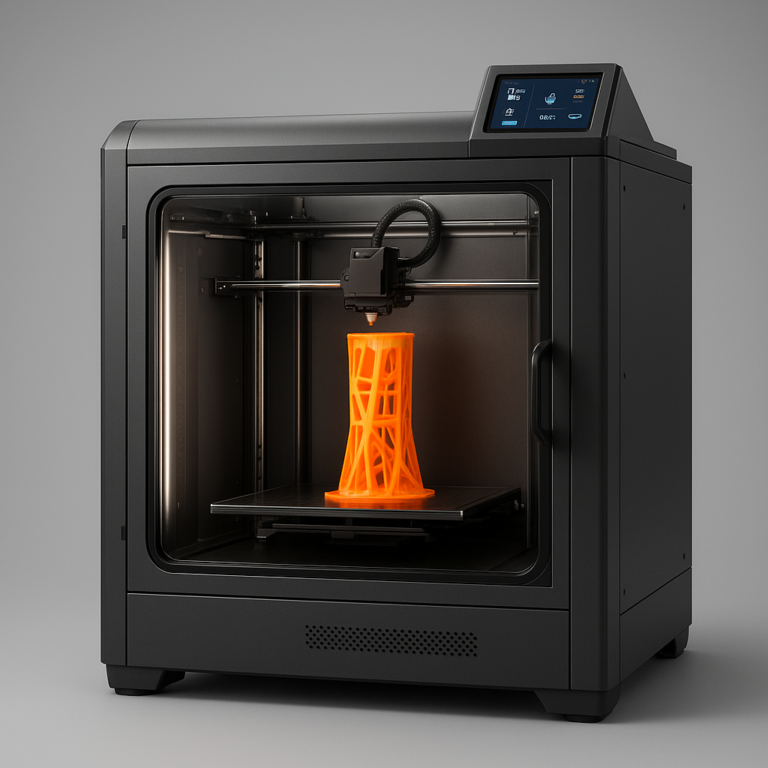
A really good 3D printer generally falls in the mid-range consumer category, where dependable calibration, consistent print quality, useful automation, and sensible material support meet. The right budget depends on whether you want simple PLA projects, multicolor models, resin miniatures, engineering prototypes, or professional production.
So, how much is a really good 3D printer? The honest answer is less than a professional machine, but more than the absolute cheapest model if you value your time. Printers such as the Bambu Lab A1, Bambu Lab P1S, Prusa MK4S, and Creality K1C show why the sweet spot is usually a capable, well-supported machine rather than a bargain-bin tinkering project.
We have watched a supposedly “cheap” printer turn a simple phone stand into an evening of belt adjustments, nozzle clearing, and increasingly creative language. Meanwhile, a properly matched machine can produce a clean first layer before your coffee cools. That difference is why reliability, software, spare parts, and material compatibility matter just as much as the purchase cost.
The latest machines also make the decision more complicated. Fast CoreXY printers, automated bed leveling, multicolor systems, high-resolution resin screens, and AI-assisted failure detection can be genuinely useful, but they can also add waste, maintenance, or ecosystem lock-in. Our 🏆 11 Best 3D Printers for 2026: Which One Wins? breaks down the strongest options by use case.
Key Takeaways
- The best value for most home users is a reliable mid-range FDM printer, not the cheapest available model or an industrial machine.
- Bambu Lab A1, Bambu Lab P1S, Prusa MK4S, Creality K1C, and QIDI Q1 Pro are strong choices for different combinations of convenience, repairability, speed, and engineering-material support.
- Resin printers are best for miniature and high-detail work, while FDM printers are more practical for functional parts, cosplay, organizers, and general household projects.
- The real ownership cost includes filament or resin, spare parts, tools, ventilation, post-processing, electricity, and failed prints.
- Automatic bed leveling, dependable first layers, strong software, available replacement parts, and useful material profiles are worth paying for.
- Maximum speed and resolution numbers can mislead; repeatable real-world results matter more than a dramatic specification sheet.
- Your workspace and intended materials should determine your printer choice, especially if you plan to use resin, ABS, ASA, nylon, or polycarbonate.
👉 CHECK PRICE on:
- Bambu Lab A1: Bambu Lab Official | Amazon
- Bambu Lab P1S: Bambu Lab Official | Amazon
- Prusa MK4S: Prusa Official
- Creality K1C: Creality Official | Amazon
- QIDI Q1 Pro: QIDI Official | Amazon
Table of Contents
-
⚡ Quick Tips and Facts: How Much Should a Really Good 3D Printer Cost?
-
🧭 3D Printer Pricing Explained: From Entry-Level Machines to Professional Tools
-
What “really good” means for print quality, reliability, and ease of use
-
4. Best professional 3D printers for business and engineering
-
5. Best industrial 3D printers for production and specialized materials
-
🧱 FDM vs. Resin 3D Printers: Which Type Deserves Your Budget?
-
FDM filament printers: strengths, limitations, and typical uses
-
Filament runout sensors, power-loss recovery, and clog detection
-
Camera monitoring, Wi-Fi, touchscreen controls, and remote printing
-
📐 Build Volume, Resolution, and Materials: What Are You Really Paying For?
-
PLA, PETG, TPU, ABS, ASA, nylon, and polycarbonate compatibility
-
Resin types for models, functional parts, and dental applications
-
Raise3D, UltiMaker, Formlabs, and FlashForge for professional users
-
When a subscription, warranty, or service plan is worthwhile
-
🧯 3D Printer Safety, Noise, and Home Workshop Considerations
-
🧪 Real-World Testing: What We Look For in a Really Good 3D Printer
Quick Tips and Facts: How Much Should a Really Good 3D Printer Cost?
If you want the fastest answer, a genuinely good home 3D printer usually sits in the mid-range rather than at either extreme. The right budget depends on whether you want easy PLA printing, multicolor models, engineering materials, resin miniatures, jewelry, or a small production setup.
For a broader shortlist, see our award-focused guide to 🏆 11 Best 3D Printers for 2026: Which One Wins?. We have tested enough machines to know that “really good” is less about a flashy specification and more about repeatable first layers, sensible software, available spare parts, and fewer 2 a.m. rescue missions.
✅ Budget ranges at a glance
| Buyer profile | Sensible printer budget | What you can reasonably expect | Typical compromises |
|---|---|---|---|
| Curious beginner | Entry-level | PLA, basic PETG, useful household parts | Smaller volume, fewer automations |
| Serious hobbyist | Mid-range | Faster printing, better calibration, wider materials | More setup and maintenance |
| Multicolor maker | Mid-range to premium | Automated color changes and remote monitoring | Purge waste, added complexity |
| Resin miniature enthusiast | Entry-level to mid-range | Excellent detail and smooth surfaces | Gloves, washing, curing, ventilation |
| Engineering hobbyist | Premium | Enclosed chamber, hotter nozzle, nylon or composite filaments | Higher operating cost |
| Small business | Premium to professional | Better uptime, support, repeatability, documentation | Expensive consumables or service plans |
| Industrial user | Professional or industrial | Validated workflows and production materials | Major investment and specialized facilities |
Our practical answer: spend enough to buy reliable automation, but do not pay for industrial features you will never use. A well-chosen Bambu Lab A1, Creality K1C, FlashForge Adventurer 5M Pro, Prusa MK4S, QIDI Q1 Pro, or comparable machine can be a much smarter purchase than an impressive-looking printer with poor support.
✅ The short answer for most buyers
For many households, the sweet spot is a reliable enclosed or semi-enclosed FDM printer with automatic bed leveling, a removable build plate, a direct-drive extruder, and a mature slicer.
Our award panel generally looks for:
- Reliable first-layer performance
- Straightforward setup
- Automatic calibration
- Good PLA and PETG profiles
- A heated bed
- A replaceable nozzle
- Wi-Fi or simple file transfer
- Accessible replacement parts
- A strong community and manufacturer support
- A realistic path to ABS, ASA, TPU, nylon, or carbon-fiber materials if needed
The Bambu Lab A1 is a strong example of a machine aimed at convenience. The Prusa MK4S takes a more repairable, open approach. The Creality K1C and QIDI Q1 Pro appeal to users who want faster CoreXY-style printing and, in QIDI’s case, more demanding materials.
The catch? No 3D printer is completely trouble-free. A useful forum discussion compares choosing a printer to buying a car because “the answer is almost always going to be ‘it depends!’” That is fair. Even the easiest printer can suffer a clog, failed sensor, warped part, or badly sliced file. Anyone promising perpetual perfection is selling fairy dust in a spool.
❌ Hidden costs beyond the printer
The printer is only the beginning. Budget for:
- Filament or resin
- Spare nozzles and build surfaces
- Dry storage for moisture-sensitive materials
- Isopropyl alcohol for cleaning FDM plates
- Gloves, washing fluid, and curing equipment for resin
- Ventilation or filtration
- Digital calipers
- Flush cutters and deburring tools
- A fire-safe workspace
- Failed prints, because the first spaghetti monster is practically a membership fee
For resin printing, read the National Institute for Occupational Safety and Health guidance on 3D printing hazards. Resin workflows require more than pressing “Print”: you must wash, cure, handle uncured resin carefully, and dispose of contaminated materials responsibly.
3D Printer Pricing Explained: From Entry-Level Machines to Professional Tools
What “really good” means for print quality, reliability, and ease of use
A really good printer should produce a successful print repeatedly, not merely achieve one spectacular benchmark model after six hours of tuning.
We score printers across several practical areas:
| Category | What we examine | Why it matters |
|---|---|---|
| Design | Frame rigidity, motion system, cable management | Reduces vibration and long-term wear |
| Functionality | Bed leveling, sensors, extruder, heating | Determines what materials and jobs are practical |
| Print quality | Layer consistency, overhangs, dimensional accuracy | Affects both appearance and fit |
| Usability | Setup, interface, slicer profiles, troubleshooting | Determines whether you actually use it |
| Reliability | Repeated prints and long jobs | Separates a tool from a tinkering project |
| Materials | Filament or resin compatibility | Defines what you can make |
| Maintenance | Access to parts and cleaning | Lowers downtime |
| Support | Documentation, warranty, community | Matters when the machine misbehaves |
| Value | Capability relative to ownership burden | Prevents paying for prestige alone |
A printer that scores highly on raw speed but constantly needs belt adjustments may lose to a slower machine that works every morning. Likewise, a resin printer with excellent resolution may be a poor choice for someone who has nowhere to wash and cure models.
The Prusa Research documentation is a useful example of the value of detailed support material. Prusa’s premium is not automatically justified, but documentation, spare-part availability, and repair instructions are real features.
Why printer prices vary so dramatically
Several cost drivers hide behind the outer shell:
-
Motion system
A rigid CoreXY frame, linear rails, precision motors, and quality belts cost more than a basic bed-slinger design. -
Thermal capability
A printer designed for PLA is simpler than one with a high-temperature hot end, heated chamber, and insulated enclosure for nylon or polycarbonate. -
Automation
Automatic bed leveling, lidar or camera inspection, resonance compensation, filament sensors, and remote monitoring add hardware and software development. -
Manufacturing volume
Popular consumer models benefit from mass production. Professional printers are sold in lower volumes and often include technical support. -
Ecosystem and consumables
Some brands make money through proprietary resin cartridges, filament systems, build plates, or service agreements. That convenience can be worthwhile, but calculate the long-term cost. -
Validation and repeatability
A professional printer may command a premium because the manufacturer has validated materials, profiles, and workflows. That matters more to a dental lab or product-development team than to someone printing a cable clip.
Consumer, prosumer, and industrial 3D printers compared
| Class | Typical user | Strengths | Weaknesses |
|---|---|---|---|
| Consumer | Home maker, student, beginner | Affordable, accessible, broad community | Less validation and fewer engineering safeguards |
| Prosumer | Experienced hobbyist, designer, small studio | Better materials, speed, enclosure, automation | More expensive and more complex |
| Professional | Business, lab, engineering team | Support, repeatability, workflow control | Higher consumable and service costs |
| Industrial | Manufacturing, aerospace, medical production | Production validation and specialized materials | Facility requirements and major capital cost |
A professional printer is not automatically “better” for home use. It may be worse value if you only need cosplay parts, organizers, or weekend prototypes.
Best Really Good 3D Printers by Category
Before we compare models, here is our practical rating snapshot. These scores are Best 3D Printer™ editorial ratings, based on usability, performance, ecosystem, materials, support, and value. They are not manufacturer claims.
| Printer | Design | Functionality | Print quality | Ease of use | Reliability | Materials | Value | Overall |
|---|---|---|---|---|---|---|---|---|
| Bambu Lab A1 | 8.5 | 9.0 | 9.0 | 9.5 | 8.5 | 8.0 | 9.0 | 8.9/10 |
| Bambu Lab P1S | 9.0 | 9.2 | 9.0 | 9.2 | 8.8 | 8.5 | 8.6 | 8.9/10 |
| Prusa MK4S | 9.2 | 8.8 | 9.0 | 8.5 | 9.5 | 8.8 | 8.2 | 8.9/10 |
| Creality K1C | 8.6 | 9.0 | 8.7 | 8.5 | 8.2 | 9.0 | 8.8 | 8.7/10 |
| QIDI Q1 Pro | 8.7 | 8.8 | 8.6 | 8.2 | 8.3 | 9.2 | 8.8 | 8.7/10 |
| FlashForge Adventurer 5M Pro | 8.5 | 8.6 | 8.5 | 8.8 | 8.2 | 7.8 | 8.6 | 8.4/10 |
| Elegoo Saturn 4 Ultra | 8.4 | 8.7 | 9.4 | 8.0 | 8.2 | 8.5 | 9.0 | 8.6/10 |
| Formlabs Form 4 | 9.5 | 9.5 | 9.3 | 9.2 | 9.3 | 8.5 | 6.8 | 8.9/10 |
Ratings need context. A resin printer can dominate fine detail while losing on convenience. A Prusa can score highly for repairability and long-term ownership while a Bambu Lab machine wins for fast, automated setup. The highest score is not always the best match for your room, materials, or patience.
Best overall FDM 3D printer
For many home users, we would shortlist the Bambu Lab P1S, Bambu Lab A1, and Prusa MK4S.
- Bambu Lab P1S: enclosed, fast, polished workflow, optional multicolor through AMS.
- Bambu Lab A1: exceptionally approachable for PLA and PETG, with excellent automatic calibration.
- Prusa MK4S: strong documentation, repairability, open ecosystem, and reliable print quality.
The P1S is the more versatile recommendation if you need an enclosure. The A1 is easier to recommend for a first printer if you mainly use PLA and PETG. The MK4S is appealing if you value a printer you can understand, maintain, and upgrade rather than treating it like a sealed appliance.
Best budget FDM printer
The Bambu Lab A1 Mini, FlashForge Adventurer 5M, and selected Creality Ender-3 V3 models are strong candidates.
The A1 Mini is particularly attractive in small apartments, classrooms, and dorm rooms. The first video’s presenter calls it “the best small 3D printer on the planet,” especially for users who want a simple app-driven workflow. That is enthusiastic wording, but the underlying point is sound: small size and low setup friction can matter more than theoretical build volume.
The FlashForge Adventurer 5M earns attention for quick setup and a pleasant user experience. Creality offers more modification potential, though the exact model and firmware experience vary.
Best CoreXY 3D printer
CoreXY printers move the toolhead using a compact belt arrangement, often enabling fast motion with a stable build platform. Strong options include:
- Bambu Lab P1S
- Bambu Lab X1 Carbon
- Creality K1C
- QIDI Q1 Pro
- FlashForge Adventurer 5M Pro
- Prusa CORE One
The Prusa CORE One is especially interesting for makers who want a compact enclosed design with Prusa’s software and service philosophy. The QIDI Q1 Pro is compelling for users who want an actively heated chamber at a more accessible prosumer level.
Best multicolor 3D printer
Multicolor printing is convenient, but it is not free of tradeoffs. Systems such as Bambu Lab’s AMS and Prusa’s MMU can automate filament changes, but color transitions often create purge waste.
| Multicolor approach | Benefits | Drawbacks |
|---|---|---|
| AMS-style filament switching | Easy color changes, automated workflow | Purge waste and added moving parts |
| Manual filament swaps | Low equipment cost | Requires timing and supervision |
| Separate assembled parts | Little color-change waste | More design and assembly work |
| Tool-changing system | Potentialy cleaner material transitions | Higher complexity and cost |
| Independent toolheads | Good material separation | Larger, more complex machines |
The video perspective is refreshingly blunt: some multicolor systems create “a ton of waste” that may end up in landfill. That concern is supported by the fact that every purge tower and transition block consumes material without becoming part of the finished object.
For multicolor convenience, the Bambu Lab A1 Combo or P1S Combo is easy to recommend. For reducing waste, consider designing colored components separately, painting models, or investigating emerging systems such as the Snapmaker U1.
Best resin 3D printer for miniatures
The Elegoo Saturn 4 Ultra, Elegoo Mars 5 Ultra, and Anycubic Photon Mono M7 Pro offer excellent detail for miniature figures, busts, jewelry masters, and small decorative parts.
A resin printer’s apparent resolution is only one part of the result. Exposure calibration, resin formulation, optical uniformity, anti-aliasing, support placement, and mechanical stability all matter.
The Prusa SL1S discussion makes this point vividly. Owners still praise the SL1S for jewelry and small resin prints, but several report that newer machines deliver crisper details at a lower ownership cost. One participant described it as “a good printer but not for its current price tag.” That criticism should not be dismissed as brand hostility: it highlights the gap between historical reliability and current market value.
Best large-format 3D printer
Large-format options include the Elegoo Neptune 4 Max, Creality K2 Plus, Anycubic Kobra 3 Max, and Raise3D Pro3 Plus.
Large build volume is useful for:
- Cosplay helmets
- Props
- Furniture-scale prototypes
- Automotive trim
- Oversized organizers
- Large sculptures
But large printers magnify problems. A small bed-level error that is invisible on a compact machine can ruin a wide print. Thermal gradients can also cause warping, especially with ABS, ASA, nylon, and polycarbonate.
Best beginner-friendly 3D printer
Our beginner shortlist:
- Bambu Lab A1 Mini
- Bambu Lab A1
- FlashForge Adventurer 5M
- Prusa MINI+
- Elegoo Neptune 4 Pro
The best beginner printer is the one that fits the person using it. A technically capable tinkerer may enjoy a Creality machine that needs adjustment. Someone buying a first printer for a child may value a controlled app workflow and fewer exposed moving parts.
For school environments, our 3D Printers for Education coverage focuses on safety, classroom management, reliability, and the total learning workflow rather than benchmark speed alone.
Best 3D printer for engineering materials
For ABS, ASA, nylon, polycarbonate, and composite filaments, prioritize:
- Enclosure
- Stable chamber temperature
- Hot end temperature capability
- Hardened nozzle
- Dry filament storage
- Strong part cooling control
- Flexible material profiles
- Adequate ventilation
The QIDI Q1 Pro, QIDI X-Max 3, Bambu Lab X1 Carbon, Creality K1C, and Prusa CORE One are worth investigating. For carbon-fiber-filled materials, a hardened nozzle is essential because abrasive fibers can rapidly wear brass.
The National Institute of Standards and Technology provides useful background on additive manufacturing processes and why material behavior matters in functional production.
Best professional 3D printer for small businesses
Small businesses should examine the entire workflow:
- How quickly can a new operator learn the machine?
- Are profiles validated for the materials you need?
- Can you obtain replacement parts quickly?
- Is remote monitoring available?
- Does the printer produce consistent batches?
- What happens when a print fails overnight?
- Can you document the process for customers or quality control?
The UltiMaker S7, Raise3D Pro3, Formlabs Form 4, and higher-end Prusa systems each occupy different niches. Formlabs offers a polished professional workflow, but proprietary materials and consumables may be a serious business consideration. UltiMaker emphasizes material flexibility and professional integration. Raise3D focuses on larger-format production and enterprise-style use.
Our 3D Printers for Small Businesses category explores that calculation in more detail.
FDM vs. Resin 3D Printers: Which Type Deserves Your Budget?
FDM filament printers: strengths, limitations, and typical uses
Fused deposition modeling, often called FDM or FF, melts filament and deposits it layer by layer.
FDM advantages:
- Affordable and widely available materials
- Easy-to-scale parts
- Good mechanical strength
- Low post-processing burden
- Excellent for brackets, organizers, tools, cosplay, and prototypes
- Easier material storage than liquid resin
FDM drawbacks:
- Visible layer lines
- Support scars
- More limited fine detail
- Warping with some materials
- Nozzle clogs and extrusion problems
- Large prints can take many hours
PLA is usually the easiest starting material. PETG offers greater toughness and temperature resistance, although it can string. TPU is flexible but demands careful feeding. ABS and ASA benefit from an enclosure and ventilation. Nylon is moisture-hungry and can turn a reliable print into a bubbling science experiment if stored badly.
Resin printers: detail, surface finish, and post-processing
Resin printers cure liquid photopolymer layer by layer using light. They excel at:
- Miniatures
- Figurines
- Jewelry masters
- Small mechanical components
- Dental and model-making workflows
- Fine text and intricate textures
The price of that detail is a more involved workflow:
- Prepare the resin and print platform.
- Slice the model with supports.
- Print in a ventilated area.
- Drain excess resin.
- Remove the print and supports.
- Wash it.
- Dry it fully.
- Cure it under controlled UV light.
- Dispose of contaminated waste responsibly.
A resin machine can produce stunning detail, but it is not a magic sculpture box. Uncured resin is messy and should not be treated like harmless craft paint. Follow manufacturer safety data sheets and guidance from OSHA on chemical safety.
SLA, MSLA, and DLP resin technologies explained
| Technology | How it cures resin | Main advantage | Main consideration |
|---|---|---|---|
| SLA | Laser traces each layer | Precise, flexible optics | Often slower per layer |
| MSLA | LCD masks UV light across a layer | Efficient batch printing | LCD and film are consumable parts |
| DLP | Projector cures pixels or regions | Optical efficiency and consistency | Hardware can cost more |
Modern consumer resin printers often use MSLA. A 12K or 16K label may sound enormous, but the meaningful detail depends on screen size, optics, resin, exposure, mechanics, and the actual feature size of your model.
That is why the SL1S forum debate calls some very high resolution claims a “gimmick.” The term is provocative, but the broader lesson is useful: resolution numbers need context.
Which printer type is cheaper to own?
FDM is usually cheaper and simpler for general-purpose printing. Resin can be economical for small, highly detailed models because supports and layer heights are efficient, but consumables and safety equipment add up.
| Ownership factor | FDM | Resin |
|---|---|---|
| Material storage | Dry box often helpful | Sealed bottles, temperature awareness |
| Post-processing | Usually trimming and sanding | Washing and UV curing |
| Workspace | Moderate ventilation | Dedicated, ventilated area preferred |
| Consumables | Filament, nozzles, plates | Resin, vat film, gloves, wash fluid |
| Detail | Good | Excellent for fine features |
| Strength | Broad range | Depends heavily on resin |
| Waste | Failed prints and supports | Supports, contaminated towels, failed parts |
| Ease for beginners | Generally easier | More safety and cleanup |
Features That Make a 3D Printer “Really Good”
Print quality, dimensional accuracy, and layer resolution
Print quality includes more than visible layer height. We inspect:
- Dimensional accuracy
- Surface consistency
- Corner sharpness
- Bridging
- Overhangs
- Seam placement
- Small holes
- Thread fit
- Repeatability across multiple prints
A printer may advertise a tiny layer height but produce inconsistent walls if the frame vibrates or extrusion fluctuates. A stable 0.2-mm layer can look better than an unstable 0.08-mm layer.
For functional parts, measure with digital calipers and test mating components. A part that looks perfect but does not fit is an expensive plastic potato.
Print speed versus reliable print speed
Manufacturers often publish maximum travel or print speeds. Those figures are useful for comparing motion potential, but they are not the same as a complete print speed.
Reliable speed depends on:
- Volumetric flow
- Nozzle diameter
- Layer height
- Material temperature
- Cooling
- Acceleration
- Model geometry
- Bed adhesion
- Vibration compensation
A large nozzle can produce thick, fast walls, but tiny details still require slower movement. We prefer printers that maintain consistent results at practical speeds over machines that win a headline race and lose the next three jobs.
Automatic bed leveling and first-layer consistency
Automatic bed leveling measures or compensates for surface variation. It does not excuse a dirty plate, damaged nozzle, loose gantry, or incorrect Z offset.
A reliable first layer requires:
- Clean build plate.
- Correct build-surface selection in the slicer.
- Proper nozzle temperature.
- Correct bed temperature.
- Accurate mesh compensation.
- Stable gantry and bed mechanics.
- Suitable first-layer speed.
The first layer is where many “bad printer” complaints begin. We often find the machine is fine but the plate is coated in fingerprints or the filament has absorbed moisture.
Direct-drive and Bowden extruders
A direct-drive extruder places the drive gears close to the nozzle. It generally improves control of flexible TPU and reduces the distance filament must travel.
A Bowden system moves the motor away from the hot end, reducing moving mass but adding a longer filament path. It can work very well for PLA and PETG but may be less forgiving with flexible materials.
| Extruder type | Best suited to | Advantages | Drawbacks |
|---|---|---|---|
| Direct drive | TPU, PETG, engineering filaments | Better filament control | More toolhead weight |
| Bowden | PLA, high-speed lightweight systems | Lower moving mass | Flexible filament can be difficult |
Heated beds, hot ends, and maximum nozzle temperatures
The advertised maximum temperature is only useful if the printer can maintain it safely and consistently.
Look for:
- All-metal hot end for higher-temperature filaments
- Hardened nozzle for abrasive composites
- Stable bed heating
- Magnetic spring-stel build plate
- Accurate thermal sensors
- Thermal runaway protection
For PLA, PETG, TPU, ABS, ASA, and nylon, the material profile matters more than a single maximum temperature number. Consult manufacturer technical data such as Prusa’s material guides and Bambu Lab’s filament documentation.
Enclosures, chamber heating, and ventilation
An enclosure helps retain heat and reduce drafts. It is especially useful for ABS, ASA, nylon, and polycarbonate.
However, an enclosure does not automatically make a printer safe. You still need appropriate ventilation and thermal protection. Avoid placing a high-temperature printer in a cramped cabinet without airflow or monitoring.
Filament runout sensors, power-loss recovery, and clog detection
These features can save a long print, but they vary in quality.
- Runout sensor: detects missing filament.
- Power-loss recovery: attempts to resume after interruption.
- Clog detection: may detect unusual extrusion behavior.
- Camera monitoring: helps identify spaghetti failures.
- AI inspection: can reduce unattended risk but should not be trusted blindly.
A camera can tell you that a print has failed. It cannot always tell you why. Human judgment remains useful, annoyingly enough.
Input shaping, pressure advance, and vibration compensation
Input shaping reduces ringing caused by rapid movement and mechanical resonance. Pressure advance adjusts extrusion during acceleration and deceleration.
These tools can improve quality at higher speeds, but they cannot repair:
- Loose belts
- Wobbly frames
- Poorly mounted printers
- Bent rods
- Incorrect assembly
- Wet filament
Treat calibration software as a powerful assistant, not a mechanic with tiny hands.
Camera monitoring, Wi-Fi, touchscreen controls, and remote printing
Remote printing is convenient, particularly for a print farm or a business. It also introduces network and privacy considerations.
Before connecting a printer to your home network:
- Change default passwords.
- Update firmware.
- Use a secure Wi-Fi network.
- Review camera and cloud settings.
- Avoid printing hazardous materials unattended.
- Keep a clear area around the machine.
For classrooms and businesses, local network controls may be preferable to a cloud-dependent workflow.
Automatic material systems and multicolor printing
Automatic material systems bring convenience but add:
- Feed paths
- Motors
- Sensors
- Spools
- Drying considerations
- Filament-change time
- Purge waste
A multicolor system is worthwhile when you frequently print labeled models, toys, signs, or decorative objects. If you mostly print brackets and replacement parts, single-color printing is often faster, cleaner, and cheaper.
Open-source firmware versus closed ecosystems
Open ecosystems can offer:
- More material freedom
- Easier repairs
- Community modifications
- Long-term independence
Closed ecosystems can offer:
- Simpler setup
- Integrated profiles
- Controlled quality
- Fewer configuration decisions
Prusa is well known for its open-source approach, while Bambu Lab emphasizes a highly integrated user experience. Neither philosophy is universally superior. The question is whether you prefer control or convenience.
Build Volume, Resolution, and Materials: What Are You Really Paying For?
Choosing the right print size
Measure the objects you actually plan to make. A large build volume is valuable only if your projects need it.
| Common project | Practical consideration |
|---|---|
| Miniatures | XY detail and resin quality |
| Cable organizers | Small-to-medium FDM volume |
| Helmets | Large volume or split models |
| Replacement brackets | Dimensional accuracy and material |
| Cosplay armor | Large volume, sanding, assembly |
| Jewelry masters | Fine detail and resin behavior |
| Classroom projects | Reliability and easy recovery |
| Small business parts | Repeatability and workflow |
A larger bed also costs more to heat, takes longer to stabilize, and makes adhesion errors more punishing.
Nozzle diameter and layer height
A 0.4-mm nozzle is a versatile default. Smaller nozzles improve fine detail but increase print time and clog sensitivity. Larger nozzles produce faster, stronger-looking walls but reduce small-feature resolution.
| Nozzle | Best use |
|---|---|
| 0.2 mm | Tiny text and delicate detail |
| 0.4 mm | General-purpose printing |
| 0.6 mm | Functional parts and faster walls |
| 0.8 mm | Large objects and rapid prototypes |
Layer height affects vertical detail, not every aspect of print quality. Wall width, line width, cooling, and extrusion consistency matter too.
PLA, PETG, TPU, ABS, ASA, nylon, and polycarbonate compatibility
| Material | Advantages | Challenges | Useful for |
|---|---|---|---|
| PLA | Easy, affordable, attractive | Softens with heat | Models, organizers, prototypes |
| PETG | Tough, moisture-resistant | String, surface sensitivity | Brackets, containers, functional parts |
| TPU | Flexible and impact-resistant | Slow, feeding difficulty | Gaskets, grips, feet |
| ABS | Heat-resistant, machinable | Warping and fumes | Enclosures, automotive parts |
| ASA | UV-resistant and durable | Needs enclosure | Outdoor parts |
| Nylon | Strong and tough | Absorbs moisture rapidly | Mechanical components |
| Polycarbonate | High strength and heat resistance | Demanding printing conditions | Engineering prototypes |
| Carbon-fiber blends | Stiff and dimensionally stable | Abrasive, often brittle | Structural parts and fixtures |
Material compatibility should influence printer choice before aesthetics. A beautiful open-frame printer is not the ideal tool for large ASA parts.
Resin types for models, functional parts, and dental applications
Resins vary widely:
- Standard resin for visual models
- Tough resin for impact resistance
- Water-washable resin for easier cleanup
- Castable or wax-filled resin for jewelry workflows
- High-temperature resin for specialized parts
- Flexible resin for soft components
- Biocompatible resin for regulated applications
Never assume a resin is suitable for medical, dental, food-contact, or skin-contact use without checking its certification and intended application.
Comparing Popular 3D Printer Brands
Bambu Lab: speed, automation, and ecosystem convenience
Bambu Lab’s appeal is straightforward: fast setup, automatic calibration, polished software, remote monitoring, and strong print profiles.
Strengths:
- Excellent out-of-box experience
- Fast CoreXY models
- Effective automatic calibration
- Strong multicolor ecosystem
- Good mobile and desktop workflow
Drawbacks:
- Greater ecosystem dependence
- Some repair and privacy concerns among enthusiasts
- Purge waste in multicolor printing
- Proprietary or semi-proprietary components in parts of the ecosystem
For parents and beginners, the first video strongly recommends Bambu Lab because the app can let users send prints from a phone. That is a meaningful convenience, especially when the alternative is explaining slicer settings to a child who has already lost interest and wandered toward snacks.
Prusa Research: reliability, repairability, and open design
Prusa’s reputation rests on reliable profiles, documentation, community support, and long-term serviceability.
Strengths:
- Excellent documentation
- Strong repair culture
- Mature slicer
- Open-source philosophy
- Good material profiles
- Long-term community knowledge
Drawbacks:
- Premium positioning
- Some models may appear conservative beside faster competitors
- Resin lineup faces tougher value comparisons
- Assembly or maintenance may be more hands-on
The SL1S debate is a useful warning: brand loyalty cannot replace modern value. Owners still appreciate the machine, PrusaSlicer, and the ecosystem, but several argue that newer Elegoo and Anycubic printers offer more detail for less money.
Creality: broad choice and strong value
Creality offers an enormous range, from basic Ender models to enclosed high-speed machines.
Strengths:
- Wide model selection
- Strong modification community
- Competitive capability
- Broad availability
- Many replacement parts
Drawbacks:
- Model quality varies
- Firmware and quality control can differ
- Some printers need more tuning
- Product naming can feel like alphabet soup
Creality is often a good choice for users who enjoy tinkering. It may be less ideal for someone who wants a perfectly controlled appliance experience.
Anycubic: affordable FDM and resin options
Anycubic is particularly strong in consumer resin printing and offers competitive FDM machines.
Strengths:
- Good resin detail
- Broad product range
- Competitive build volumes
- Accessible materials and accessories
Drawbacks:
- Software experience varies by product
- Support can be inconsistent by region
- Feature-rich models may require careful calibration
The Anycubic Photon Mono series remains popular among miniature and jewelry users.
Elegoo: competitive resin and filament printers
Elegoo’s Saturn and Mars families are common recommendations for resin users. The company has also expanded into FDM with Neptune and larger-format models.
Strengths:
- Strong resin detail
- Competitive hardware
- Good community support
- Wide accessory availability
Drawbacks:
- Resin workflow still requires cleanup and safety discipline
- Slicer quality may not match PrusaSlicer for every user
- High-resolution labels can distract from actual detail gains
The SL1S forum comparison favors Elegoo Saturn models on value and build volume, while acknowledging that PrusaSlicer remains preferable to some competing slicers. Both observations can be true.
QIDI Tech: enclosed printers for high-temperature materials
QIDI focuses heavily on enclosed, high-temperature-capable machines.
Strengths:
- Strong engineering-material support
- Heated chambers on selected models
- Competitive performance
- Good value for demanding hobbyists
Drawbacks:
- Larger footprint
- More heat and noise
- More demanding ventilation requirements
- Less beginner-oriented than an open-frame PLA specialist
The QIDI Q1 Pro is particularly interesting for users who want to move beyond PLA without immediately entering professional printer territory.
Raise3D, UltiMaker, Formlabs, and FlashForge for professional users
Professional brands sell more than motion hardware. They sell process confidence.
- Raise3D: large-format and production-oriented FDM systems.
- UltiMaker: professional ecosystem, material flexibility, and educational adoption.
- Formlabs: polished resin workflow, validated materials, and professional usability.
- FlashForge: accessible consumer models plus enclosed professional systems.
The brand premium is worthwhile when downtime, training, and failed parts cost more than the printer. It is harder to justify when your main need is a weekend model of a dragon wearing sunglasses.
The True Cost of Owning a Good 3D Printer
Filament and resin costs
Filament is typically measured by weight, while resin is poured by volume or weight. Actual cost depends on:
- Model size
- Infill
- Supports
- Purge waste
- Failed prints
- Material type
- Drying requirements
- Storage losses
A hollow resin model can use less material but requires drainage holes and careful cleaning. A multicolor FDM model can consume far more material than its finished weight suggests because of purging.
Nozzles, build plates, FEP films, and replacement parts
Consumables include:
- Brass or hardened nozzles
- Silicone socks
- Build plates
- PEI sheets
- Resin vat films
- LCD screens
- Belts
- Fans
- PTFE tubing
- Wipers and scrapers
- Filters
A printer with inexpensive, widely available replacement parts may be a better long-term purchase than a slightly cheaper machine with obscure components.
Slicer software and premium design tools
Many excellent slicers are free:
CAD tools range from beginner-friendly Tinkercad to FreeCAD and Autodesk Fusion.
Cleaning supplies, ventilation, and safety equipment
FDM users should consider:
- Isopropyl alcohol
- Microfiber cloths
- Scrapers
- Flush cutters
- Heat-resistant gloves
- Filament dryer
- Smoke detector
Resin users additionally need:
- Nitrile gloves
- Safety glasses
- Wash station or cleaning containers
- UV curing station
- Paper towels or reusable wipes
- Ventilation or filtration
- Waste containers
- Protective work surface
Electricity usage and operating costs
Energy use depends on:
- Bed temperature
- Chamber heating
- Ambient temperature
- Print duration
- Printer size
- Resin curing equipment
- Standby time
A compact PLA printer generally consumes less energy than a large enclosed machine heating a chamber for engineering filament. For precise estimates, use a plug-in energy monitor rather than guessing from the power-supply label.
Maintenance, repairs, and downtime
A maintenance schedule should include:
- Cleaning the build plate
- Inspecting belts
- Lubricating motion components according to the manual
- Checking fasteners
- Clearing the nozzle
- Updating firmware
- Drying material
- Replacing worn consumables
Maintenance is not a sign that you bought the wrong printer. It is part of owning a machine with heaters, motors, fans, belts, and a very determined little nozzle.
When a warranty or service plan is worthwhile
A warranty or service contract is more valuable when:
- The printer supports business income.
- Downtime costs more than the plan.
- Staff cannot repair equipment.
- The machine uses proprietary components.
- You need documented service response.
- The printer is part of a regulated workflow.
For a hobby machine, a service plan may cost more than simply learning basic maintenance.
How to Calculate Your 3D Printing Budget
A simple first-year ownership formula
Use this estimate:
First-year budget = printer + starter materials + safety equipment + tools + spare parts + ventilation or storage + expected failed-print allowance
Do not omit the last category. Beginners waste material while learning support placement, bed adhesion, temperature, and orientation. That waste is normal, but your budget should know about it.
Hobby printing versus selling printed products
If you sell printed objects, calculate:
- Material
- Electricity
- Machine depreciation
- Labor
- Design time
- Post-processing
- Packaging
- Platform fees
- Failed prints
- Customer support
- Taxes
- Intellectual-property licensing
A printer is not automatically a business. It is a production tool. Profit depends on designing something customers actually want and making it consistently.
Buying once versus upgrading a cheaper printer
A cheaper printer can be sensible if:
- You enjoy tinkering.
- You understand the limitations.
- Parts are easy to obtain.
- You want to learn mechanics.
- You are comfortable with manual calibration.
Buy a better-equipped machine initially if:
- You need predictable output.
- You dislike troubleshooting.
- You plan to print unattended.
- You need an enclosure.
- You want flexible materials.
- Your time is more valuable than the difference in purchase cost.
New, refurbished, and used 3D printers
A used printer can be excellent value, but inspect:
- Nozzle and hot-end wear
- Build plate condition
- Bed flatness
- Belt tension
- Z-axis motion
- Fan noise
- Firmware status
- Print history
- Availability of replacement parts
- Signs of resin contamination or spills
With resin printers, inspect the LCD, vat film, build plate, and optical surface particularly carefully. A bargain machine with a damaged screen can become a repair project wearing a bargain hat.
Choosing the Right 3D Printer for Your Needs
Best choice for casual home projects
Choose an easy FDM printer such as the Bambu Lab A1, Bambu Lab A1 Mini, Prusa MINI+, or FlashForge Adventurer 5M.
Prioritize:
- Fast setup
- PLA and PETG profiles
- Removable build plate
- Automatic calibration
- Quiet operation
- Accessible software
Best choice for tabletop miniatures and collectibles
Choose a resin printer such as the Elegoo Mars 5 Ultra, Elegoo Saturn 4 Ultra, or Anycubic Photon Mono series.
Plan for:
- Ventilation
- Wash and cure equipment
- Support learning
- Resin storage
- Safe disposal
- A dedicated work surface
Best choice for cosplay and large props
Choose a large-format FDM printer. Look for:
- Large build volume
- Reliable bed heating
- Good part cooling
- Easy nozzle replacement
- Strong frame
- Support for PLA, PETG, and ASA
Expect to split some models anyway. A larger printer reduces assembly seams but does not eliminate sanding, filler, and patience.
Best choice for functional household parts
A reliable FDM printer using PETG or ASA is usually the best fit. Consider the Bambu Lab P1S, Prusa MK4S, Creality K1C, or QIDI Q1 Pro.
Test parts for:
- Heat exposure
- Load direction
- Layer adhesion
- UV exposure
- Chemical contact
- Screw fit
- Creep over time
Do not use ordinary hobby prints for safety-critical components such as structural vehicle parts, climbing equipment, or protective devices unless the design and material have been properly engineered and validated.
Best choice for STEM education and classrooms
Schools should prioritize:
- Simple operation
- Safe materials
- Low noise
- Remote or centralized management
- Easy recovery after failure
- Robust build plates
- Documentation
- Staff training
Our 3D Printers for Education recommendations weigh classroom workflow more heavily than peak speed.
Best choice for protyping and product development
For product development, dimensional accuracy and repeatability matter more than decorative detail.
Look for:
- Multiple material options
- Stable mechanics
- Repeatable profiles
- Enclosure
- Good documentation
- Easy part iteration
- CAD-friendly tolerances
FDM is excellent for many prototypes. Resin is preferable for visual models and small detailed components. Professional systems become attractive when the prototype process needs documentation, traceability, and predictable turnaround.
Best choice for a print farm
A print farm benefits from:
- Identical machines
- Remote monitoring
- Automatic recovery
- Standardized filament
- Shared profiles
- Replaceable parts
- Easy bed changes
- Clear maintenance logs
A fleet of identical Bambu Lab, Prusa, or FlashForge machines may be easier to operate than a collection of unrelated printers. Consistency is the quiet superpower of production.
Best choice for engineering and manufacturing
Choose based on the materials and validation requirements, not the brand logo.
For demanding materials, investigate:
- Chamber temperature
- Nozzle temperature
- Bed temperature
- Drying system
- Material profiles
- Filtration
- Dimensional validation
- Service response
- Software compatibility
Professional systems from UltiMaker, Raise3D, Formlabs, and Stratasys can justify their premium where uptime, support, and documentation directly affect revenue.
Specs That Matter Less Than Marketing Suggests
Why maximum print speed can be misleading
Maximum speed may apply only to travel moves or a carefully chosen test shape. Real prints involve acceleration, cooling, short segments, bridges, retractions, and temperature limits.
Trust:
- Repeatable benchmark prints
- Real-world reviews
- Volumetric flow tests
- Functional parts
- Long-duration jobs
Do not trust a single speed number to predict your experience.
Why resolution numbers do not guarantee detail
A high-resolution LCD or tiny layer-height claim does not guarantee better parts. Detail depends on:
- Pixel size at the build surface
- Optical bleed
- Resin chemistry
- Exposure settings
- Anti-aliasing
- Support design
- Mechanical alignment
- Model orientation
The SL1S debate is useful here: several owners say newer printers produce sharper small details despite the SL1S’s respected workflow. The trustworthy conclusion is not “all resolution claims are fake.” It is “compare actual feature quality, not just the number on the box.”
Why a larger build volume is not always better
A larger printer can mean:
- More heat-up time
- Higher energy use
- Greater bed-level sensitivity
- More warping risk
- Larger footprint
- More expensive failed prints
If your biggest project is a phone stand, a giant build volume is a very expensive way to leave empty space around a small object.
Why more colors can mean more waste and longer prints
Each color change can require:
- Purging old filament
- A purge tower
- Wiping
- Retraction
- Reheating
- Additional travel
Multicolor is valuable when visual impact matters. It is less attractive for functional parts where color rarely improves performance.
Setup, Calibration, and Maintenance Tips
What to do before your first print
- Read the quick-start guide.
- Check shipping restraints and protective foam.
- Inspect belts, cables, and fasteners.
- Install the correct nozzle and build plate.
- Update firmware if appropriate.
- Load dry filament or correctly prepared resin.
- Run the manufacturer’s calibration routine.
- Print a small test object.
- Check the first layer before attempting a long print.
- Save the successful profile.
Do not begin with a 20-hour helmet. Start with a small part whose failure will not emotionally damage you.
Bed adhesion and first-layer troubleshooting
If the first layer fails:
- Clean the plate.
- Confirm the correct surface setting.
- Check nozzle height.
- Reduce first-layer speed.
- Adjust bed temperature.
- Verify the plate is seated correctly.
- Check for a bent or contaminated nozzle.
- Dry the filament.
- Re-run mesh calibration.
Never keep increasing bed temperature blindly. A sticky failure can become a welded failure.
How often to clean, lubricate, and inspect your printer
Inspect before major jobs and after unusual noises. A basic routine:
- Every few prints: clean the build plate.
- Weekly or monthly: inspect belts, screws, fans, and filament paths.
- As specified by the manual: lubricate rails or rods.
- When symptoms appear: clear the nozzle and check extrusion.
- Periodically: update software and review profiles.
Follow the manufacturer’s maintenance instructions rather than applying random internet grease to every shiny metal part.
Common 3D printing failures and practical fixes
| Failure | Likely causes | First fixes |
|---|---|---|
| Poor first layer | Dirty plate, incorrect Z offset | Clean plate, recalibrate |
| String | Wet filament, temperature too high | Dry filament, tune retraction |
| Warping | Drafts, poor adhesion, wrong material | Enclosure, brim, temperature adjustment |
| Layer shifting | Loose belts, excessive acceleration | Inspect mechanics, reduce acceleration |
| Under-extrusion | Clog, worn gear, wet filament | Clear nozzle, inspect feeder |
| Elephant foot | Excessive first-layer squish | Adjust first layer and compensation |
| Resin supports failing | Poor exposure or support design | Calibrate resin, strengthen supports |
| Resin prints sticking to film | Weak plate adhesion | Level plate, clean surface, adjust exposure |
Keeping filament and resin dry
Moisture causes:
- Popping
- String
- Weak layers
- Rough surfaces
- Inconsistent extrusion
- Poor transparency
- Britle nylon
Use sealed containers with desiccant. For moisture-sensitive materials such as nylon, a heated dryer or dry-printing enclosure is often worthwhile. Do not assume a fresh spool is dry merely because it is new.
When to replace a nozzle, build plate, or resin vat film
Replace parts when you observe:
- Enlarged nozzle or inconsistent extrusion
- Deep grooves in the build surface
- Persistent adhesion problems after cleaning
- Scratches or clouding in resin vat film
- Leaks
- Repeated dimensional changes
- Visible wear around the nozzle tip
Cheap consumables are not the place to demonstrate heroic stubborness.
3D Printer Safety, Noise, and Home Workshop Considerations
Fumes, particulates, and ventilation
Different materials produce different emissions. PLA is generally easier to manage than ABS, ASA, and some resins, but “easier” does not mean “zero emissions.”
Use:
- Ventilation
- Enclosures where appropriate
- Manufacturer safety guidance
- Suitable filtration
- Distance from sleeping areas
- Material-specific precautions
Review research and guidance from NIOSH and the U.S. Environmental Protection Agency.
Fire safety and unattended printing
Keep the printer:
- On a stable, nonflammable surface
- Away from paper, curtains, and solvents
- Connected to a suitable electrical outlet
- Clear of obstructed cooling vents
- Within reach of a smoke detector
Remote monitoring is not the same as fire prevention. A camera can watch a problem develop but cannot extinguish it.
Resin handling, gloves, washing, and curing
For resin:
- Wear appropriate nitrile gloves.
- Avoid skin contact.
- Use eye protection when splashing is possible.
- Keep resin away from food areas.
- Wash and cure according to the resin instructions.
- Dispose of contaminated waste responsibly.
- Keep children and pets away from the workstation.
A resin printer belongs in a controlled workshop area, not beside the family cereal.
Noise levels for bedrooms, offices, and living spaces
Noise comes from:
- Steper motors
- Fans
- Bed movement
- Cooling systems
- Enclosure resonance
- High-speed acceleration
A quiet printer in a daytime office may become an irritating nighttime metronome. If noise matters, look for published measurements and independent testing rather than vague “silent board” marketing.
Electrical requirements and workspace setup
Ensure:
- Adequate electrical capacity
- Proper grounding
- Good cable routing
- Stable shelving
- Room for spool changes
- Ventilation clearance
- Access to emergency power isolation
Large printers need surprisingly sturdy furniture. A wobbly desk can turn a calibration problem into modern dance.
3D Printer Price-to-Performance Comparison
Build quality and long-term reliability
| Priority | What to inspect |
|---|---|
| Frame | Rigidity and squareness |
| Motion system | Rails, rods, belts, bearings |
| Electronics | Cooling, wiring, thermal protection |
| Hot end | Serviceability and temperature stability |
| Build plate | Flatness, coating, replacement availability |
| Firmware | Updates, recovery, calibration tools |
| Parts | Availability and reasonable replacement cost |
A reliable printer should not require a weekly ritual involving hex keys, shims, and whispered apologies.
Ease of use and software experience
Software is part of the printer. Compare:
- Slicer profiles
- Automatic calibration
- Model preview
- Support generation
- Remote control
- File transfer
- Error messages
- Documentation
- Community troubleshooting
The SL1S discussion repeatedly praises PrusaSlicer, even from users who criticize the printer’s current hardware value. That is a valuable distinction: excellent software can preserve a pleasant workflow, but it cannot fully erase outdated hardware.
Material flexibility and upgrade potential
A printer has stronger long-term value when it supports:
- Multiple nozzle types
- Abrasive filaments
- Flexible materials
- Enclosure upgrades
- Dry-box integration
- Replaceable hot ends
- Firmware improvements
- Community-developed accessories
Upgradeability matters, but do not pay a premium for hypothetical upgrades that never arrive.
Support, warranty, spare parts, and community knowledge
Before buying, search for:
- Official manuals
- Replacement parts
- Error-code explanations
- Firmware history
- Repair videos
- Active user forums
- Regional support
- Warranty terms
A printer with a large community can be easier to repair than a technically superior machine with no documentation.
Which features are worth paying extra for?
Usually worth paying for:
- Reliable automatic calibration
- Enclosure for engineering materials
- Good motion system
- Replaceable build plate
- Hardened nozzle compatibility
- Remote monitoring
- Validated material profiles
- Excellent support
Often optional:
- Laser or lidar scanning
- Extremely high screen resolution
- Decorative lighting
- Huge maximum speed claims
- Multicolor capability if you print functional parts
- Cloud features you do not intend to use
Costly Buying Mistakes to Avoid
Buying the cheapest printer without budgeting for upgrades
A low entry price can become expensive after adding:
- Better bed springs
- New extruder
- Upgraded hot end
- Improved cooling
- Enclosure
- Auto-leveling sensor
- Replacement control board
- Build plate
- Firmware accessories
Sometimes a cheap printer is a great learning platform. Sometimes it is a box-shaped invitation to spend weekends repairing it.
Ignoring the cost of post-processing
Resin prints need washing and curing. Large FDM prints may need sanding, filling, priming, painting, and assembly. A printer that saves material but doubles finishing time may be poor value for your goal.
Choosing resin without planning for ventilation
Do not buy a resin printer first and ask where it will live afterward. Plan the workstation, cleanup, storage, and waste process before purchasing.
Overlooking replacement parts and manufacturer support
Search for the nozzle, screen, build plate, vat film, fans, and mainboard before buying. If replacements are impossible to find, the printer’s useful life may end with one failed component.
Paying for features you will never use
A high-temperature chamber is wasted on a PLA-only user. A multicolor system is unnecessary for someone who paints models. A giant build plate is excessive for miniatures.
The most expensive printer is the one that does not suit your actual projects.
Real-World Testing: What We Look For in a Really Good 3D Printer
Calibration cube, benchmark, and torture-test results
We use benchmark objects to examine:
- Dimensional accuracy
- Bridging
- Overhangs
- Small holes
- Text
- Surface finish
- Retraction
- Cooling
- Seam behavior
Benchmarks are useful, but they are not the whole story. A printer can ace a torture test and still produce a disappointing functional bracket if its tolerances are inconsistent.
Functional parts and dimensional accuracy
We print:
- Screw-fit components
- Hinges
- Snap-fit boxes
- Spacers
- Brackets
- Threaded parts
- Replacement knobs
A useful printer must make parts that fit. Beauty is nice; a lid that closes is nicer.
Bridging, overhangs, retraction, and surface quality
We compare:
- Bridge length
- Overhang angle
- String
- Corner sharpness
- Top-layer closure
- Seam visibility
- Support removal
- Fine text
For resin, we also inspect:
- Support marks
- Small embossed details
- Hollowing and drainage
- Surface uniformity
- Cured brittleness
- Dimensional shrinkage
Long-duration reliability testing
A short successful print proves very little. We prefer repeated jobs that expose:
- Heat creep
- Belt problems
- Filament feeding issues
- Thermal drift
- Fan failures
- Firmware instability
- Bed adhesion inconsistencies
This is where premium brands can justify themselves, but only if the reliability improvement is real.
Noise, heat, power use, and user experience
We note:
- Startup time
- Calibration time
- Fan noise
- Motion noise
- Heat output
- Electrical use
- Odors
- Cleanup
- Recovery after failures
A printer that produces excellent parts but makes your office sound like an airport baggage carousel may not be your winner.
Software, Models, and 3D Printing Ecosystems
Cura, PrusaSlicer, OrcaSlicer, and Bambu Studio
| Slicer | Strengths | Good fit |
|---|---|---|
| PrusaSlicer | Mature profiles, powerful controls | Prusa users and advanced makers |
| OrcaSlicer | Detailed calibration and tuning tools | Enthusiasts and multi-brand users |
| Bambu Studio | Integrated Bambu workflow | Bambu Lab owners |
| UltiMaker Cura | Broad compatibility and plugins | Mixed printer collections |
A slicer can influence your printer experience almost as much as the hardware. The SL1S owners’ praise for PrusaSlicer shows why software remains a major part of perceived value.
Finding trustworthy STL and 3MF files
Use established repositories such as:
Check:
- User photos
- Print settings
- Comments
- License terms
- Version history
- Whether the designer provides source files
Learning CAD with Fusion, FreeCAD, and Tinkercad
- Tinkercad: easiest starting point.
- Fusion: powerful parametric design and assemblies.
- FreeCAD: open-source and capable for mechanical design.
- Blender: excellent for organic models and artistic work.
The fastest way to become competent is to design small useful objects: a cable clip, drawer divider, spacer, or replacement cap. Your printer becomes more valuable when you can make what cannot be downloaded.
Licensing, copyright, and selling printed designs
A downloaded model may be available for personal use but not commercial sale. Check the license before selling:
- Printed objects
- Digital files
- Modified versions
- Photos using the model
- Bundled products
Creative Commons terms vary. Review the Creative Commons license guide before building a business around downloaded files.
3D Printer Technology Trends and Future-Profing
AI-assisted calibration and failure detection
AI-assisted systems can detect some spaghetti failures, estimate bed conditions, and simplify calibration. They are useful, but false positives and missed failures still occur.
Treat them as safety nets, not a substitute for:
- Correct setup
- Dry material
- Good ventilation
- Regular inspection
- Sensible print scheduling
Faster CoreXY motion systems
CoreXY designs are becoming common in consumer printers because they allow high-speed toolhead movement while keeping the build platform relatively stable.
The important question is not “How fast can it move?” but “How fast can it produce acceptable parts?”
Multicolor and multimaterial printing
Future systems may reduce waste through:
- Tool changing
- Improved purge management
- Independent toolheads
- Smarter transitions
- More recyclable purge material
- Better material separation
Until then, design parts for assembly or paint single-color models when possible.
Automated print farms and remote management
Businesses increasingly use:
- Remote job queues
- Camera monitoring
- Automatic failure detection
- Standardized profiles
- Fleet dashboards
- Scheduled maintenance
Automation can improve productivity, but it also increases the consequences of a software or network failure. Build in manual recovery procedures.
Repairability, open hardware, and sustainable printing
A durable printer should be repairable. Look for:
- Replaceable components
- Published manuals
- Firmware support
- Standard fasteners
- Recyclable packaging
- Material-efficient workflows
The European Commission’s right-to-repair initiatives reflect a wider consumer interest in products that do not become disposable after one component fails.
How to Decide What You Should Spend
The best value sweet spot for most home users
For general home printing, the value sweet spot is a reliable FDM printer with automatic calibration and a mature software ecosystem.
We would usually steer buyers toward:
- Bambu Lab A1 for simple PLA and PETG printing
- Bambu Lab P1S for enclosed, faster, more versatile printing
- Prusa MK4S for repairability and long-term support
- Creality K1C for value and engineering-material potential
- QIDI Q1 Pro for an enclosed, heated-chamber workflow
- FlashForge Adventurer 5M for approachable setup
When spending more saves frustration
Spend more when:
- You need reliable batch output.
- You work with ASA, nylon, or polycarbonate.
- Your time is limited.
- You need remote monitoring.
- You need professional support.
- Failed prints affect customers.
- The printer must be used by several people.
The premium is justified only when it buys measurable reliability, capability, service, or time savings.
When a cheaper 3D printer is the smarter choice
A less expensive printer wins when:
- You are testing the hobby.
- You only need PLA.
- You enjoy tuning.
- You print occasionally.
- You want a small machine.
- You are learning mechanical principles.
- You do not need remote or multicolor features.
The first video’s central advice is sensible: you do not need a “crazy fancy machine” to accomplish many of the same tasks as a premium model. A capable mid-range printer, sensible profiles, and good material handling can go remarkably far.
A practical buyer’s checklist
Before ordering, answer these questions:
- What materials will I print in the next year?
- What is the largest object I genuinely need to make?
- Do I want FDM or resin?
- Can I ventilate the workspace?
- Do I need multicolor?
- Do I value convenience or repairability more?
- Can I obtain spare parts locally?
- Will I print unattended?
- How much post-processing can I tolerate?
- Is the printer for fun, education, business, or production?
- What happens if the machine fails after its warranty?
- Does the manufacturer provide useful profiles and documentation?
The unresolved question from the beginning was whether a really good printer must be expensive. Our answer is now clearer: price matters, but fit matters more. A modestly priced, well-matched printer can outperform a prestigious machine in your actual workspace.
Conclusion

A really good 3D printer does not have one universal price. For most home makers, the smartest purchase is a reliable mid-range FDM printer with automatic calibration, a good slicer, accessible parts, and the materials you actually intend to use.
Our strongest recommendations
- Best beginner-friendly choice: Bambu Lab A1
- Best compact option: Bambu Lab A1 Mini
- Best enclosed all-rounder: Bambu Lab P1S
- Best repairable long-term platform: Prusa MK4S
- Best engineering-material value: QIDI Q1 Pro
- Best high-speed value alternative: Creality K1C
- Best resin detail value: Elegoo Saturn 4 Ultra
- Best professional resin workflow: Formlabs Form 4
The Bambu Lab approach wins on convenience. Prusa wins on repairability and ecosystem trust. Creality and QIDI offer strong capability for demanding hobbyists. Elegoo and Anycubic remain compelling for detailed resin printing. Professional brands earn their premium when uptime, support, and repeatability matter more than casual experimentation.
The Prusa SL1S discussion also closes an important loop: a printer can remain reliable and genuinely useful while no longer offering competitive value. That is why we judge every machine against current alternatives, not just its old reputation.
If you are unsure, buy for your next twelve months of projects, not for an imaginary laboratory you may never build. A well-chosen printer should make you think, “What can I design next?” not, “Why is there melted plastic on the ceiling?”
Recommended Links
Shop recommended FDM 3D printers
- Bambu Lab A1: Bambu Lab Official Website | Amazon search
- Bambu Lab A1 Mini: Bambu Lab Official Website | Amazon search
- Bambu Lab P1S: Bambu Lab Official Website | Amazon search
- Prusa MK4S: Prusa Official Website
- Creality K1C: Creality Official Website | Amazon search
- QIDI Q1 Pro: QIDI Official Website | Amazon search
- FlashForge Adventurer 5M Pro: FlashForge Official Website | Amazon search
Shop recommended resin 3D printers
- Elegoo Saturn 4 Ultra: Elegoo Official Website | Amazon search
- Elegoo Mars 5 Ultra: Elegoo Official Website | Amazon search
- Anycubic Photon Mono: Anycubic Official Website | Amazon search
- Formlabs Form 4: Formlabs Official Website
Helpful 3D printing books
FAQ: How Much Is a Really Good 3D Printer?

What are the best budget-friendly 3D printers that still deliver excellent results?
The strongest affordable choices include the Bambu Lab A1 Mini, Bambu Lab A1, FlashForge Adventurer 5M, Creality Ender-3 V3 models, Elegoo Neptune 4 Pro, and Prusa MINI+.
Choose the A1 Mini for compact convenience, the A1 for a larger open-frame workflow, and the Adventurer 5M for approachable setup. Creality and Elegoo are attractive when you want more tinkering potential or a broader upgrade path.
Read more about “🏆 Best Resin 3D Printer Awards (2026): 10 Top Contenders Revealed”
How does price correlate with quality in top-rated 3D printers?
Price often correlates with:
- Better frame construction
- More reliable calibration
- Stronger thermal systems
- Better documentation
- Higher-quality components
- More consistent profiles
- Faster support
However, the relationship is not linear. A printer that costs more may offer features irrelevant to your projects. The best value comes from paying for the capabilities that reduce your specific problems.
Which 3D printers have won awards for best performance?
Award-winning and frequently recognized models vary by publication and testing year, but the Bambu Lab X1 Carbon, Bambu Lab P1S, Prusa MK4 series, Bambu Lab A1, Formlabs Form 4, and several Elegoo Saturn models regularly receive strong reviews or category recognition.
Treat awards as a starting point rather than a final verdict. Check whether the award evaluated speed, detail, value, professional workflow, repairability, or beginner usability.
Read more about “🏆 Top Rated 3D Printers for Home Use (2026): Our Top 1 Picks”
What features should I look for in a high-quality 3D printer?
Prioritize:
- Automatic bed leveling
- Reliable first-layer performance
- Stable frame
- Replaceable build plate
- Direct-drive extruder
- Heated bed
- Suitable hot-end temperature
- Material profiles
- Easy nozzle replacement
- Filament runout detection
- Good documentation
- Available spare parts
- Safe thermal protection
For engineering materials, add an enclosure, hardened nozzle, dry storage, and preferably chamber temperature control.
Read more about “🏆 11 Best 3D Printers for 2026: Which One Wins?”
What budget 3D printer should I buy?
For most beginners, the Bambu Lab A1 Mini or Bambu Lab A1 is an excellent starting point. Choose the FlashForge Adventurer 5M if you want a straightforward alternative. Choose a Creality Ender-3 V3 model if you enjoy tinkering and want a broad modification community.
Read more about “🏆 Top 10 d Printer Awards and Recognition Winners (2026)”
How much does 3D printing really cost?
The total cost includes:
- Printer
- Filament or resin
- Tools
- Spare parts
- Safety equipment
- Ventilation
- Electricity
- Failed prints
- Post-processing
- Software or model licenses
FDM is usually less demanding for general home use. Resin can be economical for detailed parts but requires more equipment and cleanup.
Read more about “🏆 10 Best 3D Printers for Professionals (2026)”
How much does it actually cost to 3D print?
Calculate:
Material used + purge and support waste + electricity + machine wear + post-processing labor
For a simple FDM object, material may be the smallest part of the total if you value your time. For a resin miniature, washing, curing, support removal, and cleanup can matter more than the resin itself.
Read more about “🚀 How to Get High-Quality 3D Prints: The 2026 Master Guide”
How much does a good starter 3D printer cost?
A good starter machine is generally found in the entry-level to lower mid-range category, depending on features and region. Focus on automatic calibration, reliable profiles, replacement parts, and the total setup rather than chasing the lowest purchase figure.
Read more about “🏆 2026 Leading Tool-Changer 3D Printer Awards for Zero-Waste Printing”
How much is a reasonable 3D printer?
A reasonable printer is one that offers the features you need without paying for professional capabilities you will not use. For many home users, this means a reliable FDM printer with automatic leveling, a heated bed, a removable plate, and strong software support.
Read more about “🛠️ Stop the Slide: 7 Steps to Fix Layer Shift & Warp (2026)”
What is the best 3D printer for professional-quality prints?
For professional FDM, investigate the UltiMaker S series, Raise3D Pro series, Prusa CORE One, and high-end Bambu Lab systems. For professional resin, the Formlabs Form 4 is a strong choice when validated materials and workflow support matter.
The “best” professional printer depends on whether you prioritize material freedom, dimensional repeatability, surface finish, production volume, or support contracts.
How much should you spend on an award-winning 3D printer?
Spend enough to obtain the features that earned the award, but not merely the badge. If an award-winning model wins for speed but you need quiet miniature printing, it may be the wrong purchase.
A sensible buyer should compare at least three factors:
- Required materials.
- Required build size.
- Required workflow simplicity.
Read more about “12 Most Innovative Volumetric 3D Printing Awards 🏆 (2026)”
Which 3D printers offer the best value for money?
Strong value candidates include:
- Bambu Lab A1
- Bambu Lab P1S
- Creality K1C
- QIDI Q1 Pro
- FlashForge Adventurer 5M
- Elegoo Saturn 4 Ultra for resin detail
Value depends on ownership experience. A cheaper machine that demands constant upgrades may lose to a slightly more capable printer that works immediately.
Read more about “🏆 Top 10 Best 3D Printers for Pros (2026)”
Is a resin printer worth buying for miniatures?
Yes, if you need fine detail and can provide a controlled, ventilated workspace. Resin is excellent for miniatures, jewelry masters, and small detailed models. It is not ideal if you want minimal cleanup or plan to print beside your dining table.
Read more about “🏆 The Best 3D Printer of All Time? (2026 Ultimate Guide)”
Do I need an enclosure for 3D printing?
You usually do not need an enclosure for PLA. It becomes increasingly useful for ABS, ASA, nylon, and polycarbonate because it reduces drafts and helps manage temperature. An enclosure does not replace ventilation or fire safety.
Read more about “🚀 Flashforge 3D Printer: The Ultimate 2026 Buying Guide & Review”
Is multicolor 3D printing worth the extra cost?
It is worth it for decorative signs, toys, character models, and color-coded parts. It is less worthwhile for brackets, tools, and organizers. Consider purge waste, longer print times, extra mechanical components, and material loading before buying a multicolor system.
Read more about “💸 How Much Does a 3D Printer Cost in the US? (2026 Price Guide)”
How long should a good 3D printer last?
A well-maintained printer can remain useful for many years. Lifespan depends on print hours, material abrasiveness, heat exposure, maintenance, replacement parts, and firmware support. Repairable platforms generally have a better chance of remaining practical than sealed systems with unavailable components.
Read more about “🏆 Is the Ender 3 Worth It? The 2026 Verdict You Need”
Should I buy a used 3D printer?
A used printer can be excellent value if you can inspect it and obtain replacement parts. Check the frame, build plate, hot end, belts, electronics, fans, firmware, and print history. Be especially cautious with resin printers because damaged LCD screens and contaminated vats can be expensive to replace.
Read more about “🏆 Anycubic 3D Printer: The Ultimate 2026 Guide to 8 Top Models”
Reference Links
- National Institute for Occupational Safety and Health: 3D Printing
- U.S. Environmental Protection Agency: Indoor Air Quality and 3D Printing
- National Institute of Standards and Technology: Additive Manufacturing
- OSHA: Chemical Hazards
- Creative Commons License Guide
- Prusa Research
- PrusaSlicer
- Prusa Help Center
- Bambu Lab
- Bambu Lab Wiki
- Creality
- Anycubic
- Elegoo
- QIDI Tech
- FlashForge
- UltiMaker
- Raise3D
- Formlabs
- 3D Printer Forum Discussion: SL1S in 2026 Needs a Hardware Update!
- Prusa Forum: Original Prusa SL1 General Discussion
- Best 3D Printer™ Reviews
- Best 3D Printer™ Brands
- Best 3D Printers for Small Businesses
- 3D Printing Industry News
- 3D Printers for Education