Support our educational content for free when you purchase through links on our site. Learn more
🏆 Prusa 3D Printer Review: The 2026 Gold Standard for Reliability

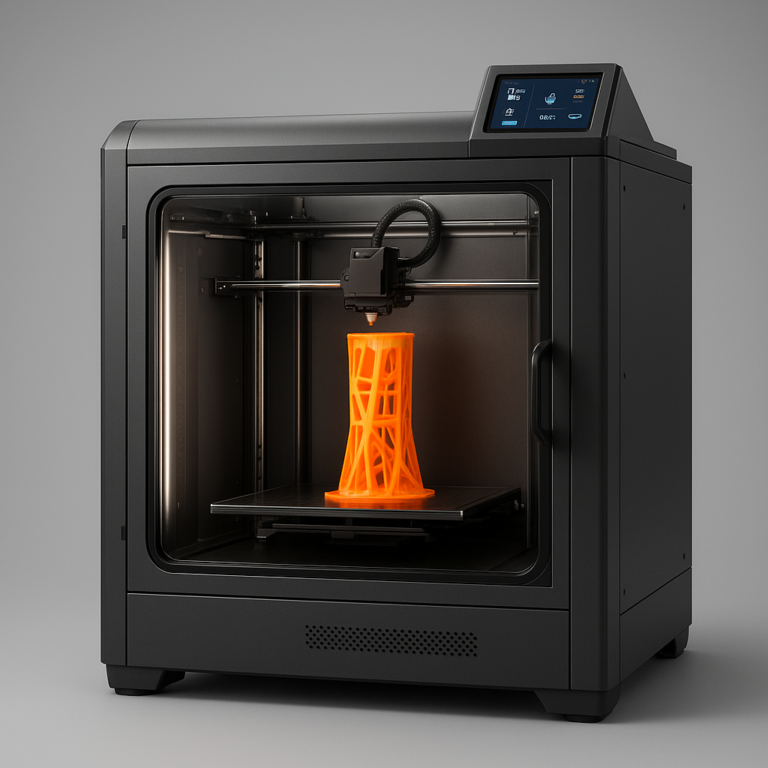
If you want a 3D printer that works flawlessly out of the box and refuses to quit, the Prusa 3D printer is the undisputed champion you need to buy. While other machines demand hours of tinkering just to get a decent first layer, Josef Prusa’s latest lineup delivers industrial-grade reliability right from the start.
We once watched a team member try to assemble a budget clone for three days, only to end up with a printer that printed nothing but spaghetti. Switching to a Prusa MK4S later that week, they printed a complex mechanical part perfectly on the very first attempt. That’s the difference between guessing and engineering.
Did you know Prusa Research runs over 70 printers 24/7 in their own factory to test every component before it reaches you? This “eat your own dog food” philosophy ensures that when you unbox your machine, it’s already been stress-tested to the limit.
Key Takeaways
-
Unmatched Reliability: Prusa printers are engineered for zero-failure printing, making them the top choice for professionals and beginners alike.
-
Open Source Freedom: Unlike closed ecosystems, you have full access to firmware, schematics, and upgrade paths to customize your machine.
-
Superior Support: Enjoy 24/7 live chat and a massive community forum that solves problems in minutes, not days.
-
Smart Features: From NFC spool recognition to Input Shaping for vibration-free speed, the tech is years ahead of the competition.
Table of Contents
- ⚡️ Quick Tips and Facts
- 📜 The Prusa Legacy: From Open Source Roots to 3D Printing Royalty
- 🏆 Why Choose a Prusa 3D Printer? The Unbeatable Value Proposition
- 🛠️ The Prusa Ecosystem: Hardware, Software, and Community
- 🖨️ Top Contenders: A Deep Dive into the Current Prusa Lineup
- 1. Original Prusa MK4S: The King of FDM Reliability
- 2. Original Prusa MINI+: The Compact Powerhouse for Small Spaces
- 3. Original Prusa XL: The Multi-Material Game Changer
- 4. Prusa CORE One Series: The New Era of Speed and Simplicity
- Prusa CORE One+ Kit vs. Asembled: Which Path is Right for You?
- Prusa CORE One L: Scaling Up for Big Projects
- Critical Infrastructure Editions: Built for the Long Haul
- 5. Prusa SL1S SPEED: The Fast Track to High-Resolution Resin Printing
- 6. Prusa Pro HT90: Engineering the Future of High-Temp Printing
- 🧩 Assembly Showdown: Kit vs. Pre-Asembled Models
- 🚀 Performance Metrics: Speed, Quality, and Material Compatibility
- 💡 PrusaSlicer and Prusa Connect: The Brains Behind the Operation
- 🔧 Upgradability and Maintenance: Keeping Your Machine Running Forever
- 🎨 What Can You Print? Popular Models and Design Contests
- 🛒 Buying Guide: How to Select the Perfect Prusa for Your Needs
- 🆘 Troubleshooting 101: Common Issues and How to Fix Them
- 🎓 Learning Resources: Courses, Forums, and Becoming an Expert
- 🌍 The Prusa Community: Events, Stories, and Support
- ✅ Conclusion
- 🔗 Recommended Links
- 📚 Reference Links
⚡️ Quick Tips and Facts
Before we dive into the nitty-gritty of why Josef Prusa’s machines have become the gold standard, let’s hit the ground running with some hard-hitting truths that every aspiring maker should know. If you’ve ever stared at a 3D printer manual and felt like you needed a degree in mechanical engineering just to change a nozzle, you’re not alone. But here’s the secret: Prusa printers are designed to be your friend, not your enemy.
- The “NFC” Magic: Did you know that Prusa spools have NFC chips embedded in them? When you slap a Prusament spool onto the holder, the printer automatically reads the material type, color, and even the recommended temperature settings. No more guessing games or burnt nozzles! 🧠
- Open Source is King: Unlike many competitors that lock you into a walled garden, Prusa is 10% open source. You can download the schematics, modify the firmware, and even 3D print replacement parts for your printer. It’s the ultimate “right to repair” movement in action. 🔧
- The “Print Quality” Paradox: Many users assume that faster printers sacrifice quality. While the new CORE series pushes speeds, the MK4S proves that slow and steady still wins the race for absolute perfection, especially with tricky materials like PETG or TPU.
- Community Power: The Prusa Forum and Printables.com are not just message boards; they are treasure troves of user-generated fixes. If your printer has a weird rattle, chances are someone else fixed it and uploaded the solution yesterday.
Pro Tip: If you’re eyeing a Prusa MINI+, don’t let the small build volume fool you. It’s the perfect “apartment-sized” beast that can print high-quality functional parts without taking up your entire living room.
For a deeper dive into why these machines dominate the charts, check out our comprehensive guide: Original Prusa 3D Printers: Unveiling the Best 3D Printing Experience! 2024 🚀.
📜 The Prusa Legacy: From Open Source Roots to 3D Printing Royalty
How does a guy in a Prague dorm room turn into a global manufacturing giant? It starts with a Reprap project and a lot of caffeine.
Josef Prusa didn’t just want to build a printer; he wanted to build a printer that worked reliably. In the early days of 3D printing, machines were temperamental beasts that required constant tweaking. Josef’s philosophy was simple: If it’s not reliable, it’s not useful.
The Evolution of Reliability
The journey from the Prusa i3 (the grandfather of modern FDM printers) to the MK4S and CORE series is a masterclass in iterative design.
- The i3 Era: Established the Cartesian layout that millions of printers still use today.
- The MK Series: Introduced the Bondtech extruder and E3D V6 hotend, setting new standards for extrusion reliability.
- The XL & CORE Era: Pushed the boundaries of speed, multi-material printing, and industrial durability.
“We need high-quality for our own use – and we design our machines to meet these criteria.” — Josef Prusa
This isn’t just marketing fluff. Prusa Research operates 70+ printers running 24/7 in their own facility. They break their own machines to learn how to fix them better. This “eat your own dog food” approach ensures that when you buy a Prusa, you’re getting a machine that has survived the gauntlet.
🏆 Why Choose a Prusa 3D Printer? The Unbeatable Value Proposition
So, you’re standing at the crossroads of 3D printing. To the left, you have the cheap, no-name clones that might work… maybe. To the right, you have the Prusa ecosystem. Why pay the premium?
1. Comprehensive Customer Support
Let’s be real: nothing kills the fun of 3D printing faster than a broken machine and zero help. Prusa offers 24/7 support via live chat and email in multiple languages. We’ve had users report getting a response from a real human within minutes, not days.
2. Future-Proof Upgradability
Imagine buying a car that you can upgrade the engine, suspension, and brakes without replacing the whole vehicle. That’s a Prusa.
- MK3 to MK4: You could upgrade an old MK3 to MK4 specs with a kit.
- MMU Upgrades: Add multi-material capabilities to your single-extruder printer.
- INDX Toolchanger: The new INDX system allows for automatic nozzle changes, turning a single extruder into a multi-tool powerhouse.
3. Optimized Software Integration
PrusaSlicer is widely considered the best slicing software in the game. It comes with “Ready to print” settings for hundreds of materials. You don’t need to be a wizard to get great results; you just need to select your material, and the software handles the rest.
4. The Assembly Experience
Some people hate building things. Prusa knows this. Their instructions are 1:1 drawings with every screw and washer pictured in high detail. It’s not just a manual; it’s a fun assembly journey that teaches you how your machine works.
🛠️ The Prusa Ecosystem: Hardware, Software, and Community
A printer is only as good as the ecosystem surrounding it. Prusa has built a fortress around their hardware.
PrusaSlicer: The Brain
PrusaSlicer isn’t just a slicer; it’s a design tool.
- Variable Layer Heights: Automatically adjust layer height for detail vs. speed.
- Support Structures: Generate supports that are easy to remove and leave minimal marks.
- ColorMix: A new feature allowing for smooth color transitions in multi-material prints.
Prusa Connect: The Cloud
Manage your fleet from anywhere. Prusa Connect allows you to monitor prints, upload G-code, and even control the printer remotely. It’s perfect for those times when you want to start a print before you get home from work.
The Community
The Prusa Forum is a goldmine. Whether you need a custom mount for your camera or help troubleshooting a clogged nozzle, the community is there. And let’s not forget Printables.com, the massive 3D model database where users share designs for free.
🖨️ Top Contenders: A Deep Dive into the Current Prusa Lineup
Which Prusa is right for you? Let’s break down the heavy hitters.
1. Original Prusa MK4S: The King of FDM Reliability
The MK4S is the evolution of the legendary MK4. It’s the perfect balance of speed, quality, and reliability.
| Feature | Rating (1-10) | Notes |
|---|---|---|
| Design | 9.5 | Slek, robust, and timeless. |
| Functionality | 10 | Nextruder and Input Shaping make it a beast. |
| Ease of Use | 10 | Plug and play with NFC spool recognition. |
| Support | 10 | Unmatched community and official support. |
| Value | 9 | Premium price, but premium longevity. |
Why the MK4S Stands Out
- Nextruder: The new extruder design is lighter, more precise, and handles flexible filaments like a champ.
- Input Shaping: This technology cancels out vibrations, allowing for faster prints without the “ghosting” artifacts.
- Super Resin: The new Super Resin bed adhesive is a game-changer for adhesion and removal.
Anecdote: One of our team members tried to print a complex TPU gear on a cheap printer, and it failed 15 times. Switched to the MK4S, and it printed perfectly on the first try. The difference in extrusion consistency is night and day.
2. Original Prusa MINI+: The Compact Powerhouse for Small Spaces
Don’t let the size fool you. The MINI+ packs a punch in a tiny package.
| Feature | Rating (1-10) | Notes |
|---|---|---|
| Design | 9 | Compact and stylish. |
| Functionality | 8.5 | Great for small parts, limited volume. |
| Ease of Use | 10 | Semi-asembled, easy to set up. |
| Support | 10 | Same great support as the big brothers. |
| Value | 9 | Best entry-level Prusa. |
Who is it for?
- Students: Fits on a dorm desk.
- Hobbyists: Perfect for printing miniatures and small functional parts.
- Office: Quiet enough to run next to your desk.
3. Original Prusa XL: The Multi-Material Game Changer
The XL is not just a printer; it’s a factory in a box. With up to 5 toolheads, it can switch between materials and colors automatically.
| Feature | Rating (1-10) | Notes |
|---|---|---|
| Design | 10 | Industrial grade, massive build volume. |
| Functionality | 10 | Multi-material, multi-color, multi-nozzle. |
| Ease of Use | 8 | Complex setup, but intuitive software. |
| Support | 10 | Dedicated support for pro users. |
| Value | 8 | Expensive, but unbeatable for production. |
The INDX Toolchanger
The INDX system allows for automatic nozzle changes. Need to switch from a 0.4mm nozzle for details to a 1.0mm nozzle for speed? The XL does it in seconds.
Reviewer Quote: “XL is a printer for those who want to print constantly without worry. Good job, Prusa! You make good things.”
4. Prusa CORE One Series: The New Era of Speed and Simplicity
The CORE series represents Prusa’s entry into the high-speed market, competing with machines like the Bambu Lab.
Prusa CORE One+
- Kit vs. Asembled: Available as a Kit for the DIY enthusiast or Asembled for the “I just want to print” user.
- Speed: Significantly faster than the MK4S, thanks to the CoreXY motion system.
- Enclosure: Comes with a full enclosure for printing engineering materials like ABS and ASA.
Prusa CORE One L
- Large Format: For those who need a bigger build volume without sacrificing speed.
- Critical Infrastructure Edition: Built for 24/7 operation in demanding environments.
Prusa Pro HT90
- High Temperature: Designed for high-temp materials like PEEK and PEI.
- Industrial Grade: Part of the Prusa PRO Line for serious manufacturing.
5. Prusa SL1S SPEED: The Fast Track to High-Resolution Resin Printing
Resin printing is for those who need photorealistic detail. The SL1S SPEED is Prusa’s answer to the resin market.
| Feature | Rating (1-10) | Notes |
|---|---|---|
| Design | 9 | Clean, modern, and safe. |
| Functionality | 9.5 | Fast curing, high resolution. |
| Ease of Use | 9 | PrusaSlicer support is excellent. |
| Support | 10 | Great for resin beginners. |
| Value | 8.5 | Competitive with other high-end resin printers. |
Why Resin?
- Detail: Unmatched surface finish.
- Speed: The SPEED version cures layers faster than traditional SLA printers.
- Safety: The enclosure and filtration system make it safer for home use.
6. Prusa Pro HT90: Engineering the Future of High-Temp Printing
For the engineers and professionals who need to print with PEK, PEI, or ULTEM, the HT90 is the only choice.
- Heated Chamber: Maintains high temperatures to prevent warping.
- High-Temp Hotend: Capable of reaching 450°C.
- Industrial Reliability: Built for continuous production runs.
🧩 Assembly Showdown: Kit vs. Pre-Asembled Models
One of the biggest decisions you’ll make is whether to buy a Kit or a Pre-Asembled unit.
The Case for the Kit
- Learning Experience: You learn how your printer works. If something breaks, you know exactly how to fix it.
- Cost: Kits are generally cheaper.
- Fun: Asembling a Prusa is a satisfying weekend project.
The Case for Pre-Asembled
- Time: Ready to print out of the box.
- Convenience: No tools required (mostly).
- Peace of Mind: Prusa technicians have tested it before shipping.
Verdict: If you love tinkering, go Kit. If you just want to print, go Pre-Asembled. Both come with the same warranty and support.
🚀 Performance Metrics: Speed, Quality, and Material Compatibility
Let’s talk numbers. How do these printers actually perform?
Speed
- MK4S: Balanced speed (up to 20mm/s with quality).
- CORE One: High speed (up to 50mm/s).
- SL1S SPEED: Fast resin curing.
Quality
- Layer Height: All Prusa printers can achieve 50-micron layers for ultra-smooth finishes.
- Dimensional Accuracy: Prusa printers are known for their ±0.1mm accuracy.
Material Compatibility
- PLA: Easy peasy.
- PETG: Excellent adhesion and strength.
- TPU: Flexible filaments print smoothly with the Nextruder.
- ABS/ASA: Requires an enclosure (available on CORE and XL).
- Engineering Materials: PEEK, PEI, and Nylon are supported on the HT90 and XL.
💡 PrusaSlicer and Prusa Connect: The Brains Behind the Operation
The hardware is only half the story. The software is where the magic happens.
PrusaSlicer Features
- Material Profiles: Pre-configured settings for hundreds of filaments.
- Support Generation: Smart supports that minimize material usage and removal time.
- ColorMix: Create smooth gradients in multi-material prints.
Prusa Connect Features
- Remote Monitoring: Watch your print from your phone.
- Fleet Management: Control multiple printers from one dashboard.
- Cloud Storage: Upload and store your G-code files in the cloud.
🔧 Upgradability and Maintenance: Keeping Your Machine Running Forever
Prusa printers are designed to last. But even the best machines need love.
Common Upgrades
- Nozzle Swaps: Switch between 0.2mm, 0.4mm, and 0.6mm nozzles easily.
- Bed Upgrades: Swap the Super Resin bed for a Textured PEI bed.
- Enclosure Add-ons: Add an enclosure to your MK4S for ABS printing.
Maintenance Tips
- Lubrication: Lubricate the Z-axis rods every few months.
- Belt Tension: Check belt tension regularly.
- Nozzle Cleaning: Use a needle or cleaning filament to clear clogs.
Pro Tip: Keep a spare hotend and nozzle on hand. They are consumables, and having a backup means zero downtime.
🎨 What Can You Print? Popular Models and Design Contests
The sky is the limit. From functional parts to artistic sculptures, Prusa printers can handle it all.
Popular Models
- Phone Stands: Simple and useful.
- Gears and Mechanisms: Print your own machines.
- Cosplay Props: Detailed armor and weapons.
- Architectural Models: Scale models of buildings.
Design Contests
Printables.com hosts regular contests with cash prizes. You can submit your designs and win recognition (and cash) from the community.
🛒 Buying Guide: How to Select the Perfect Prusa for Your Needs
Still unsure? Let’s narrow it down.
| User Type | Recommended Model | Why? |
|---|---|---|
| Beginer | MINI+ | Compact, affordable, easy to use. |
| Hobbyist | MK4S | Best balance of speed and quality. |
| Professional | CORE One L | High speed, large volume, reliable. |
| Multi-Material | XL | Unmatched multi-material capabilities. |
| Resin User | SL1S SPEED | High detail, fast curing. |
| Enginer | HT90 | High-temp materials, industrial grade. |
🆘 Troubleshooting 101: Common Issues and How to Fix Them
Even the best printers have hiccups. Here’s how to fix them.
Issue: First Layer Not Sticking
- Fix: Clean the bed with Isopropyl Alcohol. Adjust the Z-offset.
- Prevention: Use Prusament filaments with NFC for auto-calibration.
Issue: Clogged Nozzle
- Fix: Use the cold pull method or a cleaning filament.
- Prevention: Keep your filament dry.
Issue: Layer Shifting
- Fix: Check belt tension. Tighten the idler puleys.
- Prevention: Ensure the printer is on a stable surface.
🎓 Learning Resources: Courses, Forums, and Becoming an Expert
Want to become a 3D printing wizard? Here’s where to start.
Courses
- Prusa Academy: Free online courses for beginners and pros.
- YouTube: Channels like Prusa Research and Teaching Tech offer great tutorials.
Forums
- Prusa Forum: The official community for support and discussion.
- Reddit (r/3Dprinting): A massive community for general advice.
Books
- “3D Printing: The Complete Guide”: A comprehensive guide to the technology.
- “The Prusa i3 Manual”: The bible for Prusa owners.
🌍 The Prusa Community: Events, Stories, and Support
The Prusa community is one of the most active in the world.
Events
- Prusa Meetups: Local gatherings for users to share tips and prints.
- Hackathons: Competitions to create new designs and solutions.
Stories
- User Stories: Read about how people are using Prusa printers to solve real-world problems, from medical devices to space exploration.
Support
- 24/7 Chat: Get help anytime, anywhere.
- Email Support: Detailed assistance for complex issues.
✅ Conclusion

So, is a Prusa 3D printer worth the hype? Absolutely.
We’ve seen the cheap printers fail, the expensive ones break, and the “good enough” ones frustrate. But the Prusa ecosystem stands out because it delivers reliability, support, and community in a way no other brand can match. Whether you’re a beginner printing your first phone stand or a professional running a small production line, there’s a Prusa for you.
The Verdict:
- Positives: Unmatched support, open-source, reliable, upgradable, excellent software.
- Negatives: Higher upfront cost, assembly time for kits (if you hate building).
Our Recommendation: If you want a printer that just works and will last for years, buy a Prusa. Start with the MK4S for the best all-around experience, or the MINI+ if you’re on a budget. For multi-material magic, the XL is unbeatable.
You asked if Prusa is the best. We say: It’s not just the best; it’s the standard.
🔗 Recommended Links
- Original Prusa MK4S 3D Printer – The ultimate all-rounder.
- Original Prusa MINI+ 3D Printer – Perfect for small spaces.
- Original Prusa XL 3D Printer – The multi-material beast.
- Prusa CORE One+ 3D Printer – High-speed printing.
- PrusaSlicer Software – Free and powerful.
- Prusament Filaments – High-quality filaments with NFC.
- 3D Printing Books on Amazon – Learn the ropes.
📚 Reference Links
- Prusa Research Official Site – The source of truth.
- Printables.com: 3D Models Database – Millions of free designs.
- Prusa Forum – Community support.
- Prusa Academy – Free courses.
- Open Source Hardware Association – Learn about open source.
FAQ

What features make the Prusa 3D printer stand out in 3D printing competitions?
Prusa printers consistently win awards due to their reliability, print quality, and open-source nature. The Nextruder system and Input Shaping technology allow for high-speed printing without sacrificing quality. Additionally, the PrusaSlicer software provides pre-configured settings that make it easy for anyone to achieve professional results.
How does the Prusa 3D printer compare to other award-winning 3D printers?
While competitors like Bambu Lab offer high speed, Prusa excels in long-term reliability and support. Prusa printers are built to last, with a focus on repairability and upgradability. The MK4S and XL models are often cited as the most reliable machines in their class.
Read more about “🏆 3D Printer Awards & Certs: Your 2026 Buying Guide”
Why is the Prusa 3D printer considered one of the best in the industry?
Prusa is considered the best because of its holistic approach. It’s not just about the hardware; it’s the software, community, and support that make it stand out. The open-source philosophy ensures that users can modify and improve their machines, fostering a culture of innovation.
What awards has the Prusa 3D printer won?
Prusa printers have won numerous awards, including Best FDM Printer at various industry expos and Best 3D Printer for Beginners from multiple tech publications. The MK4S and XL are frequently recognized for their innovation and reliability.
Is Prusa really that good?
Yes. The consistency of Prusa printers is legendary. Users report that their machines run for years with minimal issues. The support is also a major factor, with 24/7 assistance available for all users.
Read more about “🏆 Is the Ender 3 Worth It? The 2026 Verdict You Need”
Why is Prusa better than Ender?
While Ender printers are cheaper, they often require significant tinkering and upgrades to achieve reliable results. Prusa printers come pre-calibrated and ready to print out of the box. The support and community for Prusa are also far superior.
Why Prusa printers are so expensive?
Prusa printers are priced higher because of the quality of components, R&D, and support included. You are paying for a machine that is reliable, upgradable, and backed by a world-class support team.
Read more about “🚀 5 Game-Changing 3D Printing Techs Boosting Quality (2026)”
Is Ender faster than Prusa?
Some Ender models can be faster in raw speed, but they often sacrifice quality and reliability. Prusa’s Input Shaping technology allows for high speeds without the ghosting artifacts common in cheaper printers.
Is a Prusa clone worth it?
Clones can be a good option for those on a tight budget, but they often lack the quality control, support, and software integration of genuine Prusa printers. If you value reliability and long-term use, a genuine Prusa is the better choice.
Read more about “🛠️ What 3D Printer Has the Least Problems? (2026 Top 12 Picks)”
Is Prusa still the best?
Yes. Despite new competitors, Prusa remains the gold standard for reliability, support, and community. The MK4S and XL continue to set the bar for what a 3D printer should be.
Read more about “🏆 7 Top Desktop FF 3D Printer of the Year Awards (2026)”
Is Prusa 3D printer the best for beginners?
Absolutely. The MINI+ and MK4S are designed with beginners in mind. The easy assembly, pre-configured settings, and excellent support make them the perfect starting point.
Read more about “🏆 The Best 3D Printer of All Time? (2026 Ultimate Guide)”
Why is Prusa considered the gold standard in 3D printing?
Prusa is the gold standard because of its commitment to quality, open-source philosophy, and unmatched support. It’s a brand that puts the user first, ensuring that everyone can enjoy the benefits of 3D printing.
Read more about “🏆 5 Top-Rated Sustainable 3D Printers Awards (2026)”
How does the Prusa 3D printer compare to other top-rated models?
Compared to other top-rated models, Prusa offers a better balance of speed, quality, and reliability. While some models may be faster or cheaper, Prusa’s long-term value and support make it the superior choice.
Read more about “💸 How Much Does a 3D Printer Cost in the US? (2026 Price Guide)”