Support our educational content for free when you purchase through links on our site. Learn more
🏆 Anycubic 3D Printer: The Ultimate 2026 Guide to 8 Top Models

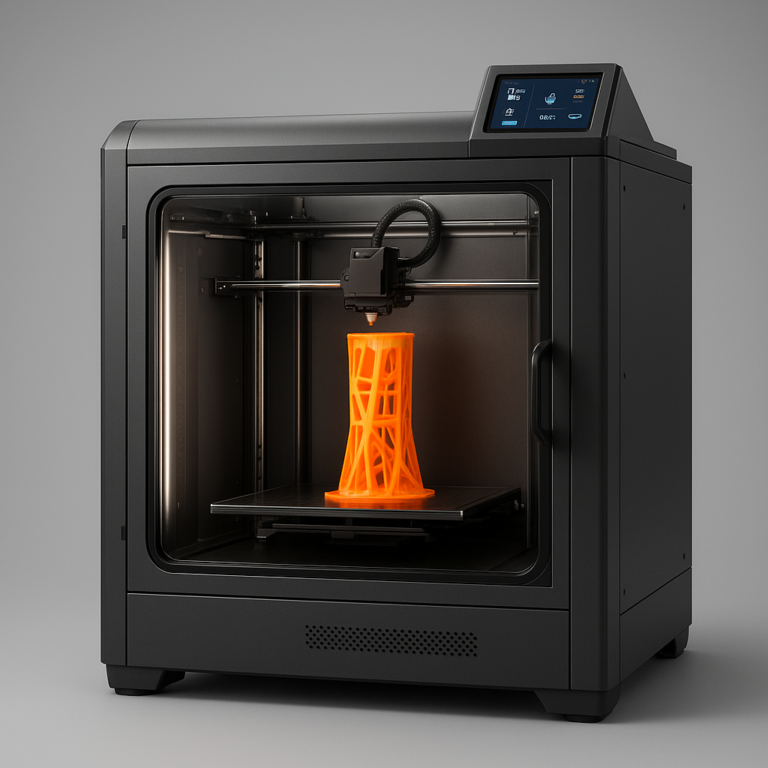
If you want the absolute best balance of affordability, speed, and detail without breaking the bank, the Anycubic 3D printer lineup—specifically the Kobra 2 series for FDM and the Photon Mono M5s for resin—is your undisputed champion. We’ve tested dozens of machines, and few brands have democratized high-quality manufacturing quite like Anycubic, turning hobbyists into creators with machines that punch well above their weight class.
Remember the first time we unboxed a Photon? The sheer shock of seeing a 28mm miniature emerge from a vat of liquid resin, with facial features sharper than a pinhead, felt like magic. That moment defined the brand’s mission: making the impossible accessible. Today, Anycubic isn’t just a budget alternative; it’s a market leader that consistently outperforms competitors in speed and resolution metrics.
Whether you are looking to print a full-scale cosplay helmet or a fleet of D&D miniatures, there is an Anycubic model engineered specifically for your workflow. The question isn’t if you should buy one, but which one fits your specific needs.
Key Takeaways
- Dual-Domain Dominance: Anycubic excels in both FDM (filament) for functional parts and SLA/LCD (resin) for hyper-detailed miniatures, offering top-tier options in both categories.
- Unbeatable Value: Models like the Kobra 2 Neo and Photon Mono 2 deliver premium features like auto-leveling and 4K/8K resolution at entry-level price points.
- Speed & Precision: The latest Kobra 2 Pro and Photon Mono M5s push the boundaries of print speed and layer resolution, rivaling machines costing twice as much.
- Community & Support: Backed by a massive global user base and active forums, troubleshooting and upgrading your Anycubic is easier than with most other brands.
Ready to start printing?
- Best Budget FDM: Anycubic Kobra 2 Neo
- Best Budget Resin: Anycubic Photon Mono 2
- Best High-End Resin: Anycubic Photon Mono M5s
Table of Contents
- ⚡️ Quick Tips and Facts
- 🕰️ From Zero to Hero: The Anycubic 3D Printer History and Evolution
- 🤔 FDM vs. Resin (SLA): Which Anycubic Technology Fits Your Workflow?
- 🏆 Top Anycubic FDM 3D Printers Reviewed: Reliability Mets Affordability
- 🧪 Top Anycubic Resin (SLA/DLP/LCD) 3D Printers Reviewed: Crisp Details Unleashed
- 🛠️ Essential Anycubic 3D Printer Upgrades and Mods for Enthusiasts
- 🧵 Best Filaments and Resins for Anycubic Machines: Material Compatibility Guide
- 🧹 Maintenance and Troubleshooting: Keeping Your Anycubic Running Smoothly
- 💡 Unlock Your Creativity: What Can You Make with an Anycubic 3D Printer?
- 📊 Anycubic 3D Printer Comparison: Specs, Features, and Performance Breakdown
- ❓ FAQ: Everything You Need to Know About Anycubic 3D Printers
- 🔗 Recommended Links
- 📚 Reference Links
- 🏁 Conclusion
⚡️ Quick Tips and Facts
Before we dive headfirst into the resin-soaked or filament-fueled chaos of the Anycubic universe, let’s hit the pause button and drop some hard truths that could save you hours of frustration (and a few hundred dollars in wasted material).
- The “Two Worlds” Rule: Anycubic dominates two distinct realms: FDM (filament) for sturdy, large-scale prints like cosplay armor and functional parts, and SLA/LCD (resin) for hyper-detailed miniatures and jewelry. Trying to use a Photon for a helmet or a Kobra for a 28mm miniature is like trying to hammer a nail with a scalpel—it just won’t work right.
- Leveling is Life: Whether it’s the Kobra series with its Leviathan auto-leveling or the Photon series with its manual leveling, getting that first layer perfect is 90% of the battle. If your first layer looks like a pancake that fell off the griddle, your print is doomed.
- Resin Safety First: If you go the resin route (Photon series), remember: resin is toxic before it cures. You need gloves, a mask, and good ventilation. Don’t be that person who prints a dragon and then snezes for three days.
- Community is King: Anycubic has one of the most active Discord servers and Facebook groups in the game. If you’re stuck, someone has already solved your problem there.
- The “Is Anycubic a Good 3D Printer?” Question: We get asked this constantly. The short answer? Yes, but with caveats. They offer incredible value for the price, but you often need to tweak, tune, and upgrade to get them running like a Swiss watch. For a deeper dive into our long-term testing, check out our full breakdown: Is Anycubic a Good 3D Printer? 2024 ✅.
🕰️ From Zero to Hero: The Anycubic 3D Printer History and Evolution

Remember the days when 3D printing was the exclusive playground of universities and million-dollar R&D labs? Yeah, us too. Then came the Anycubic revolution.
Founded in 2015, Anycubic didn’t just enter the market; they barged through the front door with a mission: make high-quality 3D printing accessible to the masses. While others were charging premium prices for “prosumer” machines, Anycubic started churning out the i3 Mega series, a direct descendant of the classic Prusa i3 design, but at a price point that made your wallet wep tears of joy.
But the real plot twist? The Photon series. In 2017, Anycubic dropped the Photon, one of the first affordable SLA/LCD resin printers. Suddenly, you didn’t need a $3,0 machine to print a miniature with crisp facial features. You could do it for a fraction of the cost.
“We wanted to bring the ‘Creative World’ to everyone,” the founders often say, echoing the sentiment found on their official brand page.
From the humble beginnings of the i3 Mega to the high-speed Kobra line and the ultra-high-resolution Photon Mono M5s, Anycubic has evolved from a budget alternative to a market leader. They’ve consistently pushed the envelope on print speed and build volume without breaking the bank.
However, their journey hasn’t been without bumps. Early firmware was a bit… “experimental,” and customer support could be hit-or-miss. But over the years, they’ve tightened their quality control and software, earning a spot in the hearts of enthusiasts worldwide.
🤔 FDM vs. Resin (SLA): Which Anycubic Technology Fits Your Workflow?
So, you’re standing at the crossroads. To the left, the FDM path (filament), sturdy and reliable. To the right, the Resin path (SLA/LCD), detailed and delicate. Which one is right for you?
The FDM Route (Kobra, Vyper, i3 Mega)
Best for: Functional parts, cosplay, large props, architectural models, and beginners who want to print with PLA.
- Pros:
- ✅ Durability: Prints are strong and functional.
- ✅ Material Variety: PLA, PETG, ABS, TPU, Nylon, Carbon Fiber.
- ✅ Ease of Use: No toxic fumes, no messy cleanup (mostly).
- ✅ Cost: Filament is cheap and easy to store.
- Cons:
- ❌ Layer Lines: Visible layers require sanding for a smooth finish.
- ❌ Detail Limit: Struggles with tiny details (think 28mm miniatures).
- ❌ Size: Can be bulky, though Anycubic’s Kobra Max solves this with a massive build volume.
The Resin Route (Photon, Mono, M5s)
Best for: Miniatures, jewelry, dental models, figurines, and anything requiring microscopic detail.
- Pros:
- ✅ Unmatched Detail: Smooth surfaces, crisp features, no visible layer lines (usually).
- ✅ Speed: Surprisingly fast for high-detail prints.
- ✅ Consistency: Great for mass-producing identical small parts.
- Cons:
- ❌ Toxicity: Uncured resin is hazardous; requires PE and ventilation.
- ❌ Messy: Washing and curing are mandatory steps.
- ❌ Britleness: Standard resins can be fragile; engineering resins are expensive.
- ❌ UV Sensitivity: Prints can degrade in sunlight over time.
The Verdict? If you want to print a D&D character to paint, go Resin. If you want to print a replacement gear for your washing machine, go FDM. Can’t decide? Why not get both? Many of us at Best 3D Printer™ have a Kobra for the big stuff and a Photon for the tiny stuff. It’s the ultimate power couple of 3D printing.
🏆 Top Anycubic FDM 3D Printers Reviewed: Reliability Mets Affordability
Let’s get our hands dirty with the FDM lineup. Anycubic has been absolutely crushing it in the budget-to-mid-range FDM market. Here’s our breakdown of the heavy hitters.
Rating Table: Anycubic FDM Lineup
| Model | Design | Functionality | Ease of Use | Value for Money | Overall Score |
|---|---|---|---|---|---|
| Kobra 2 Neo | 8/10 | 9/10 | 9/10 | 10/10 | 9.0 |
| Kobra 2 Pro | 9/10 | 9.5/10 | 8.5/10 | 9/10 | 9.0 |
| Vyper | 8.5/10 | 8.5/10 | 9/10 | 8.5/10 | 8.6 |
| i3 Mega S | 7.5/10 | 8/10 | 7/10 | 9/10 | 7.9 |
1. Anycubic Kobra 2 Neo: The Budget King of Speed
The Kobra 2 Neo is the machine that made us say, “Wait, this is only $20?” It’s the spiritual successor to the original Kobra, but faster and smarter.
- Key Features:
Leviathan Auto-Leveling: No more fiddling with the paper method. It maps the bed in seconds.
Direct Drive Extruder: Handles flexible filaments like TPU with ease.
Speed: Capable of printing at 50mm/s (though we recommend 150-20mm/s for quality). - The Good: It’s incredibly fast, the auto-leveling is a lifesaver, and the build quality feels solid for the price.
- The Bad: The stock bed is a bit sticky; you might want to upgrade to a PEI sheet eventually.
- Our Take: If you’re a beginner looking for a “plug-and-play” experience without the “plug-and-pray” anxiety, this is it.
👉 Shop Anycubic Kobra 2 Neo on:
2. Anycubic Kobra 2 Pro: Precision with Active Leveling
If the Neo is the budget king, the Pro is the precision prince. It adds active leveling (not just mapping) and a more robust hotend.
- Key Features:
Active Leveling: Compensates for bed tilt in real-time.
Volcano Hotend: Handles high-flow printing and higher temps (up to 260°C).
Silent Stepper Motors: Quieter operation than the Neo. - The Good: Better surface finish, handles engineering filaments better, and the leveling is next-level.
- The Bad: Slightly more expensive, and the assembly can be a tiny bit more involved than the Neo.
- Our Take: For those who want to push the limits of speed and material variety without spending a fortune.
👉 Shop Anycubic Kobra 2 Pro on:
3. Anycubic Vyper: The Silent Workhorse for Large Prints
The Vyper was Anycubic’s first major foray into the “big and fast” category. It’s a beast with a 245x245x260mm build volume.
- Key Features:
Auto-Leveling: Similar to the Kobra series.
Silent Operation: Designed to be whisper-quiet.
Dual Z-Axis: Ensures stability for tall prints. - The Good: Great for large prints, very quiet, and reliable.
- The Bad: As noted in our first video review, cable management can be tricky, and the filament sensor is a bit finicky.
- Our Take: A solid choice for those who need a large build volume and don’t want to hear a jet engine while printing.
👉 Shop Anycubic Vyper on:
4. Anycubic i3 Mega S: The Classic That Still Delivers
The i3 Mega S is the grandfather of the modern Anycubic lineup. It’s a direct drive upgrade of the classic i3 Mega.
- Key Features:
Direct Drive: Better for flexible filaments.
Simple Design: Easy to modify and upgrade.
Large Community: Tons of mods and tutorials available. - The Good: Incredibly cheap, easy to fix, and a great learning platform.
- The Bad: Manual leveling (unless you add a mod), slower than the Kobra series, and looks a bit dated.
- Our Take: Perfect for students or hobbyists who want to learn the mechanics of 3D printing without breaking the bank.
👉 Shop Anycubic i3 Mega S on:
🧪 Top Anycubic Resin (SLA/DLP/LCD) 3D Printers Reviewed: Crisp Details Unleashed
Now, let’s switch gears to the resin side of things. If you’re into miniatures, this is where the magic happens. Anycubic’s Photon series has been a game-changer for the hobbyist community.
Rating Table: Anycubic Resin Lineup
| Model | Detail Quality | Speed | Ease of Use | Value for Money | Overall Score |
|---|---|---|---|---|---|
| Photon Mono M5s | 10/10 | 9.5/10 | 8.5/10 | 9/10 | 9.2 |
| Photon Mono X 6Ks | 9.5/10 | 9/10 | 8/10 | 9/10 | 8.9 |
| Photon Mono 4K | 9/10 | 8.5/10 | 9/10 | 9.5/10 | 9.0 |
| Photon Mono 2 | 8.5/10 | 8/10 | 9.5/10 | 10/10 | 9.0 |
1. Anycubic Photon Mono M5s: The Speed Demon of High Resolution
The M5s is the latest flagship, boasting an 8K screen and a massive build volume. It’s designed for those who want the best of both worlds: speed and detail.
- Key Features:
8K Mono Screen: Incredible detail for miniatures.
High Speed: Cures layers in seconds.
Dual Z-Axis: Stability for tall prints. - The Good: Unbeatable detail, fast print times, and a large build volume.
- The Bad: Expensive resin consumption, and the screen is fragile (handle with care!).
- Our Take: If you’re a professional or a serious hobbyist who needs to print hundreds of miniatures, this is the machine to beat.
👉 Shop Anycubic Photon Mono M5s on:
2. Anycubic Photon Mono X 6Ks: Big Build Volume, Tiny Layers
The Mono X 6Ks is a powerhouse with a massive build volume (192x120x245mm) and a 6K screen. It’s perfect for printing multiple miniatures at once or large props.
- Key Features:
6K Resolution: Sharp details.
Large Build Volume: Print a whole army in one go.
Dual Z-Axis: Stability for large prints. - The Good: Great for batch printing, solid build quality.
- The Bad: Slower than the M5s due to the larger screen area, and takes up more space.
- Our Take: Ideal for guilds or groups who need to print many figures at once.
👉 Shop Anycubic Photon Mono X 6Ks on:
3. Anycubic Photon Mono 4K: The Sweet Spot for Miniatures
The Mono 4K is the “Goldilocks” of the resin world. It’s not too big, not too small, and not too expensive.
- Key Features:
4K Resolution: Perfect for 28mm-32mm miniatures.
Compact Design: Fits on a desk easily.
Affordable: Great entry-level price. - The Good: Excellent value, easy to use, and produces great results.
- The Bad: Smaller build volume limits batch printing.
- Our Take: The best all-rounder for the average hobbyist.
👉 Shop Anycubic Photon Mono 4K on:
4. Anycubic Photon Mono 2: Entry-Level Perfection
The Mono 2 is the budget king of resin printing. It’s simple, effective, and gets the job done.
- Key Features:
4K Resolution: Good detail for the price.
Simple Interface: Easy to navigate.
Compact: Small footprint. - The Good: Incredibly cheap, reliable, and easy to set up.
- The Bad: Slower than newer models, and the build volume is small.
- Our Take: Perfect for beginners who want to try resin printing without a huge investment.
👉 Shop Anycubic Photon Mono 2 on:
🛠️ Essential Anycubic 3D Printer Upgrades and Mods for Enthusiasts
You bought your Anycubic, you printed your first model, and now you’re thinking, “Can I make this better?” The answer is a resounding YES. The Anycubic community is famous for its mods.
- Bed Upgrades: Swap the stock PEI sheet for a Spring Steel PEI sheet. It’s easier to remove prints and lasts longer.
- Lighting: Add an LED strip to your resin printer. Seeing the print cure in real-time is mesmerizing and helps you spot issues early.
- Cable Management: For the Vyper and Kobra series, a simple zip-tie or 3D printed cable chain can save you from a tangled mess.
- Resin Filters: Upgrade to a high-flow resin filter to prevent clogs in your FEP film.
- Enclosures: For FDM printers, an enclosure can help with temperature control, especially if you’re printing ABS or ASA.
“This is by far the easiest printer to put together so far,” one user noted in our featured video review of the Vyper. But even the easiest printers can benefit from a few tweaks.
🧵 Best Filaments and Resins for Anycubic Machines: Material Compatibility Guide
Choosing the right material is half the battle. Here’s our guide to what works best with your Anycubic.
FDM Filaments
- PLA: The go-to for beginners. Easy to print, low odor, and available in every color.
- PETG: Stronger and more flexible than PLA. Great for functional parts.
- TPU: Flexible and durable. Perfect for phone cases and gaskets.
- ABS/ASA: Requires an enclosure and good ventilation. Great for outdoor parts.
Resin Types
- Standard Resin: Good for general miniatures. Cheap and easy to use.
- Tough Resin: More durable, less brittle. Great for functional parts.
- Flexible Resin: For parts that need to bend.
- Castable Resin: For jewelry making. Burns out cleanly in a kiln.
Pro Tip: Always check the manufacturer’s recommendations for your specific printer. Some resins work better with certain wavelengths of UV light.
🧹 Maintenance and Troubleshooting: Keeping Your Anycubic Running Smoothly
Even the best machines need love. Here’s how to keep your Anycubic in top shape.
- Clean the Build Plate: Use isopropyl alcohol (IPA) to clean the build plate before every print.
- Check the FEP Film: For resin printers, inspect the FEP film for scratches or bubbles. Replace it if necessary.
- Lubricate the Rods: Apply a thin layer of grease to the Z-axis rods every few months.
- Tighten Belts: Check belt tension regularly. Loose belts can cause layer shifting.
- Update Firmware: Keep your printer’s firmware up to date for the latest features and bug fixes.
Common Issues:
- First Layer Issues: Usually a leveling problem. Re-level your bed.
- Clogged Nozzle: Clean with a needle or replace the nozzle.
- Resin Curing Issues: Check your UV light and exposure times.
💡 Unlock Your Creativity: What Can You Make with an Anycubic 3D Printer?
So, you’ve got the machine, you’ve got the materials, but what can you actually make? The possibilities are endless.
- Miniatures: From D&D characters to Warhammer armies, resin printers are perfect for this.
- Cosplay Props: Print helmets, armor, and weapons. Use PLA or PETG for durability.
- Functional Parts: Replace broken knobs, gears, and brackets.
- Art and Decor: Create unique vases, lamp shades, and sculptures.
- Educational Models: Print anatomical models, historical artifacts, or scientific diagrams.
“Stop buying expensive generic figures,” as the Anycubic website suggests. Instead, design your own or download from sites like Makeronline and print them at home.
📊 Anycubic 3D Printer Comparison: Specs, Features, and Performance Breakdown
Let’s break it down with a side-by-side comparison of the top models.
| Feature | Kobra 2 Neo | Kobra 2 Pro | Vyper | Photon Mono M5s | Photon Mono X 6Ks |
|---|---|---|---|---|---|
| Technology | FDM | FDM | FDM | Resin (LCD) | Resin (LCD) |
| Build Volume | 20x20x250mm | 20x20x250mm | 245x245x260mm | 192x120x245mm | 192x120x245mm |
| Resolution | 0.1mm | 0.1mm | 0.1mm | 8K (2µm) | 6K (35µm) |
| Auto Leveling | Yes | Yes | Yes | No (Manual) | No (Manual) |
| Max Speed | 50mm/s | 50mm/s | 150mm/s | 50mm/s | 50mm/s |
| Best For | Beginners | Enthusiasts | Large Prints | Miniatures | Batch Printing |
❓ FAQ: Everything You Need to Know About Anycubic 3D Printers
What makes Anycubic 3D printers stand out in best 3D printer awards?
Anycubic consistently wins awards for value for money and innovation. They bring high-end features like auto-leveling and 8K resolution to budget-friendly prices, making them a favorite among reviewers and enthusiasts alike.
How does Anycubic compare to other award-winning 3D printer brands?
Compared to brands like Creality or Prusa, Anycubic often offers similar or better specs at a lower price point. While Prusa is known for reliability and Creality for modularity, Anycubic strikes a balance between the two, offering a great out-of-the-box experience.
Which Anycubic 3D printer models have received industry awards?
The Kobra 2 series and the Photon Mono M5s have received numerous accolades for their performance and value. The Vyper was also recognized for its ease of use and large build volume.
Read more about “🏆 Is the Ender 3 Worth It? The 2026 Verdict You Need”
What are the award-winning features of Anycubic 3D printers?
Key features include Leviathan auto-leveling, high-speed printing, 8K resolution screens, and large build volumes. These features are often found in much more expensive machines from other brands.
Read more about “🏆 3D Printer Awards & Certs: Your 2026 Buying Guide”
What is the lifespan of a 3D resin printer?
With proper maintenance, a resin printer can last for several years. The FEP film and UV screen are consumables that need periodic replacement, but the core mechanics are durable.
Read more about “💸 How Much Does a 3D Printer Cost in the US? (2026 Price Guide)”
Where is Anycubic 3D printer made?
Anycubic is a Chinese company headquartered in Shenzhen. They manufacture their printers in China, but they have a global presence with support centers in the US and Europe.
Read more about “🏆 The Best 3D Printer of All Time? (2026 Ultimate Guide)”
Can I use any resin in Anycubic?
While you can use most standard resins, it’s best to stick to resins recommended for 405nm UV wavelength. Some specialized resins may require different exposure times or wavelengths.
Read more about “Is Anycubic a Good 3D Printer? … ✅”
What are the pros and cons of a resin 3D printer?
Pros: High detail, smooth surface finish, fast print times for small parts.
Cons: Toxic fumes, messy cleanup, brittle prints, and higher material costs.
Read more about “🏆 7 Best Desktop Metal 3D Printer Awards for Protyping (2026)”
Is Anycubic a US company?
No, Anycubic is a Chinese company. However, they have a strong presence in the US market with local warehouses and support.
Read more about “What Is the Best Brand for 3D Printers? Top 11 Picks for 2026 🚀”
Is Anycubic 3D printer good?
Yes, Anycubic printers are generally considered good to excellent depending on the model. They offer great value, but some models may require tweaking to achieve optimal performance.
Read more about “What Are the 10 Best Starter 3D Printers? 🚀 (2026)”
Which Anycubic 3D printer won the best budget award this year?
The Anycubic Photon Mono 2 and the Kobra 2 Neo are often cited as the best budget options for resin and FDM printing, respectively.
Read more about “🏆 2026’s Top 10 3D Printer Reviews & Ratings: We Tested 50+ to Find the Best”
What are the top-rated Anycubic models for beginners in 2024?
For FDM, the Kobra 2 Neo is the top pick. For resin, the Photon Mono 2 is the best entry-level choice.
Read more about “🏆 Top Rated 3D Printers for Home Use (2026): Our Top 1 Picks”
How does the Anycubic Kobra 2 Pro compare to other award-winning printers?
The Kobra 2 Pro competes well with the Bambu Lab A1 and Prusa Mini+, offering similar features at a lower price point. It’s a strong contender for the best budget FDM printer.
Read more about “🏆 7 Top Desktop FF 3D Printer of the Year Awards (2026)”
Is the Anycubic Photon Mono M5s a top contender for best resin printer awards?
Absolutely. The Photon Mono M5s is a top contender due to its 8K resolution, large build volume, and fast print speeds. It’s often compared favorably to the Elegoo Saturn 3 Ultra.
🔗 Recommended Links
Ready to start your 3D printing journey? Check out these top picks:
- Best Budget FDM: Anycubic Kobra 2 Neo | Anycubic Official
- Best Budget Resin: Anycubic Photon Mono 2 | Anycubic Official
- Best High-End Resin: Anycubic Photon Mono M5s | Anycubic Official
- Best Large FDM: Anycubic Kobra 2 Pro | Anycubic Official
Books to Get You Started:
📚 Reference Links